Deal Setup
Each bank can offer various types of loan products for deals or facilities to its customers. Such different types of deals can be configured based on bank’s requirement.
The bank can add as many deal/facility products as required in CLOS and map these product to the corresponding Transact product using the Core Product ID field. When the CLOS creates a Deal/Facility in the core, it picks the mapped Transact product ID of the chosen product in the application from.
Currently in the system ,deal has been configured. The bank can chose to configure their own deal. Deal Product ID is configured as Deal in the Deal setup screen and the Facility Product ID is configured as Revolving.Facility/ Term.Facility in the Facility setup screen.
View
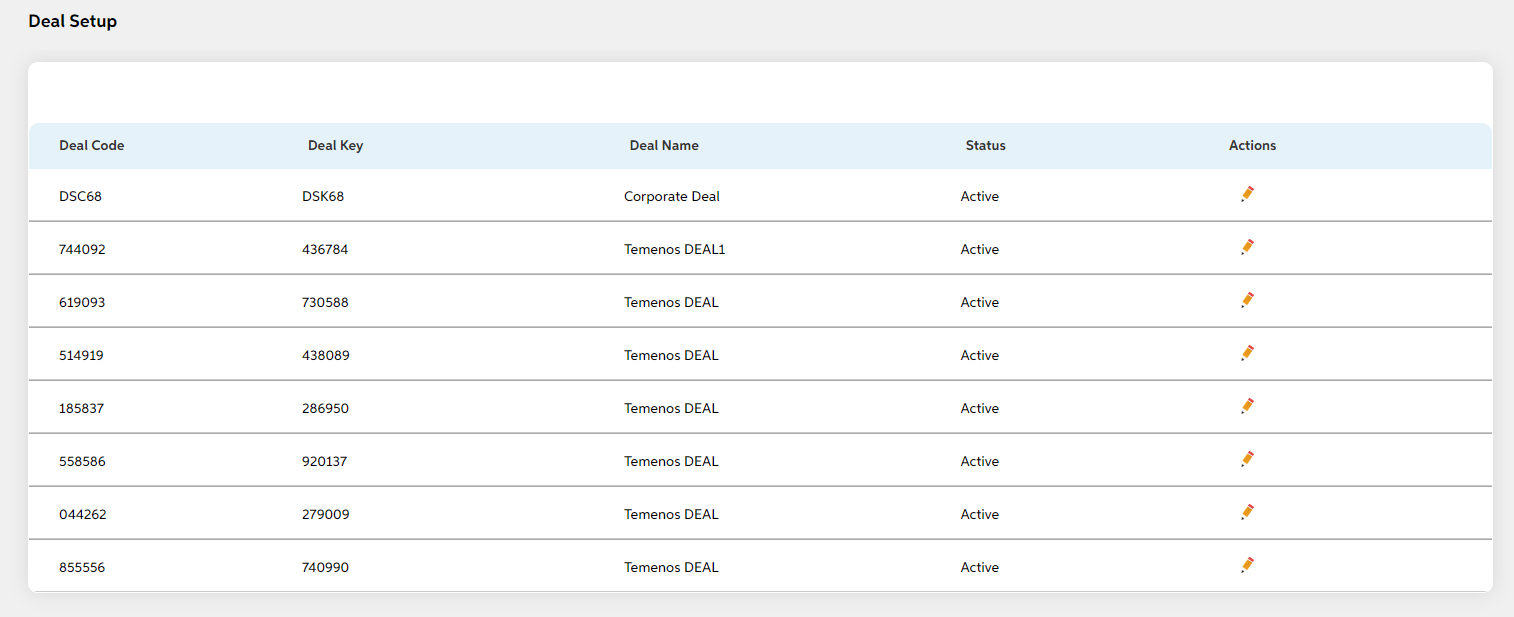
After selecting Deal Setup from the Facility Management module, user will be shown the main screen where the following fields display.
- Deal Code
- Deal Key
- Deal Name
- Status
- Actions (Edit)
| Screens to Configure (as Pre-requisite) | Screen name | Reflection in user panel | Reflection in admin panel |
|---|---|---|---|
| Facility setup | Deals/facility screen (Field Name: Requested Facility) | This is reflected only in user panel |
In this topic