My Strategy
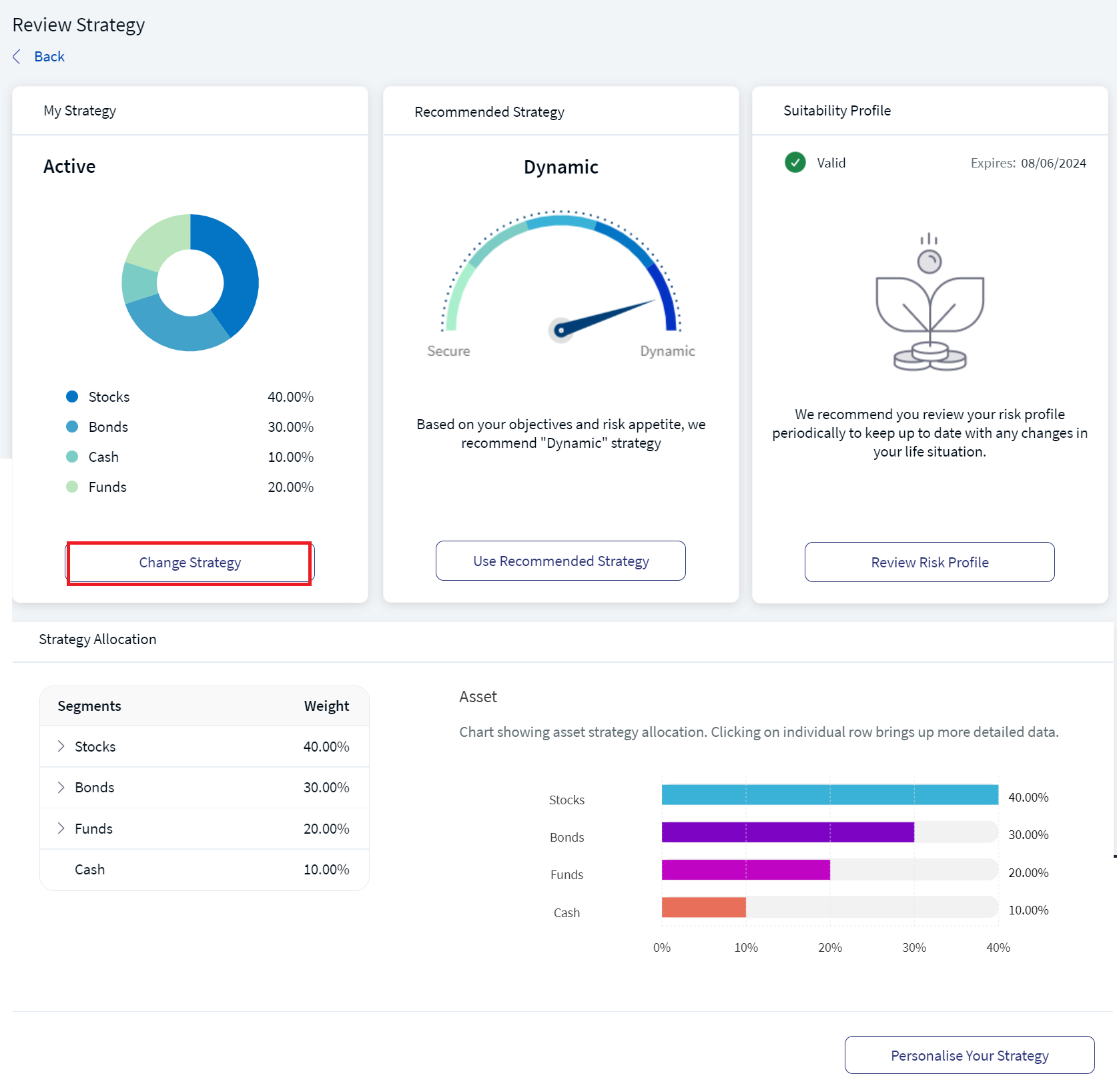
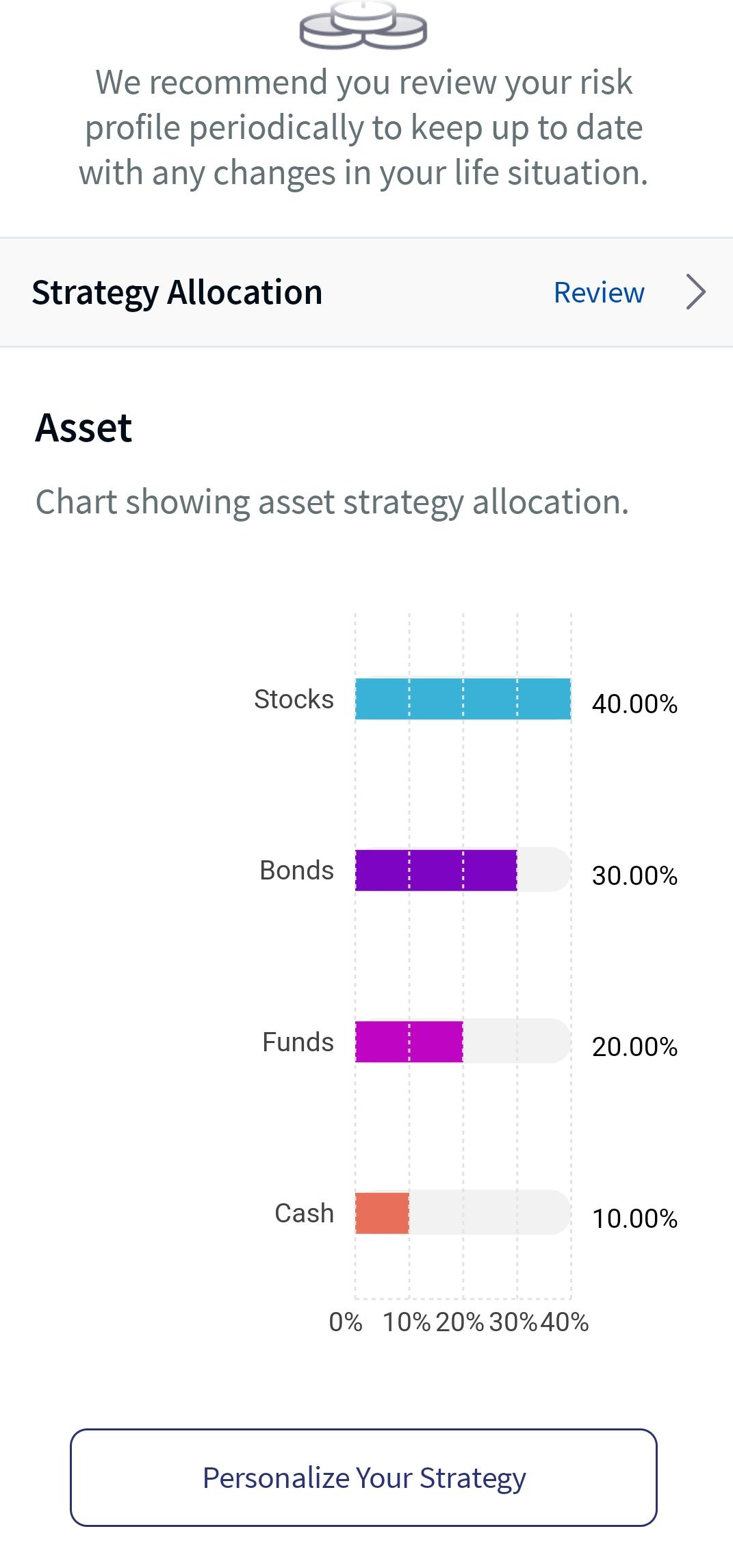
My Strategy feature allows you to review the current investment plan or review the strategy and choose the recommended strategy depending on the investment goals and risk tolerance. My Strategy card in the Digital Wealth app displays the opted strategy name and asset strategy allocation as a bar chart. It also facilitates you to personalize your strategy based on the overall performance of your investment.
Below is a detailed description of the user interface of the My Strategy screen for the Online Banking and Mobile Native App.
Feature Description
Online Banking: To change the current investment strategy for the selected portfolio, follow these steps:
- On the Review Strategy screen, in My Strategy section, click Change Strategy.
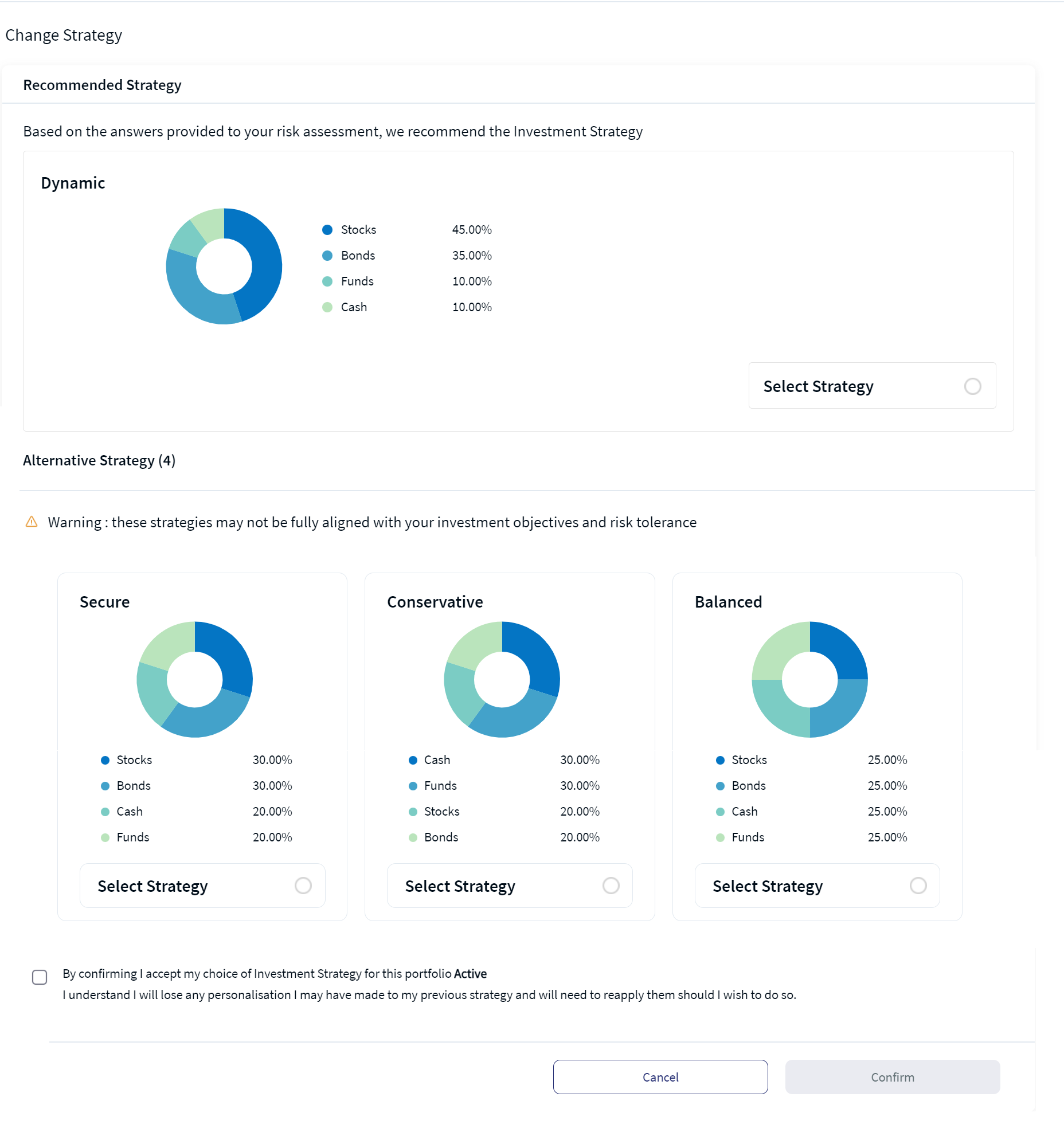
- Select any of the available strategy and click on the Select Strategy radio button.
- Enable the confirmation check-box and click Confirm.
The Change Strategy screen appears, which briefs about the recommended strategy and the alternative strategies.
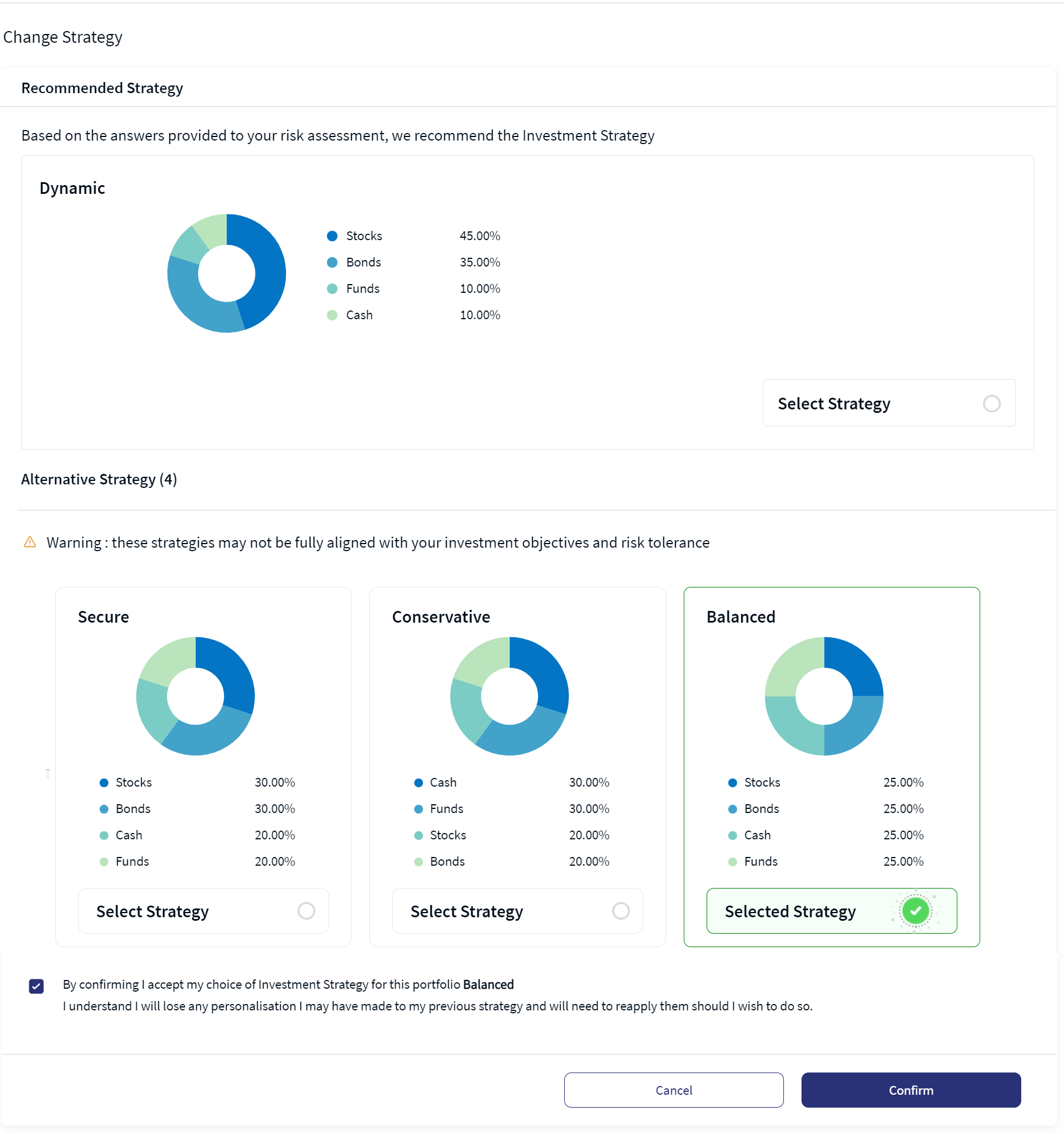
An acknowledgment as "New Strategy Successfully Applied" appears.
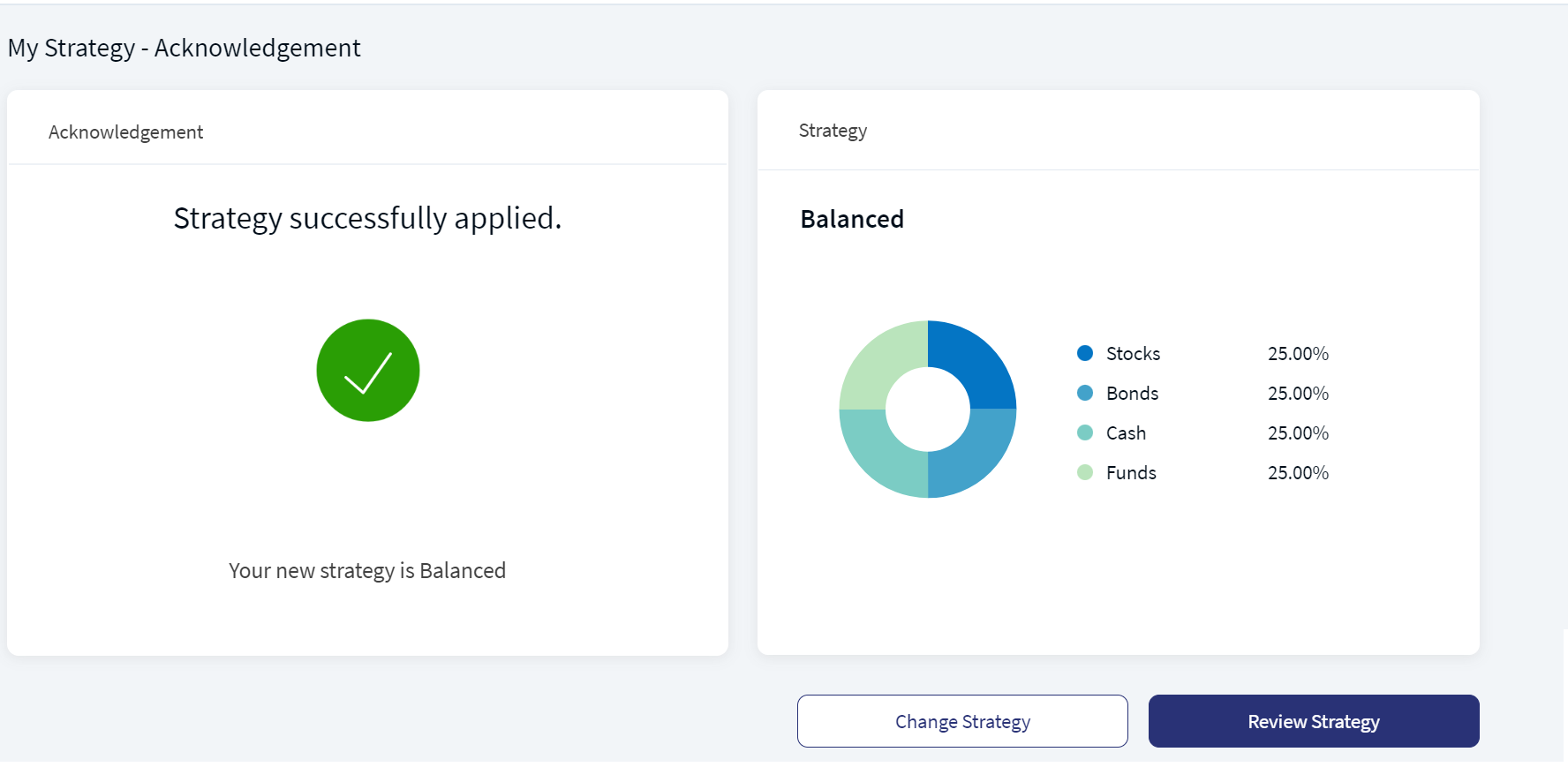
You can either change the investment strategy or review the current strategy by clicking on the respective buttons.
Mobile Native App:To review the current investment strategy or choose the recommended strategy for the selected portfolio, follow these steps:
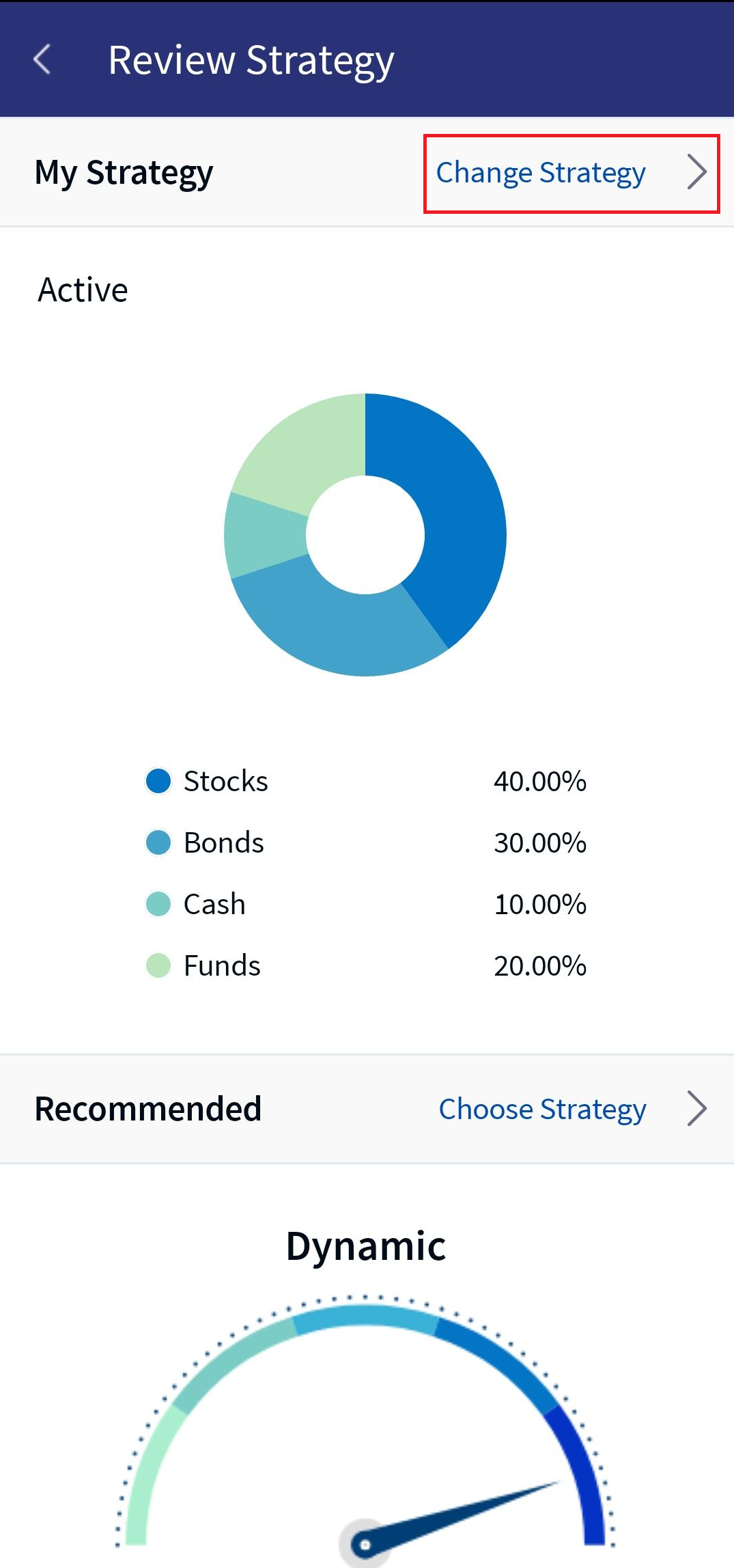
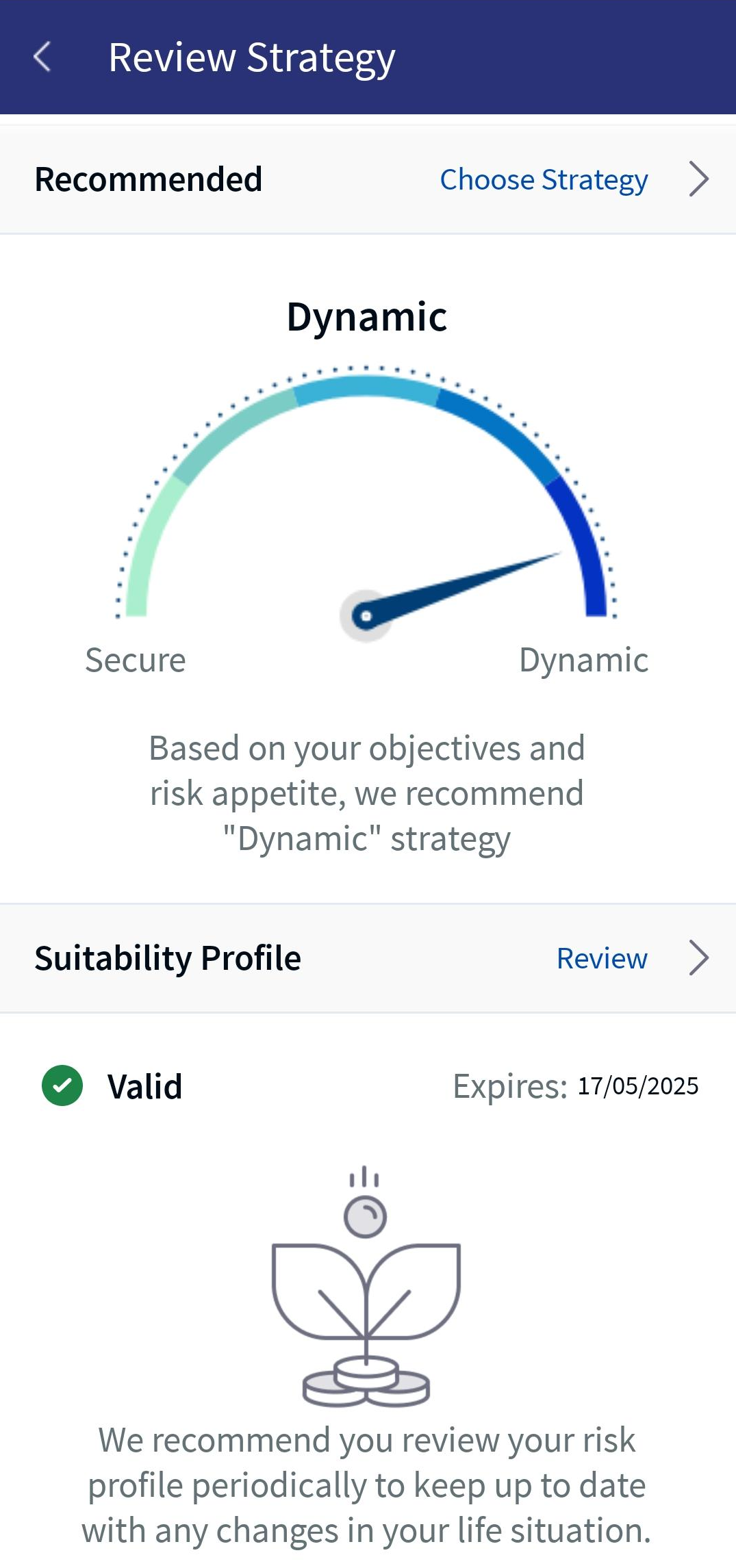
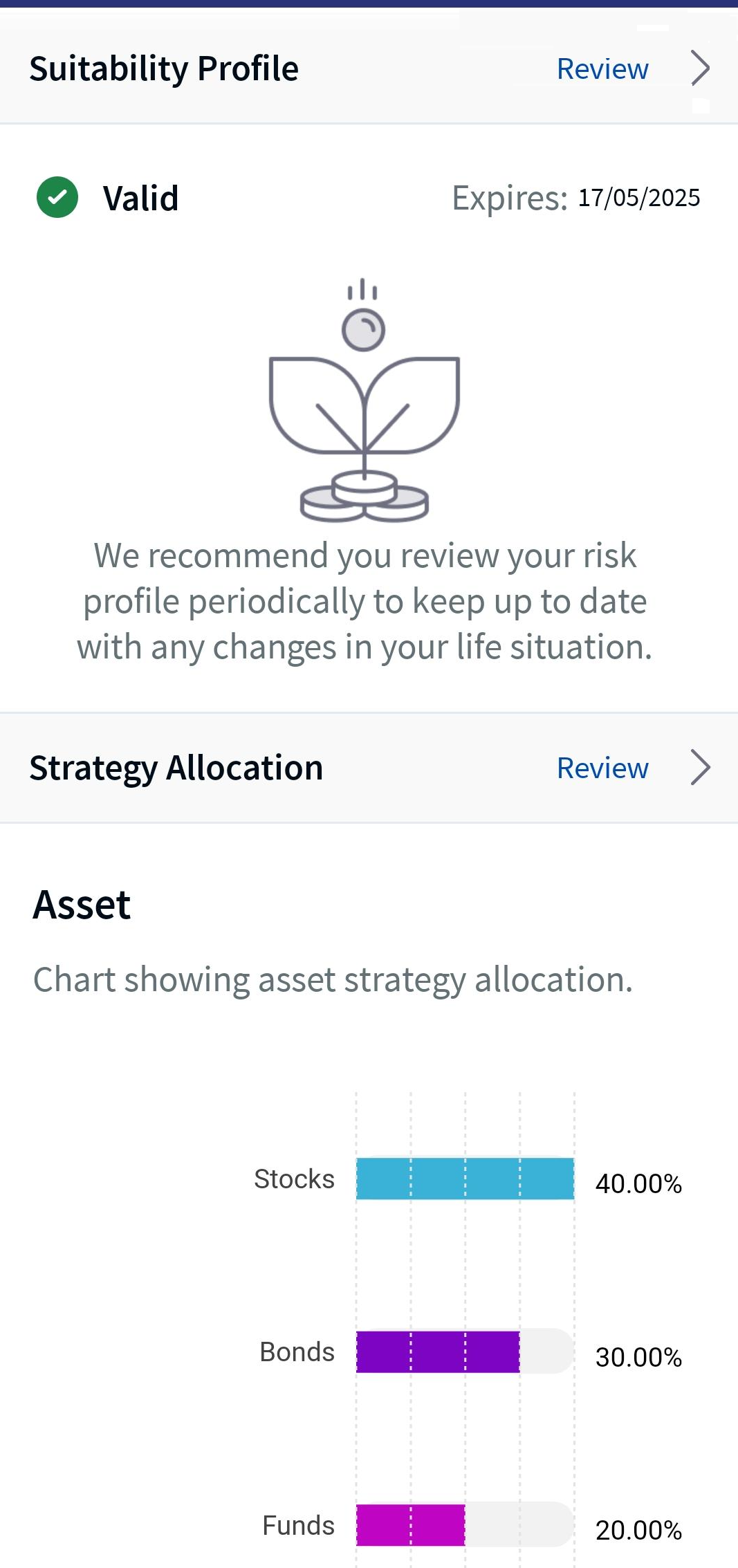
- Under the Advisory tab, go to the My Strategy section and click Review Strategy. The Review Strategy screen appears, displaying my strategy, recommended strategy, suitability profile and strategy allocation sections.
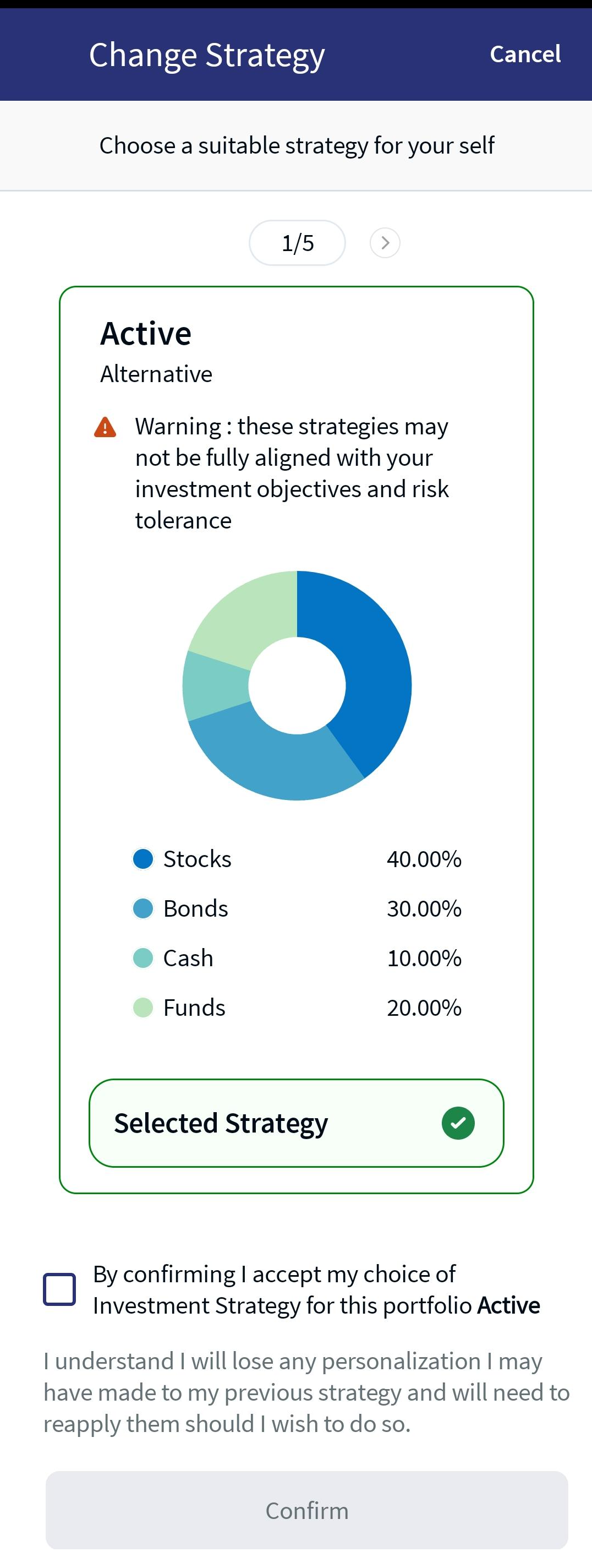
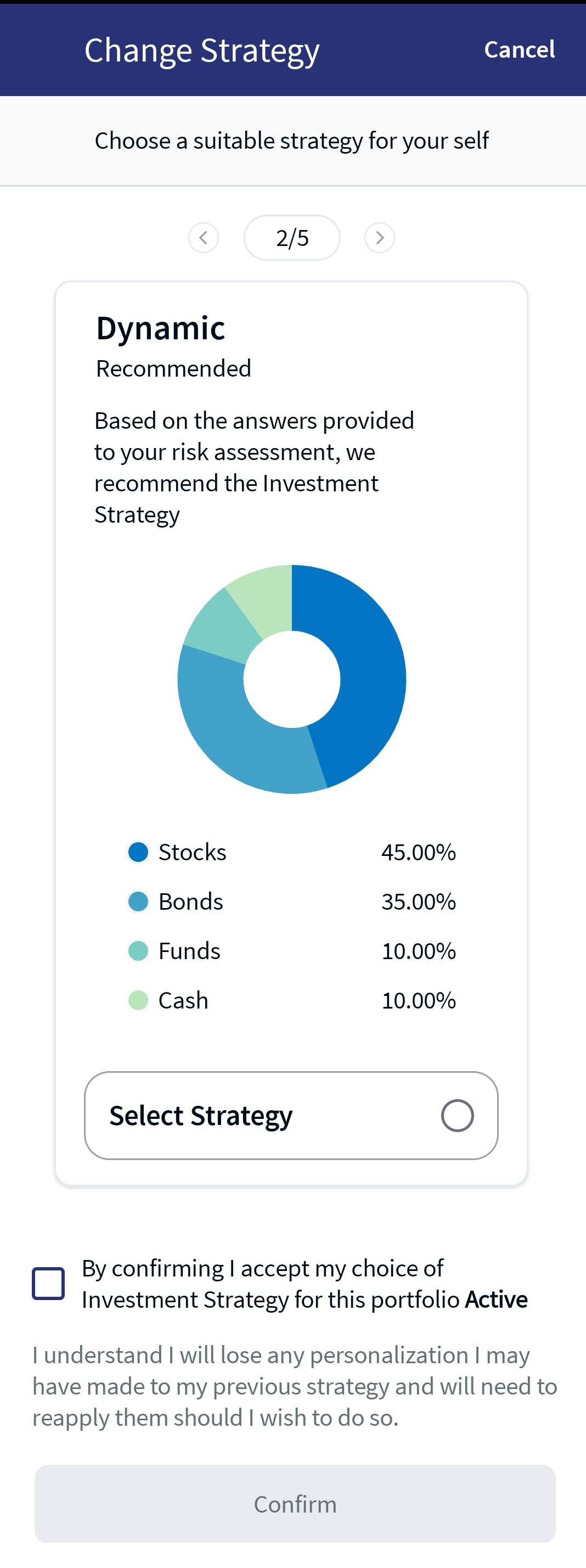
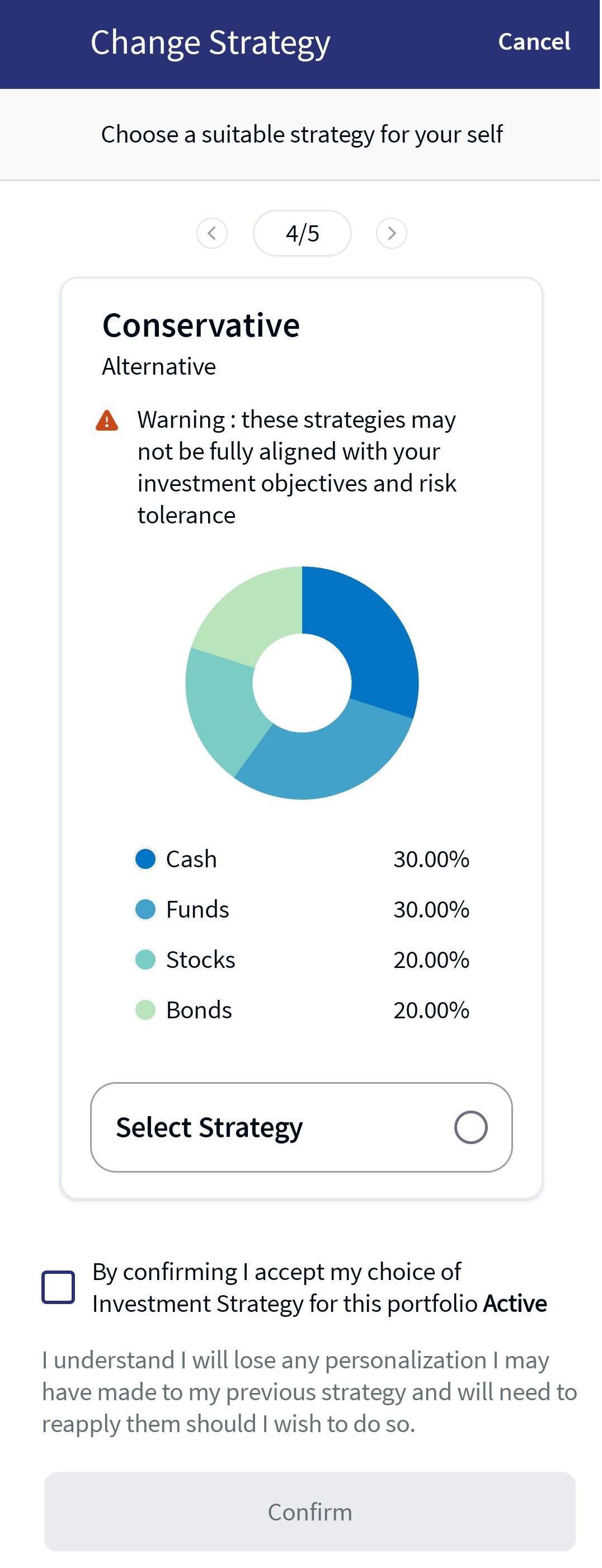
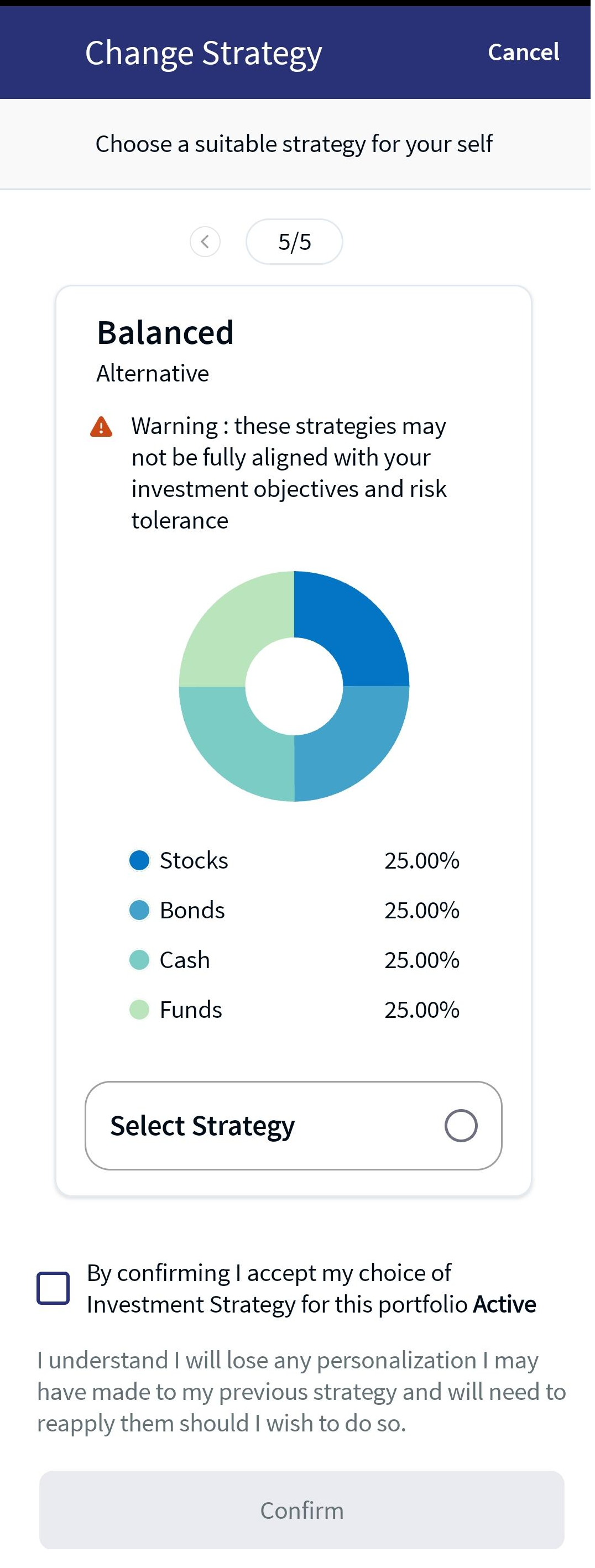
- In the My Strategy section, click on Change Strategy, which is present in the top-right corner of the screen. The Change Strategy screen appears, which briefs about the recommended and alternative strategies.
- Select any of the available strategy and click on the Select Strategy radio button.
- Enable the confirmation check-box and click Confirm. An acknowledgment as "Strategy Successfully Applied," and the new strategy name appears.
You can click the arrow (left/right) to view the current and alternative strategies.
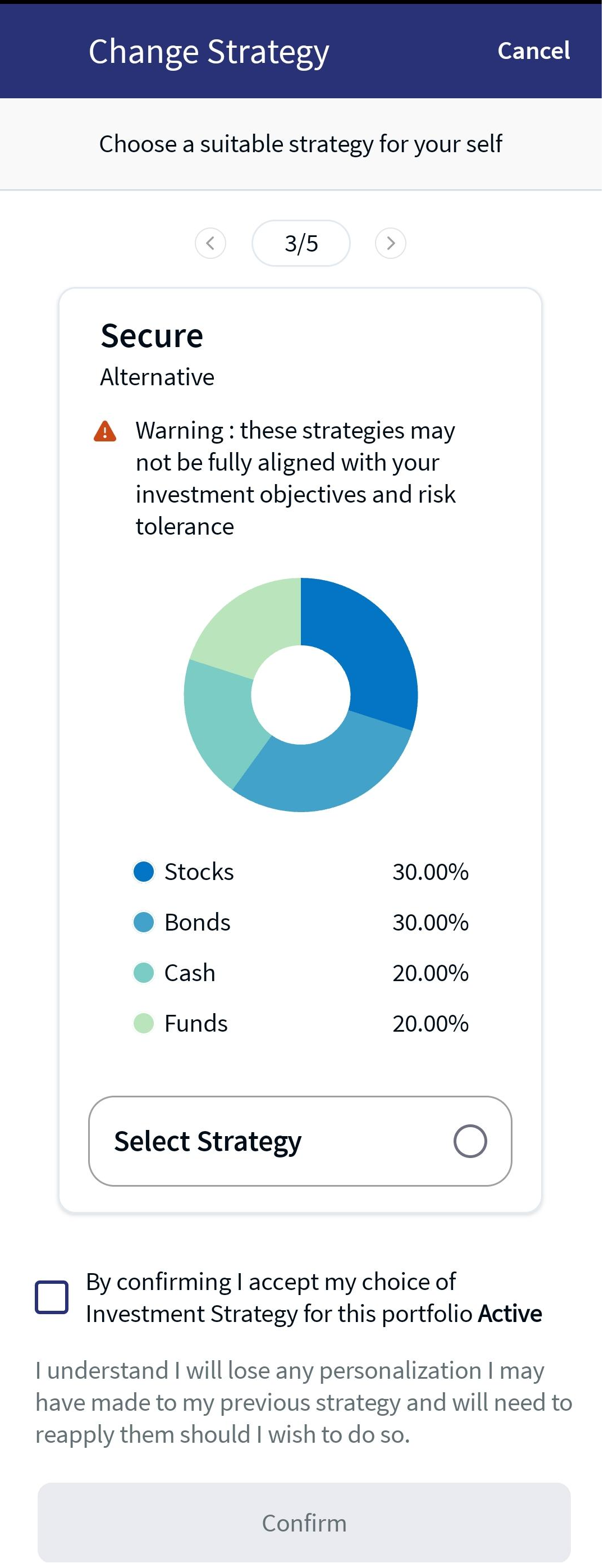
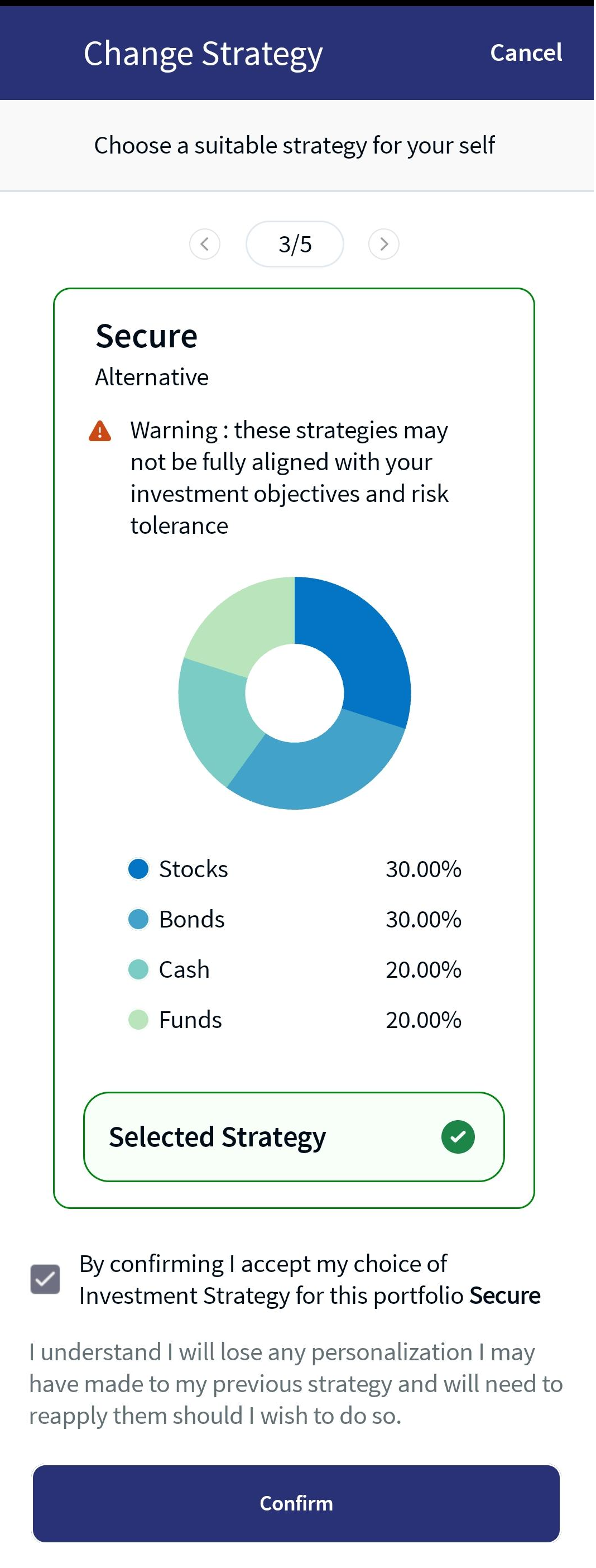
Changed Strategy - Secure
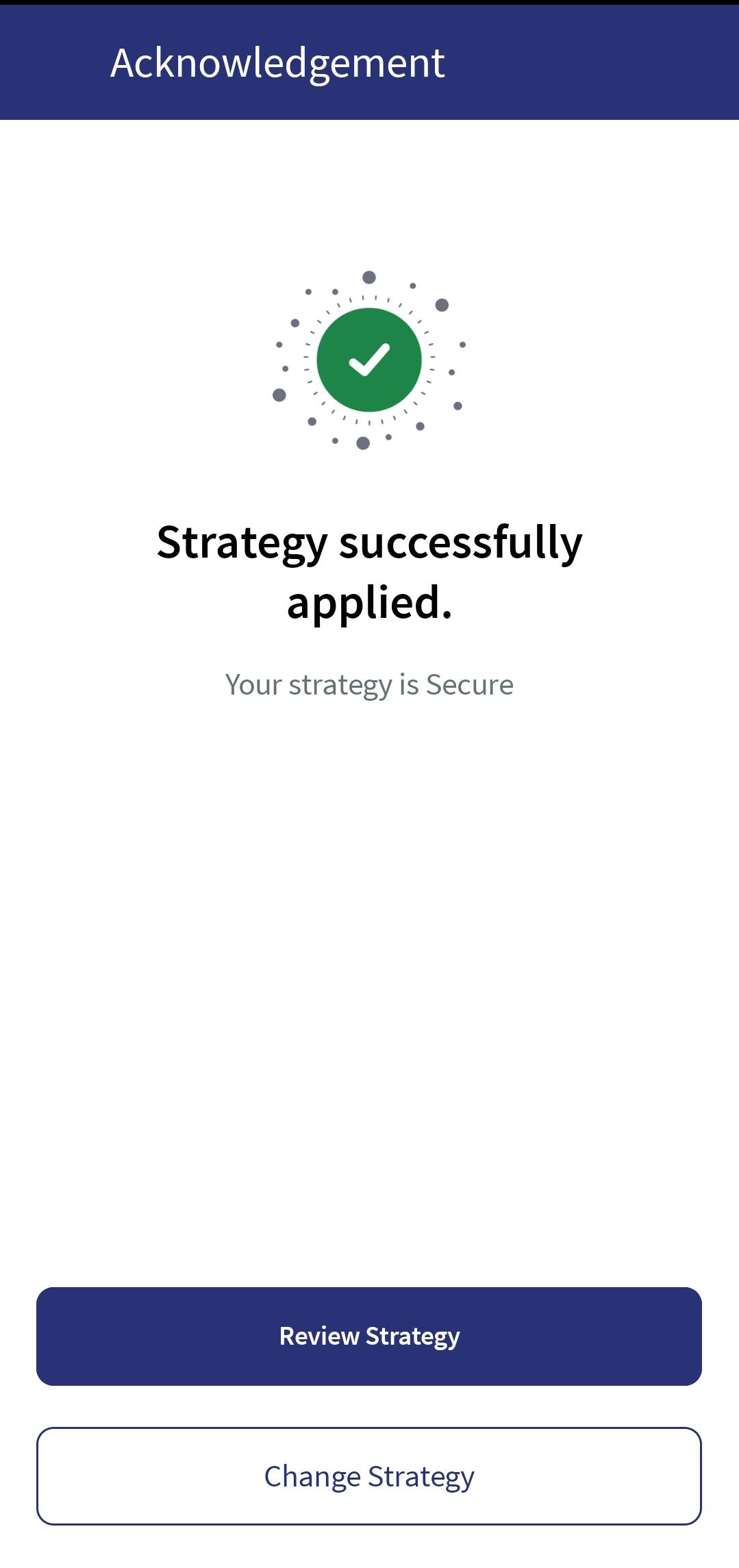
Acknowledgment
In this topic