Recommended Strategy
The recommended strategy is the strategy the bank offers to its users based on customer goals and risk tolerance. You can choose the recommended strategy or select from the available strategies depending on the investment goals and risk tolerance.
Below is a detailed description of the user interface of the Recommended Strategy screen for the Online Banking and Mobile Native App.
Feature Description
Online Banking: To apply the recommended strategy for the selected portfolio, follow these steps:
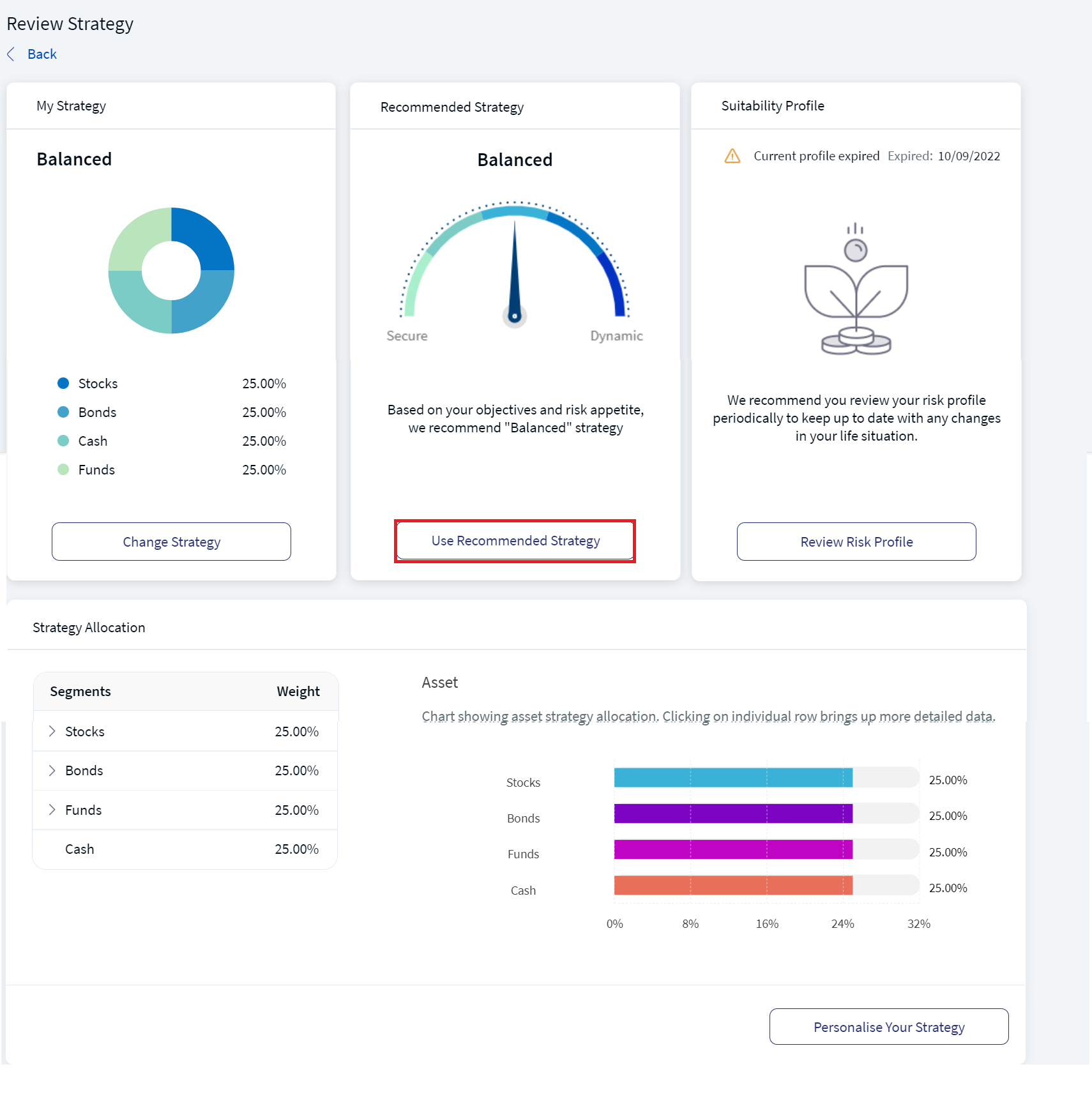
- On the Review Strategy screen, in the Recommended Strategy section, click Use Recommended Strategy.
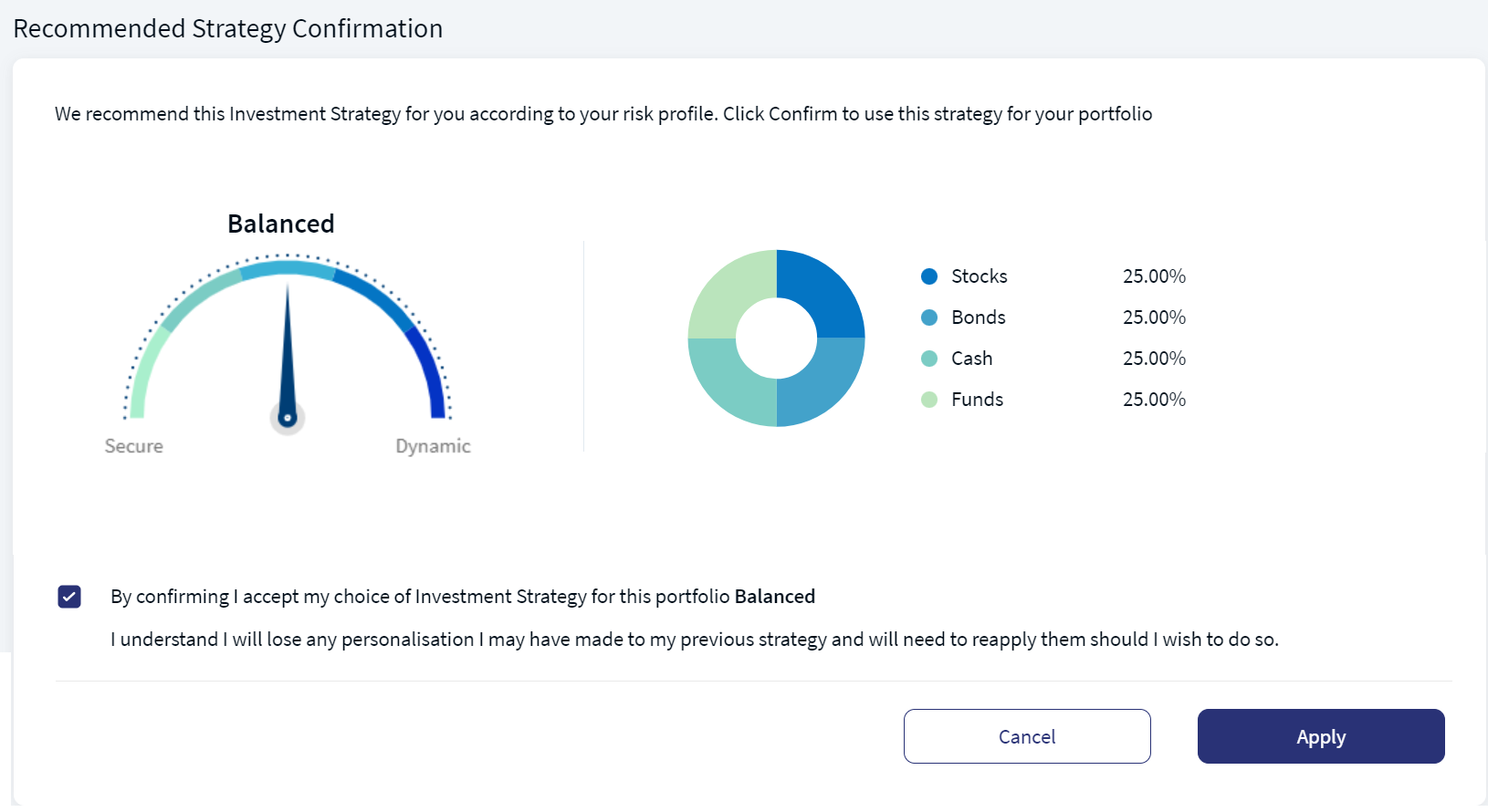
- Review the recommended strategy and then enable the confirmation check-box.
- Click Apply to apply the recommended strategy.
The Recommended Strategy Confirmation screen appears.
An acknowledgment as "Recommended Strategy- Acknowledgment" appears.
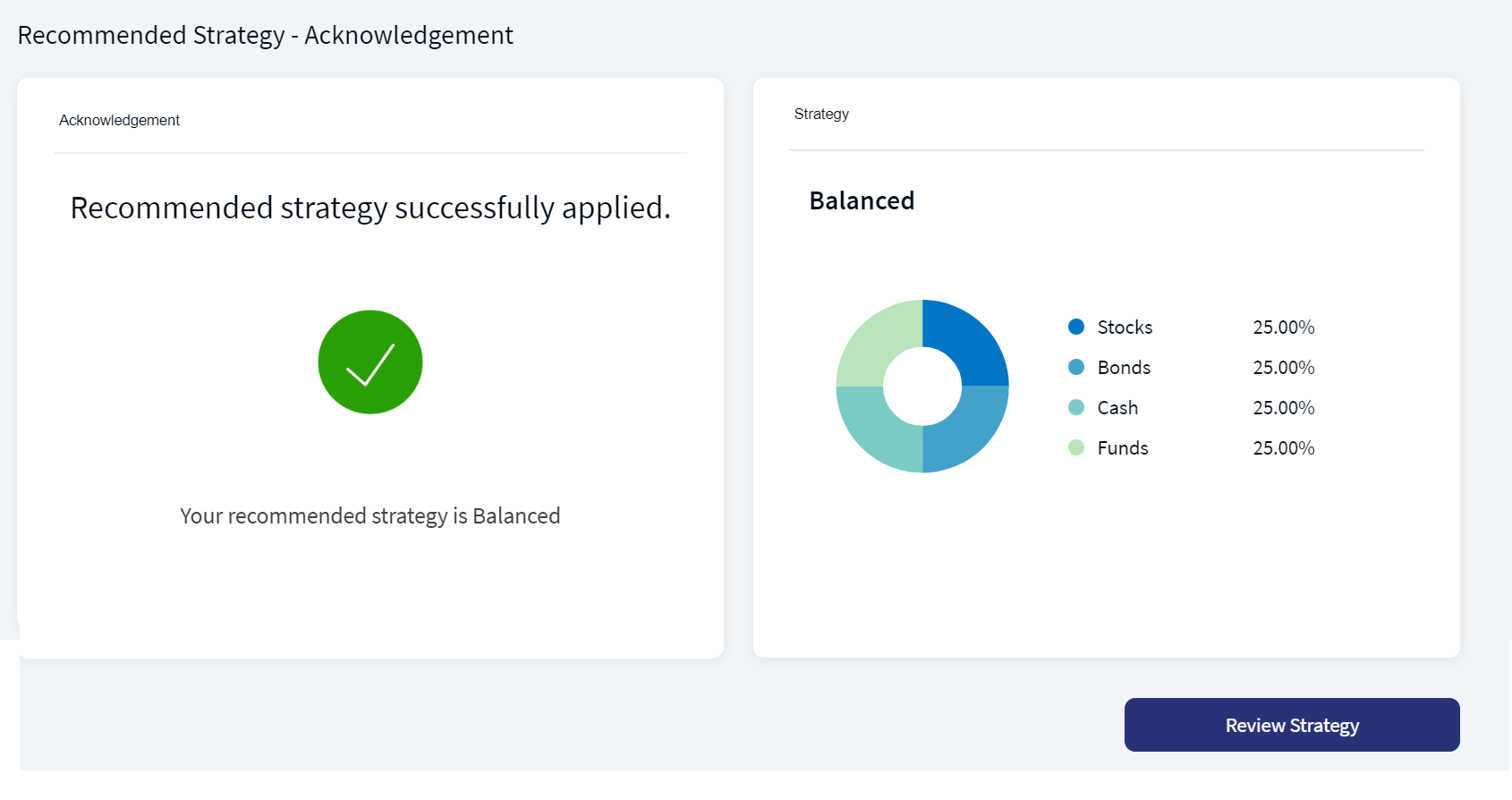
You can review the applied strategy by clicking the Review Strategy button.
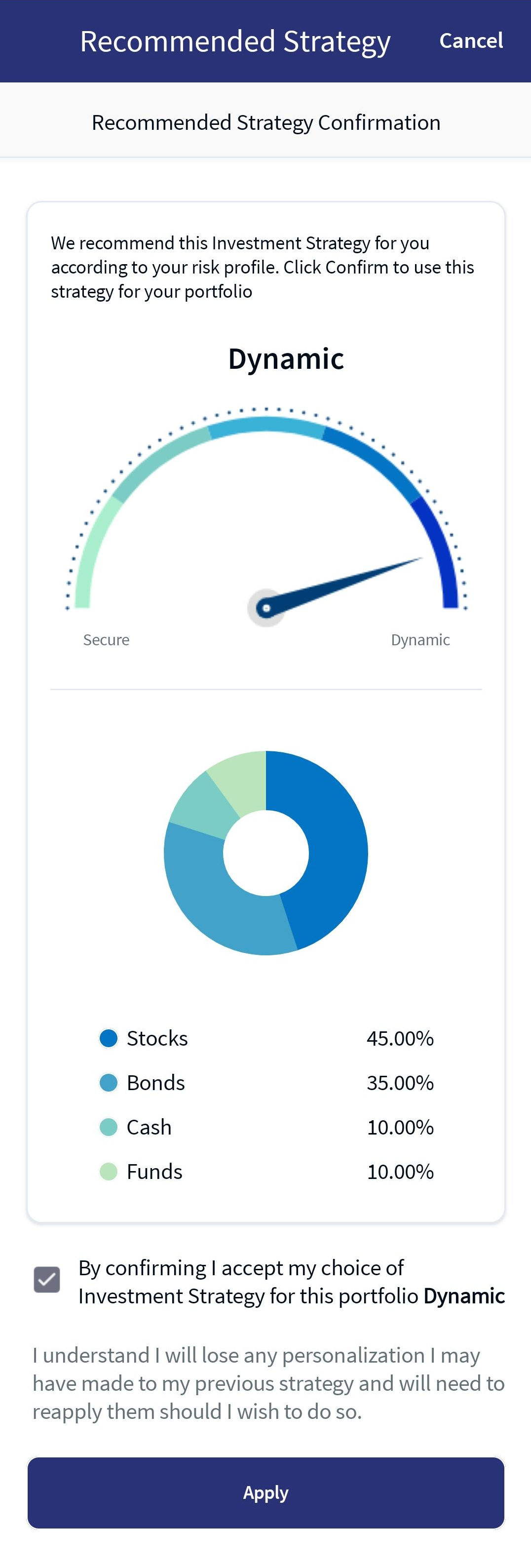
Mobile Native App:To apply the recommended strategy for the selected portfolio, follow these steps:
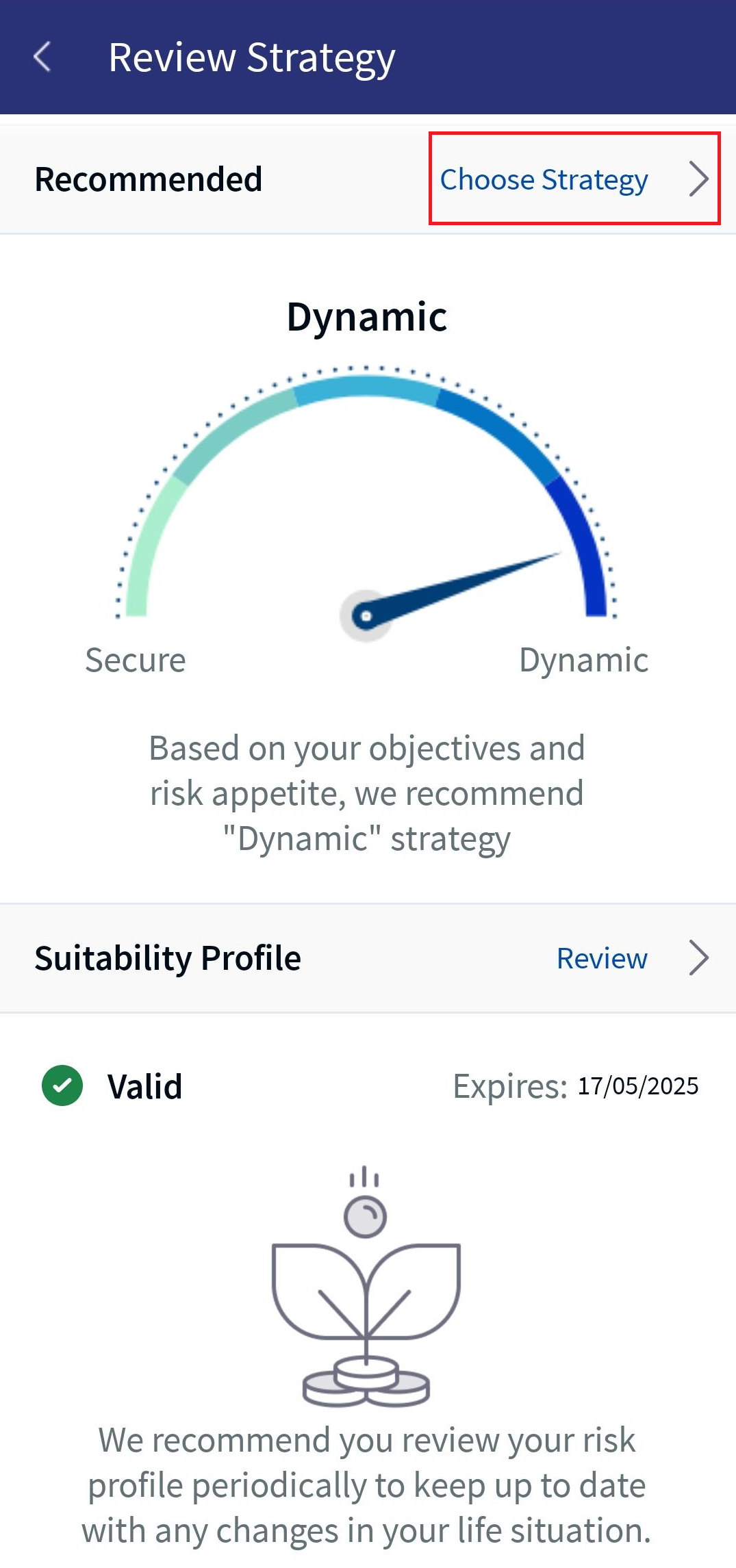
- On the Review Strategy screen, in the Recommendedstrategy section, click Choose Strategy. The Recommended Strategy Confirmation screen appears.
- Review the recommended strategy and then enable the confirmation check-box.
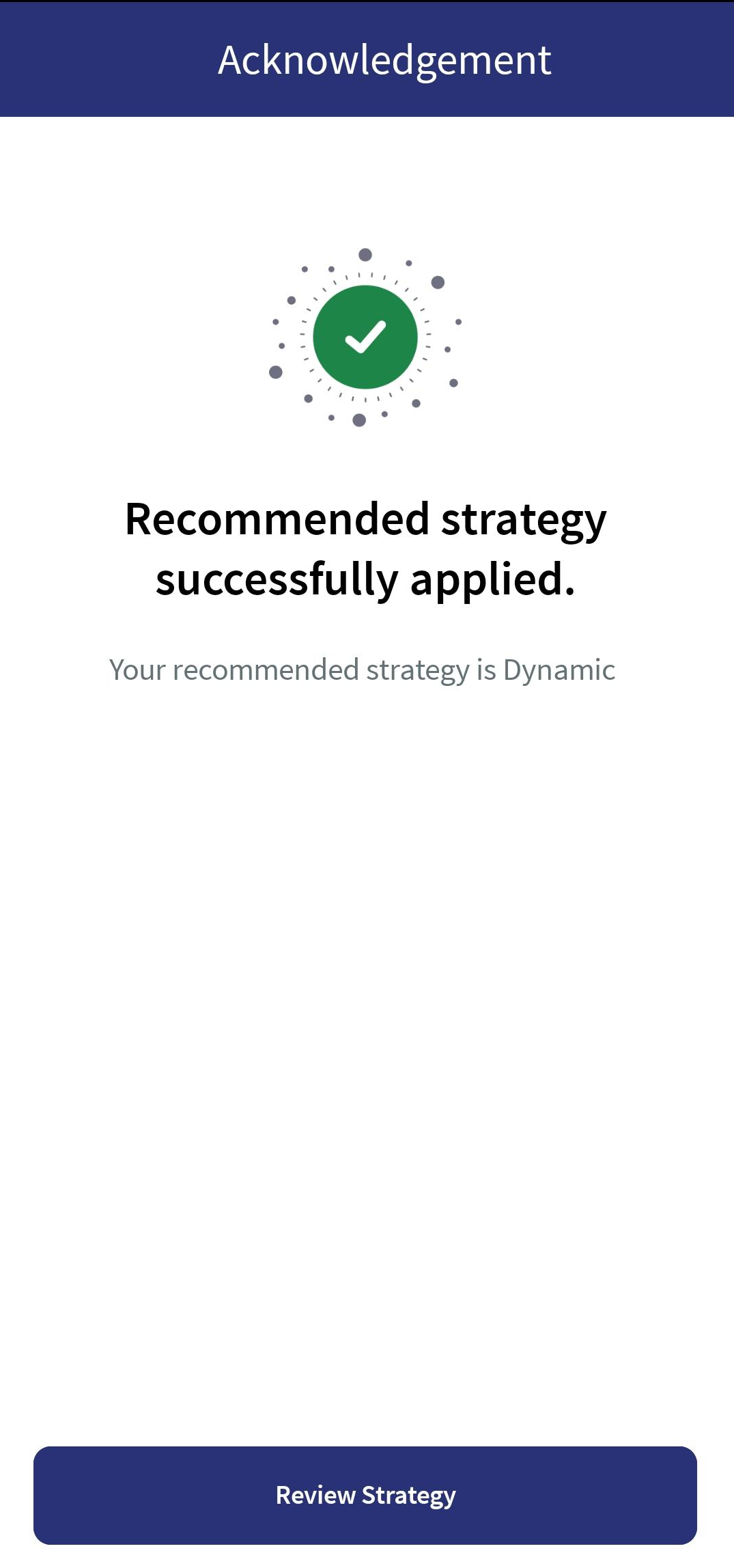
- Click Apply to apply the recommended strategy. An acknowledgment as "Recommended Strategy Successfully Applied," and the new strategy name appears.
In this topic