Suitability Profile
Using the Suitability Profile feature, the bank evaluates the customer's risk appetite and investment objectives through a questionnaire. Based on the responses, the bank recommends the best investment strategy. The existing customers can access through a '‘Review Risk Profile,'’ link, while new customers can use a '‘Define Strategy.'’ After submitting the questionnaire, the users can review the recommended strategy, select their preferred strategy, and acknowledge it. The system then updates the profile's validity and expiration dates.
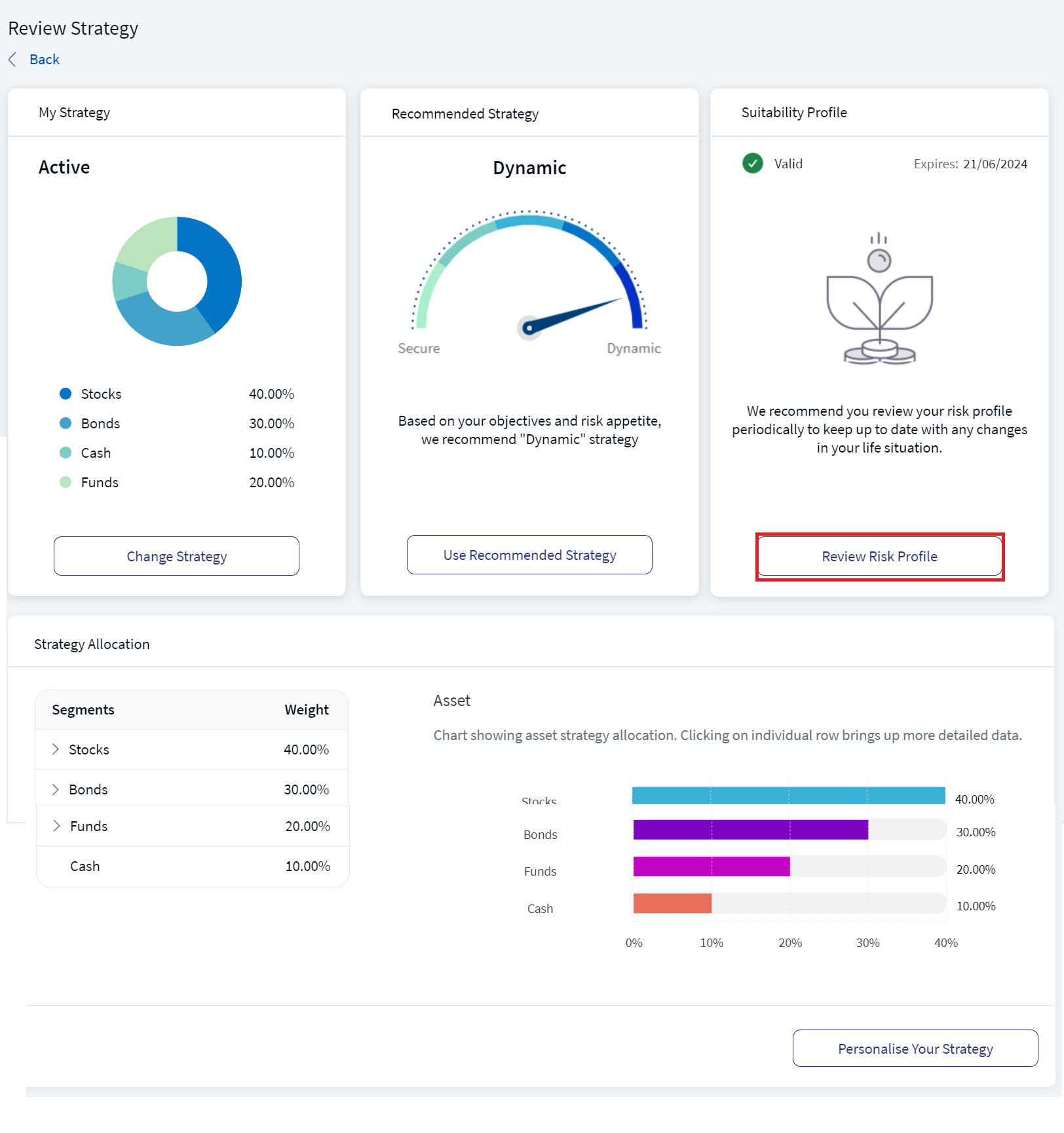
The Suitability Profile feature displays the validity of the 'Suitability Profile' with an Indicator, the expiry date of the profile, and a text recommending the user to review the risk profile periodically.
For existing users, this feature recommends reviewing the risk profile periodically so that the correct strategy can be recommended based on investment objectives. In addition, the navigation process for new or existing users varies:
- New Users - On the Portfolio screen, click on Define Strategy.
- Existing Users - Refer to the below feature description section.
Below is a detailed description of the user interface of the Suitability Profile screen for the Online Banking and Mobile Native App.
Feature Description
Online Banking: To Review the Risk Profile, follow these steps:
- On the Review Strategy screen, in the Suitability Profile section, click Review Risk Profile.
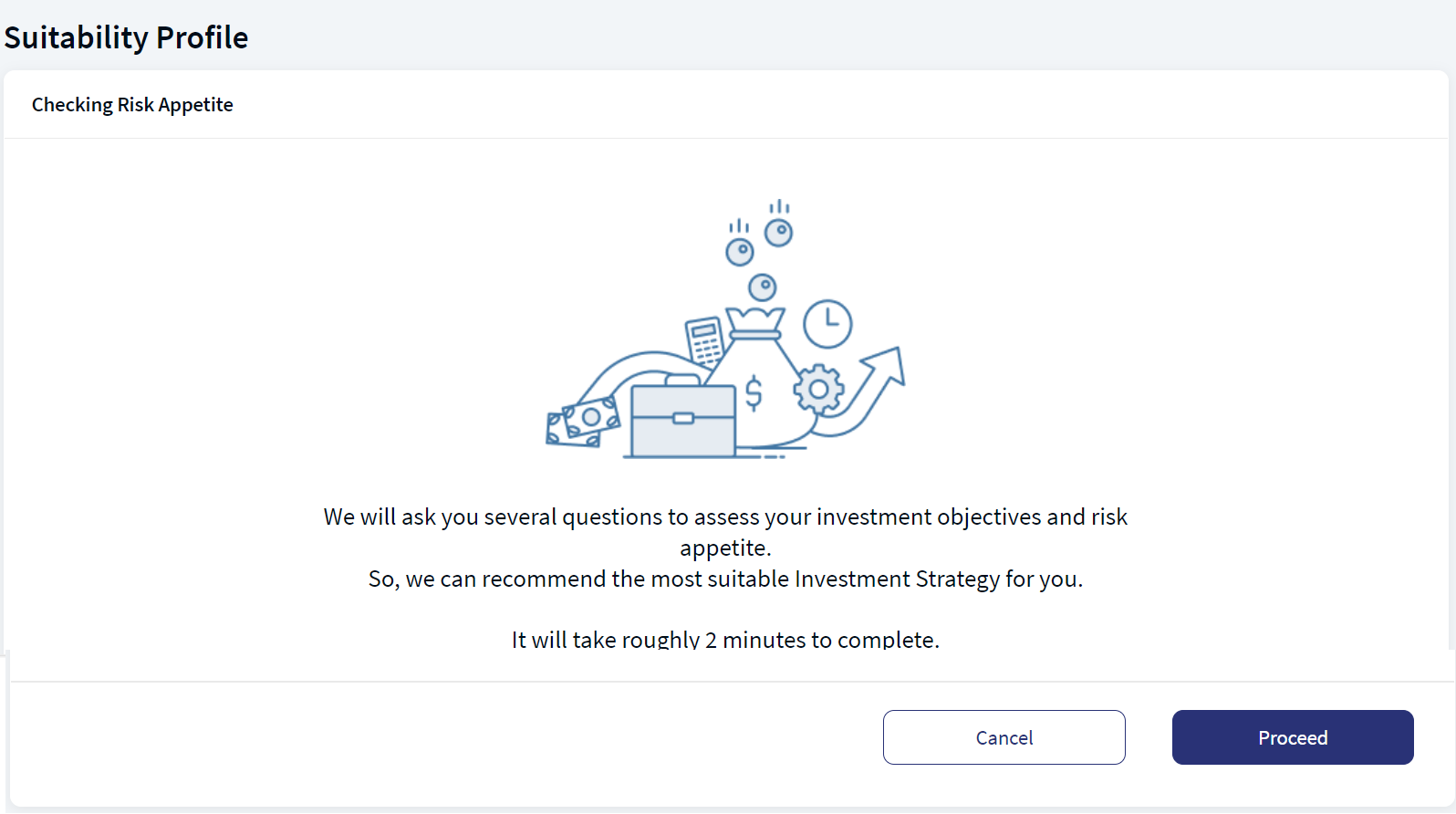
- Click Proceed to navigate to the questionnaire list.
- New Users - If a new user clicks on the Cancel button, the system navigates the user to My Strategy section in the Portfolioscreen.
- Existing Users - If an existing user clicks on the Cancel button, the system navigates the user to the Review Strategy screen.
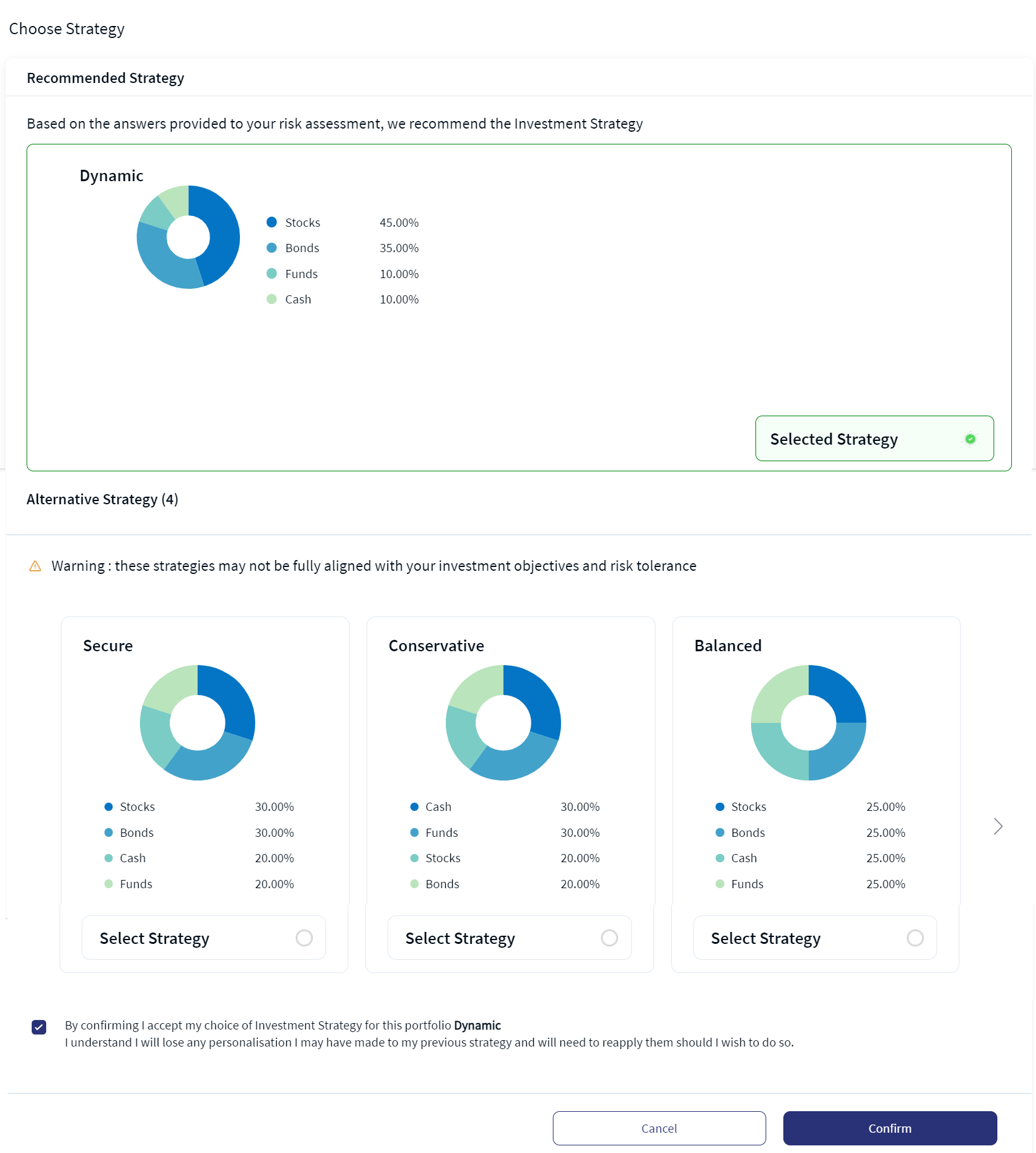
- After providing the required information, the system auto-recommends the investment strategy.
- Select the Recommended Strategy or any of the available strategies under the Alternative Strategy section.
- Click on the Select Strategy radio button and then enable the confirmation checkbox.
- Verify the selected strategy and click Confirm.
The Checking Risk Appetite screen appears.
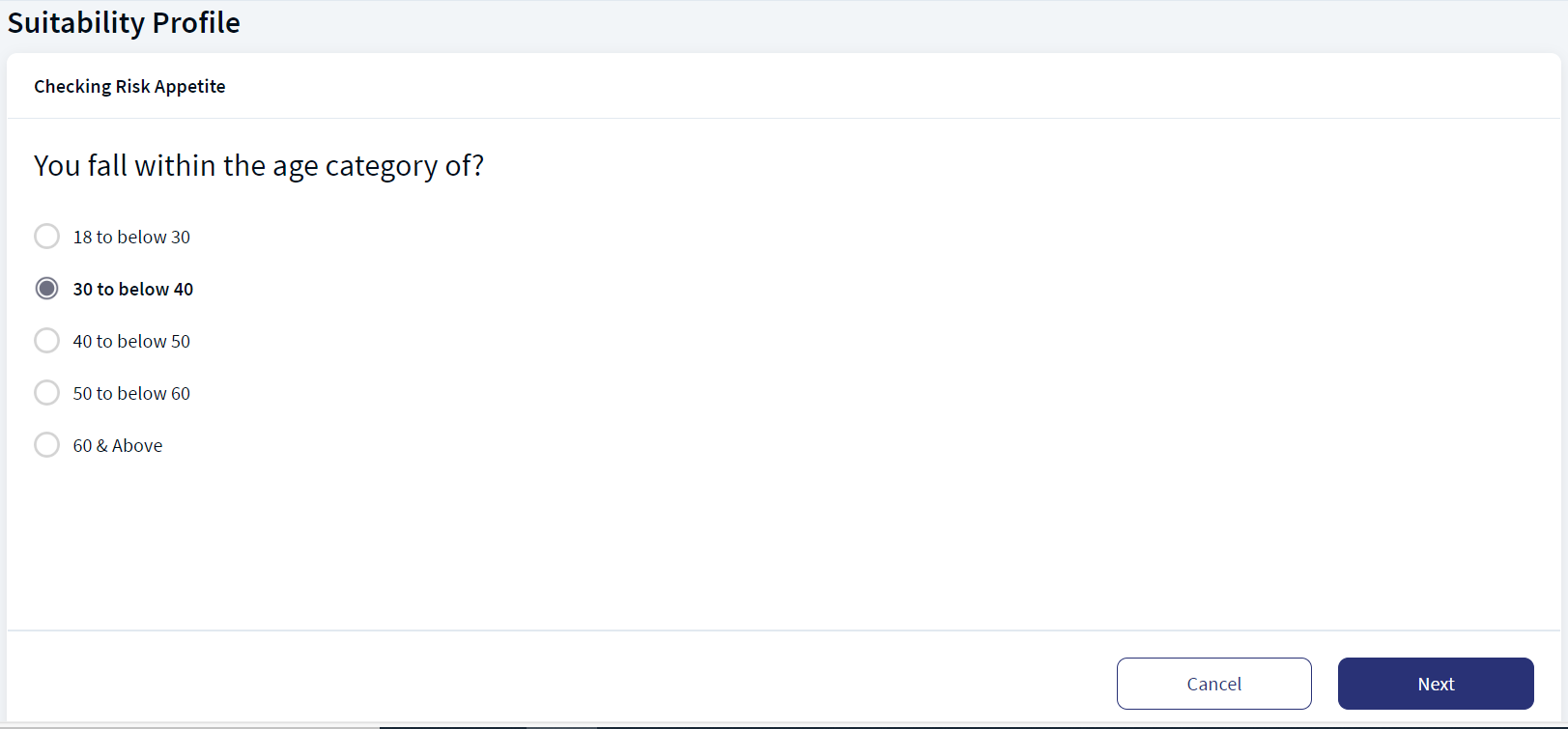
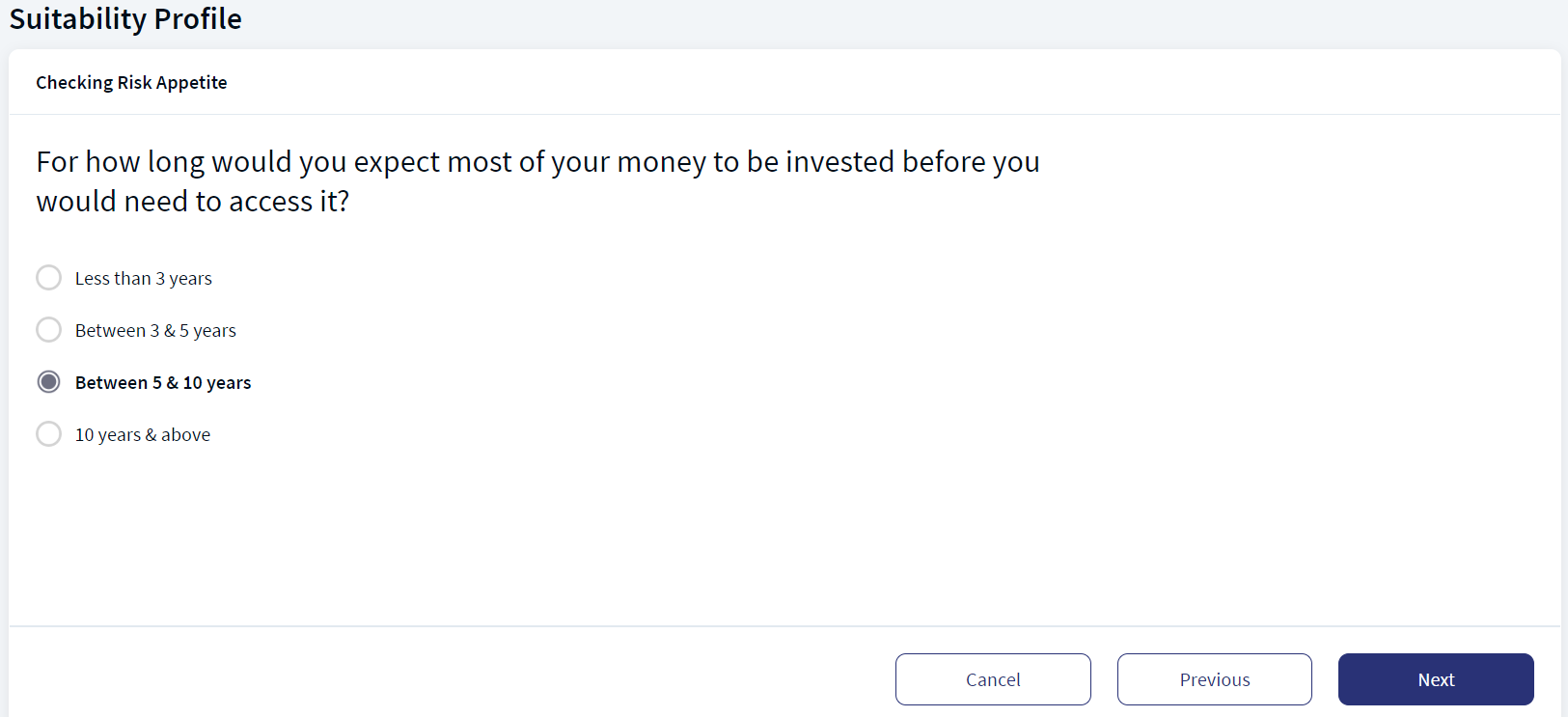
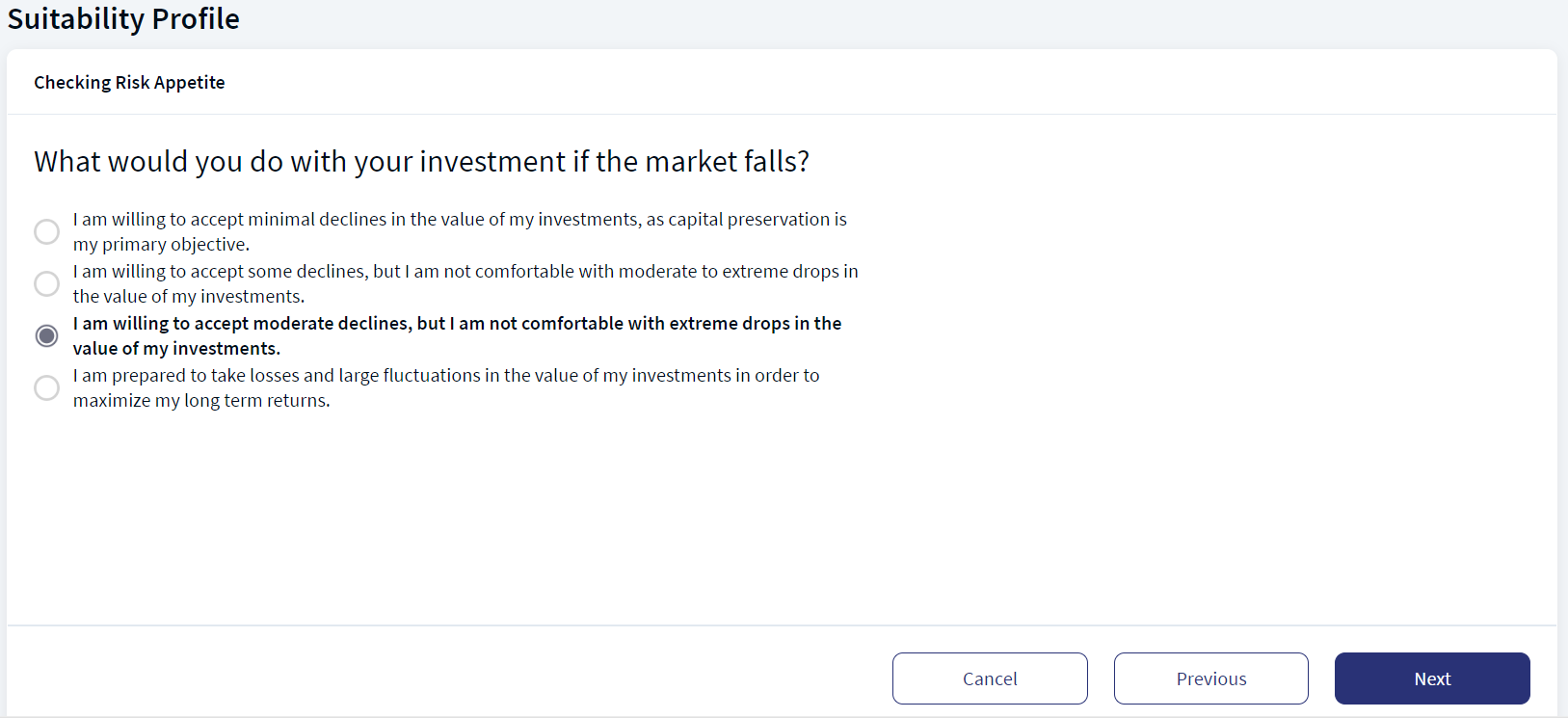
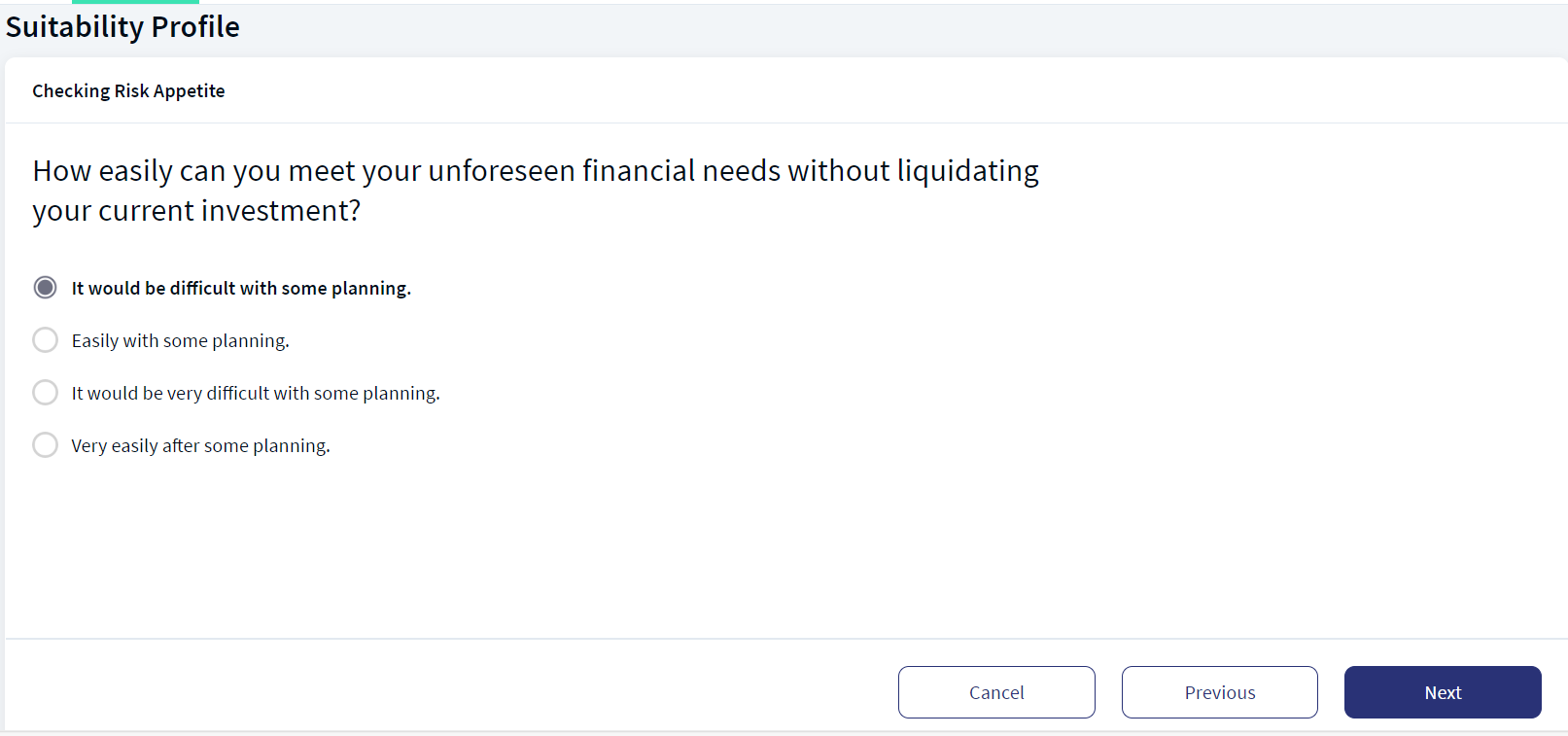
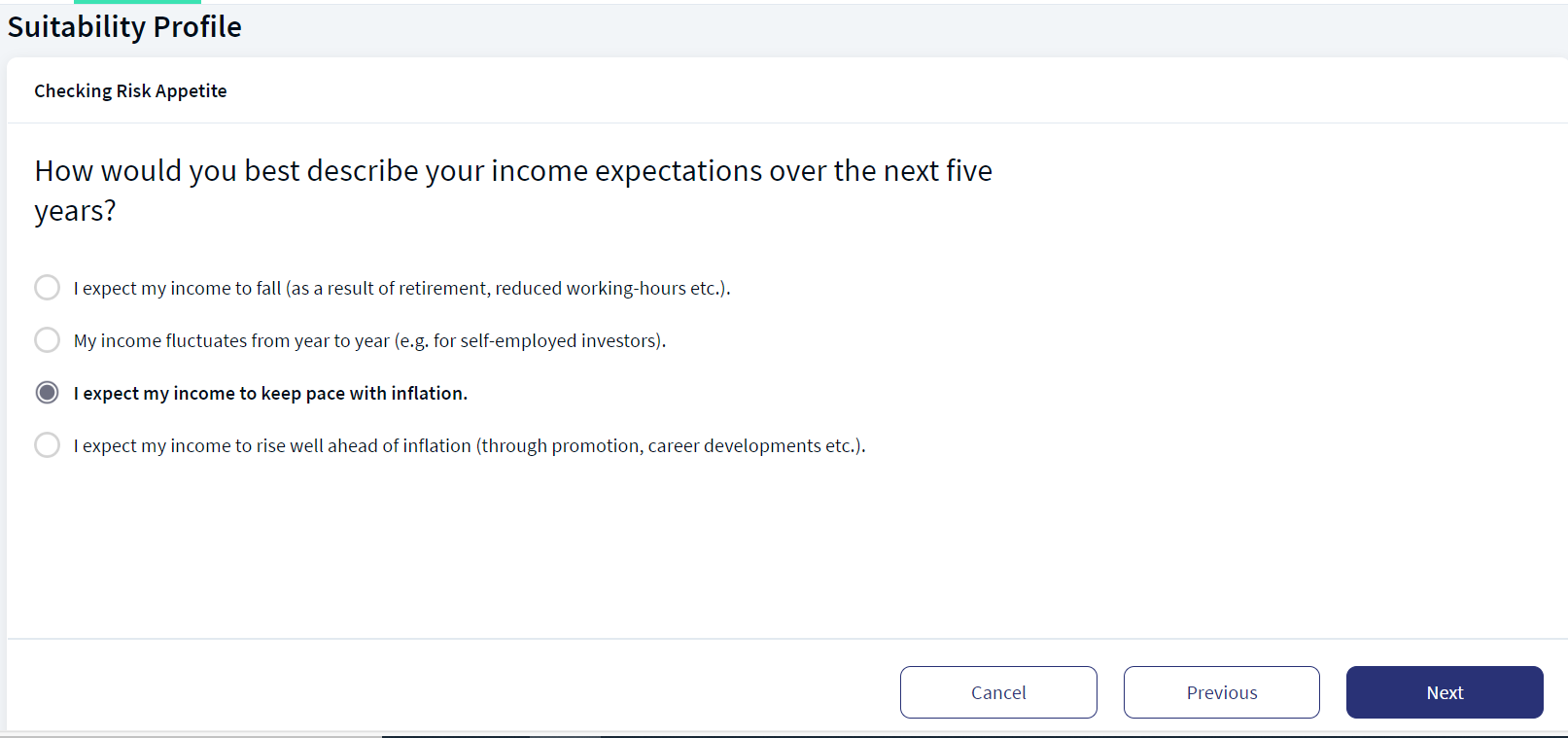
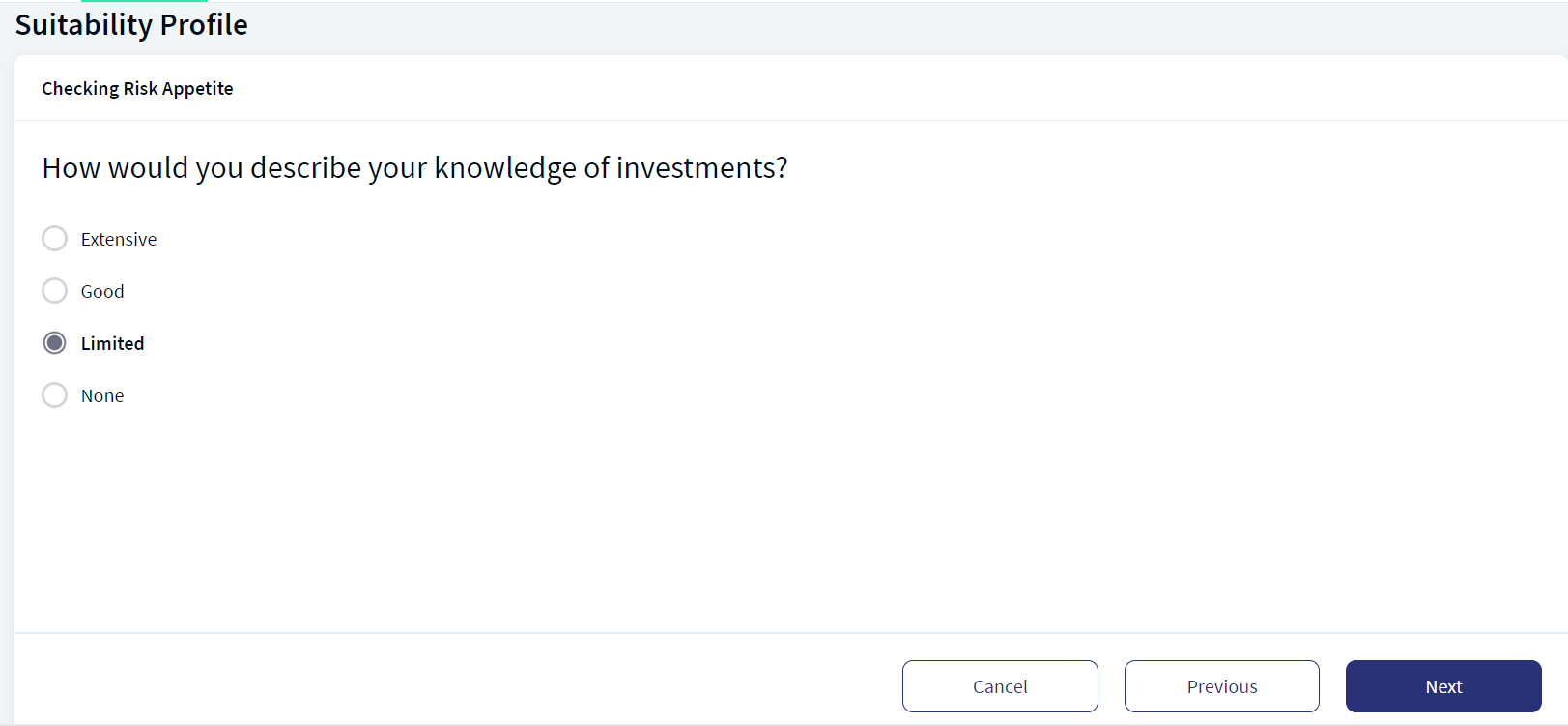
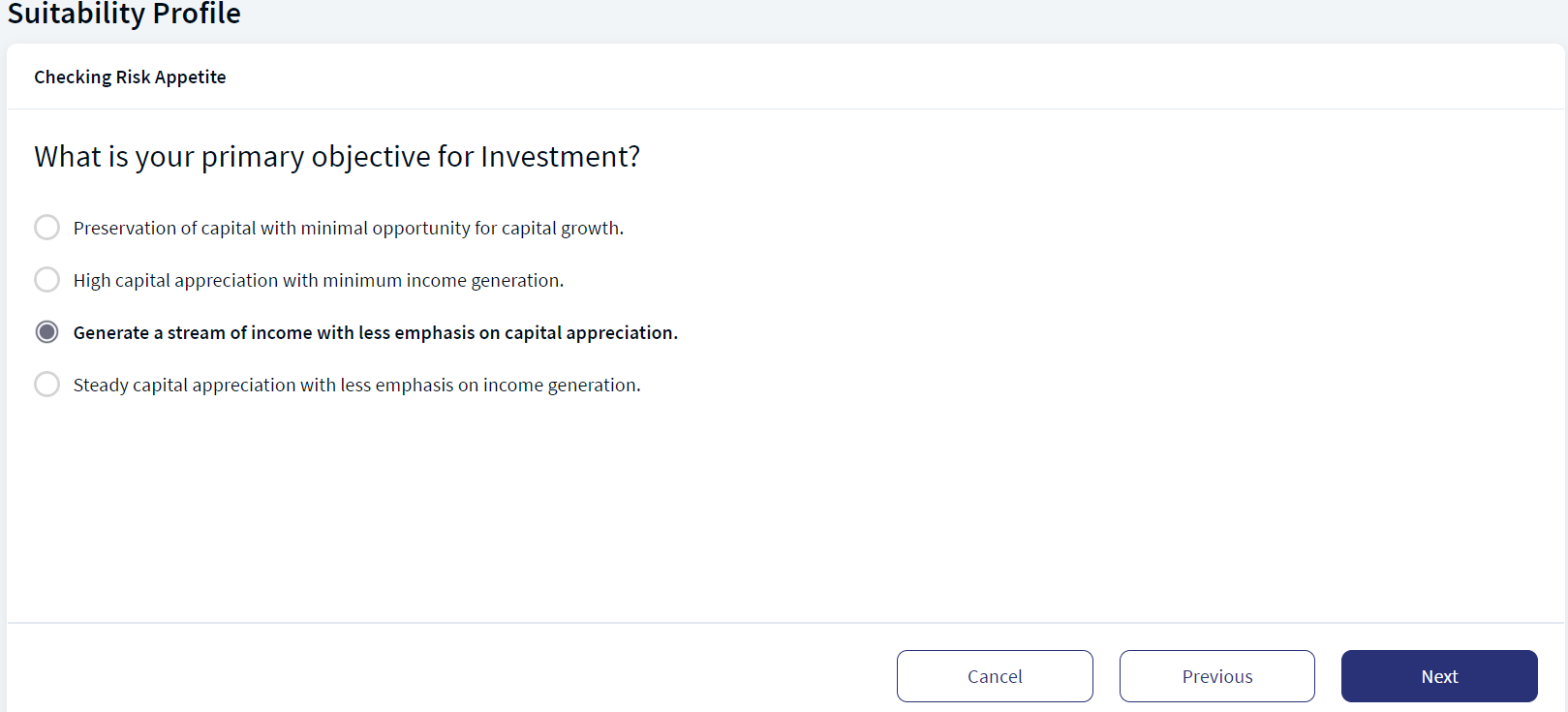
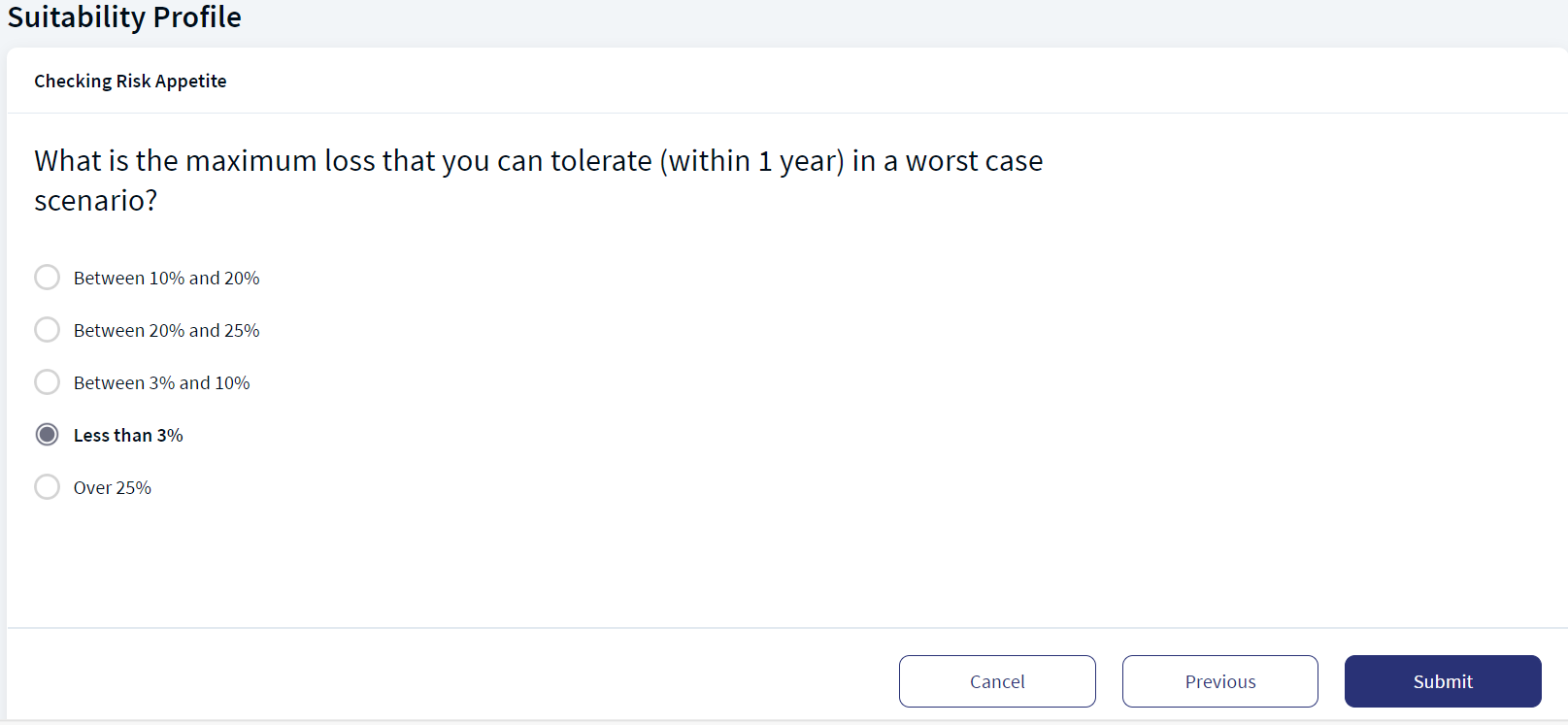
You can cancel to review the risk profile by clicking on Cancel button.

An acknowledgment as "Strategy Successfully Applied" appears.
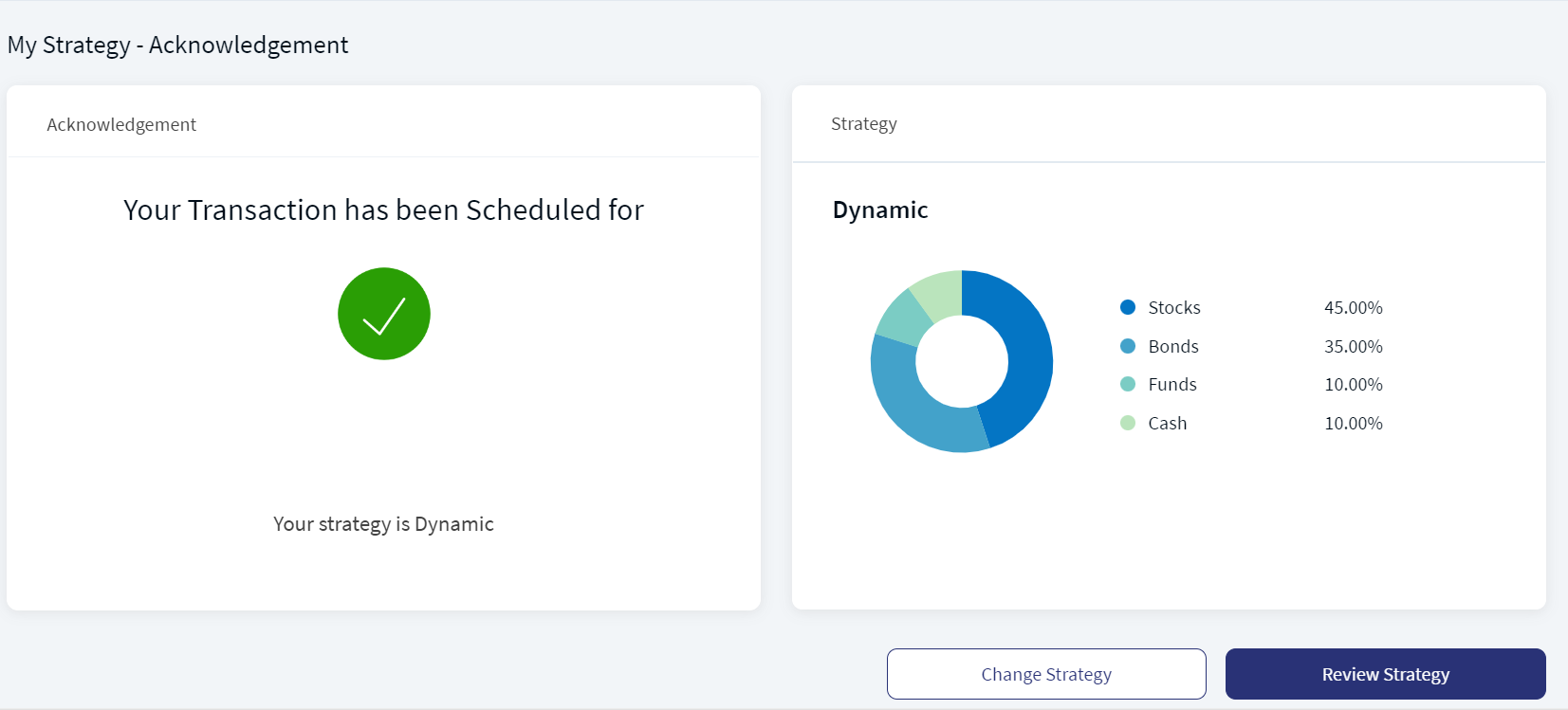
You can either change the investment strategy or review the current strategy by clicking on the respective buttons.
Mobile Native App:To Review the Risk Profile, follow these steps:
- On the Review Strategy screen, in the Suitability Profilesection, click Review. The Suitability Profile screen appears.
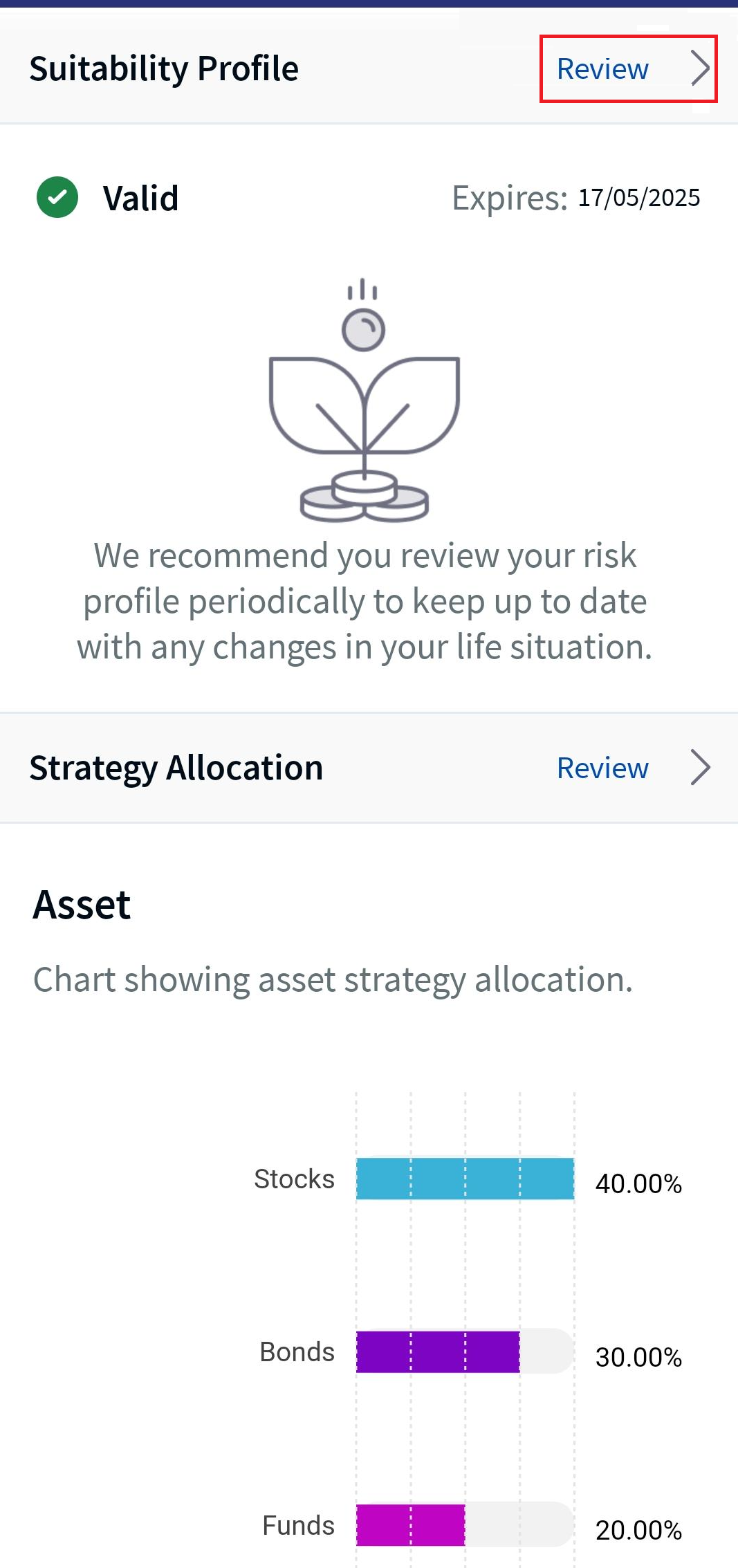
Suitability Profile - Review
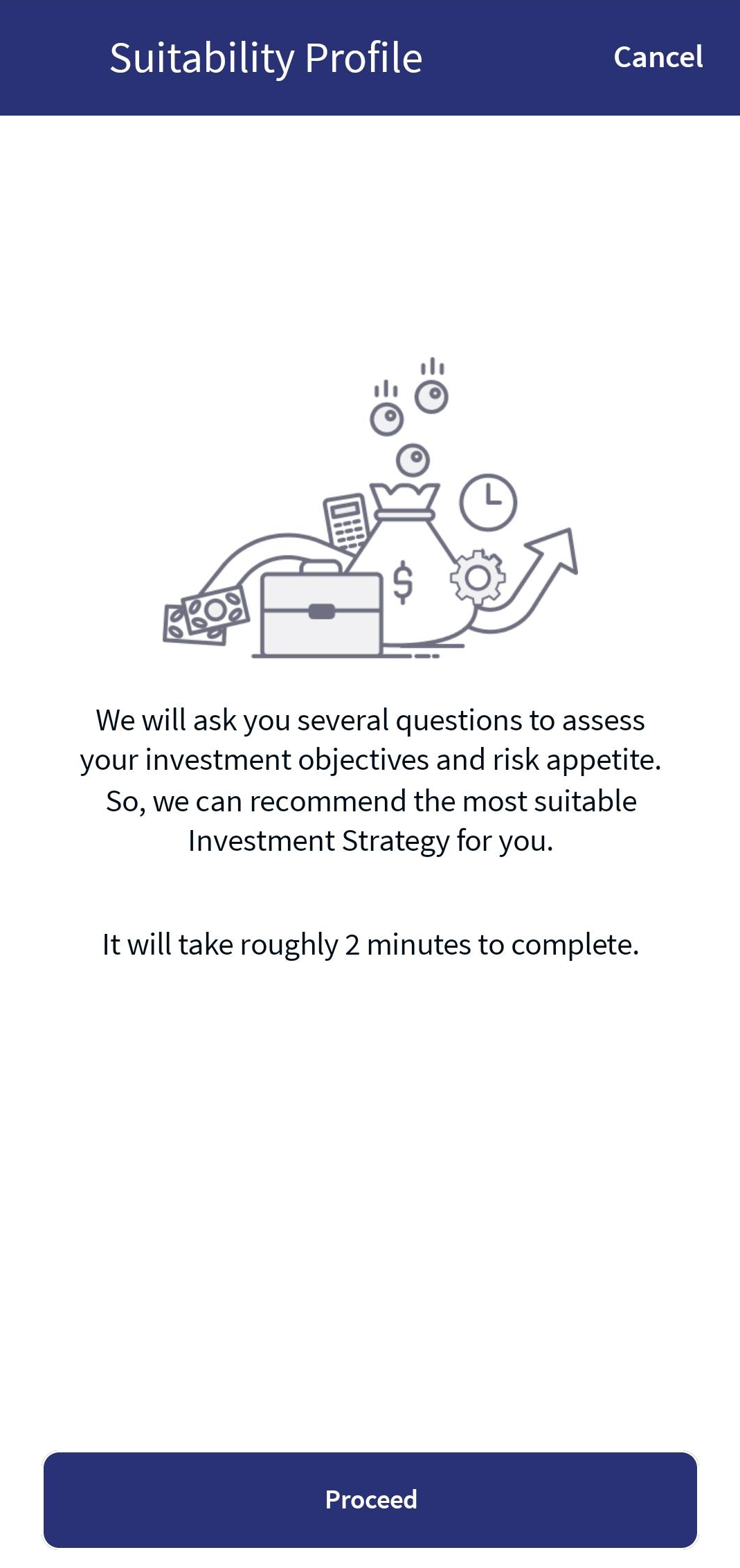
- Click Proceed to navigate to the questionnaire list.
- Answer the questions by selecting the suitable radio button.
When selecting a radio button, the Next button is enabled. You can either navigate back or the subsequent screens by clicking on the respective buttons.
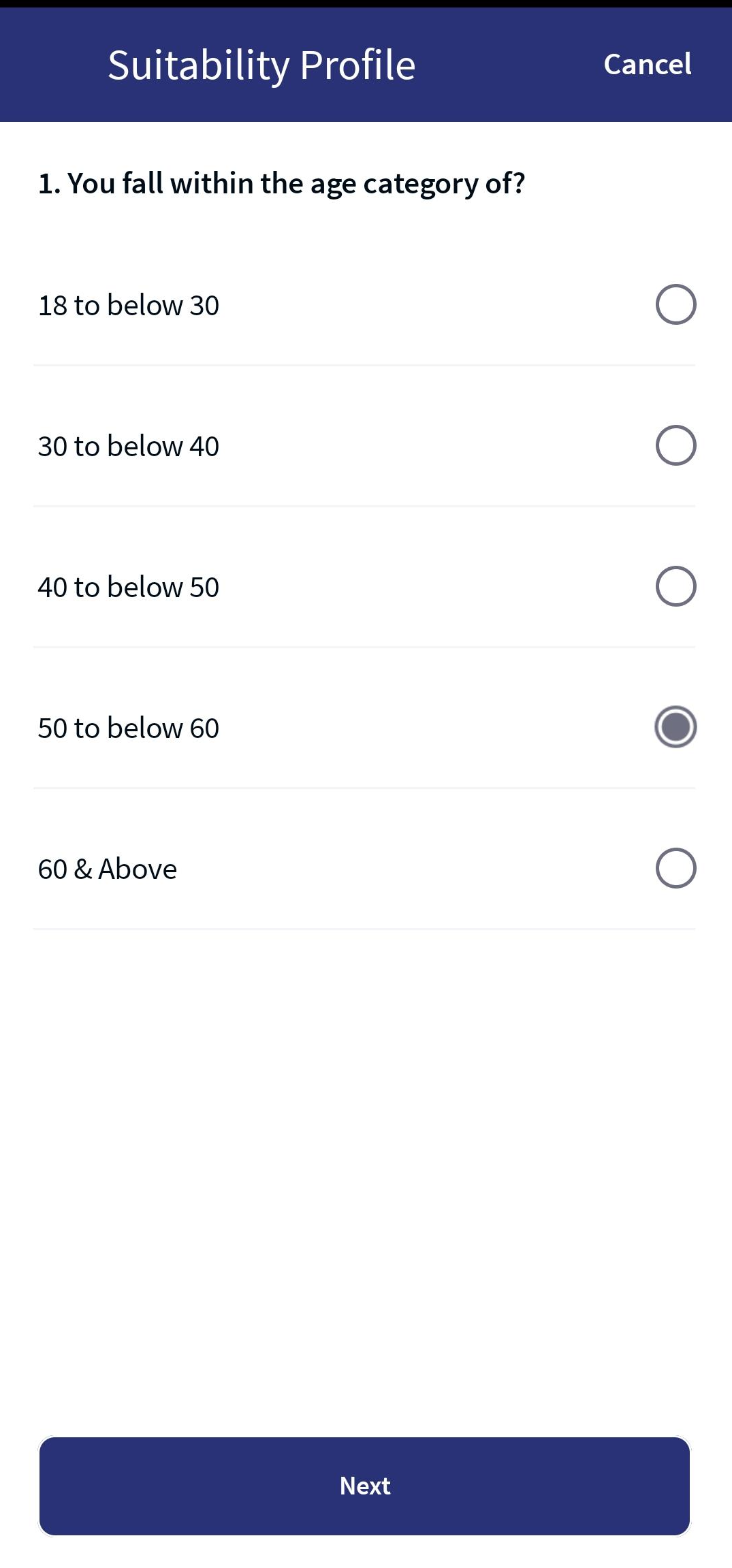
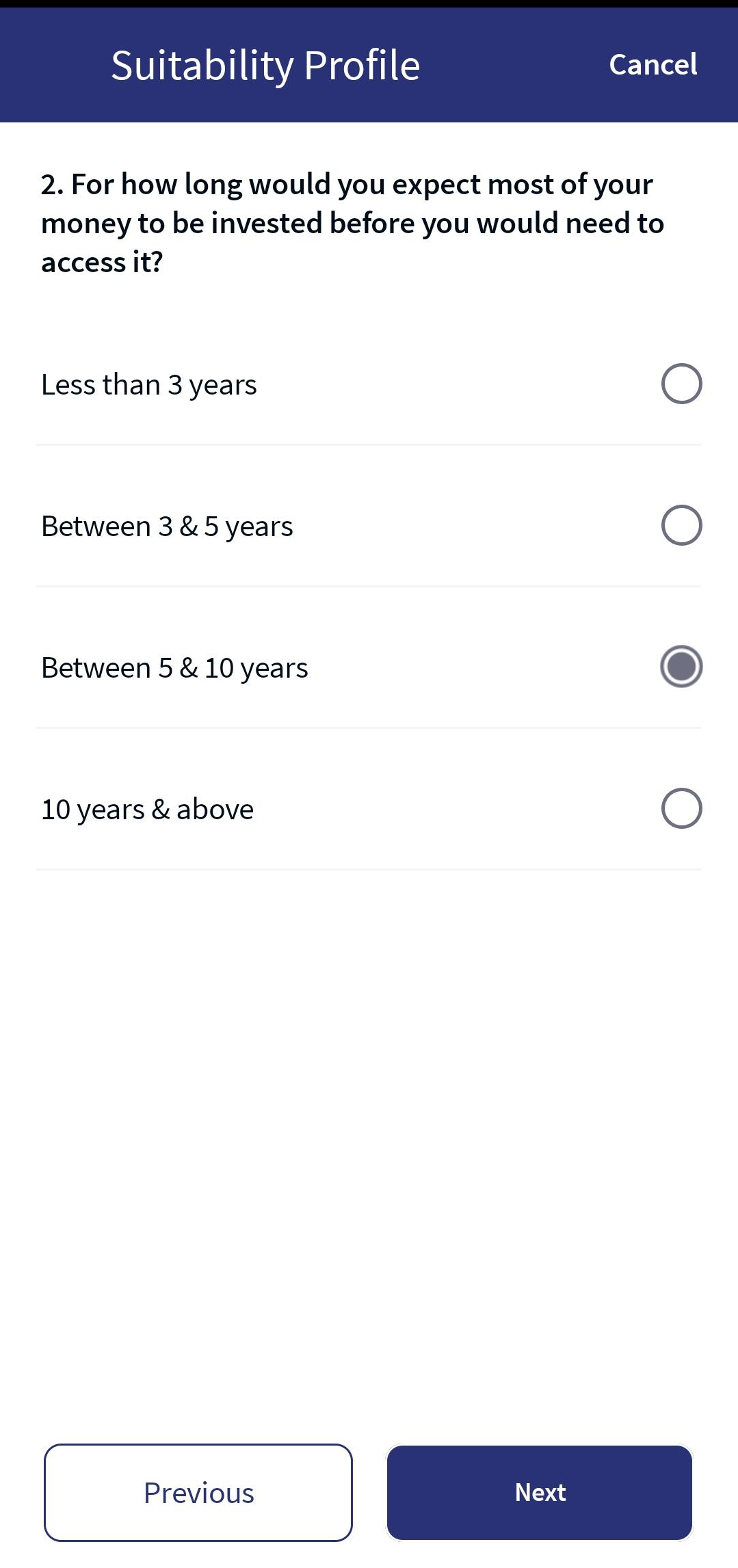
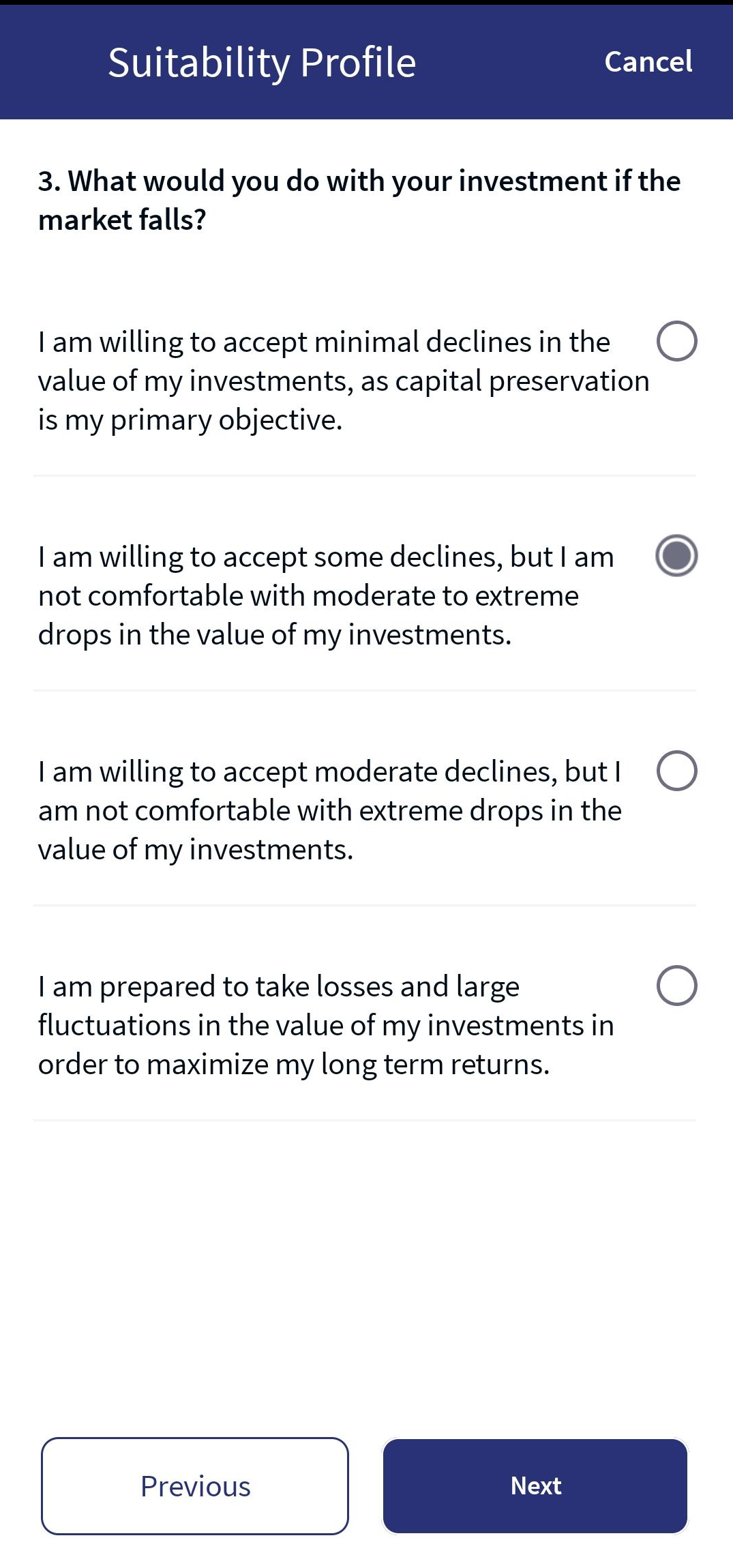
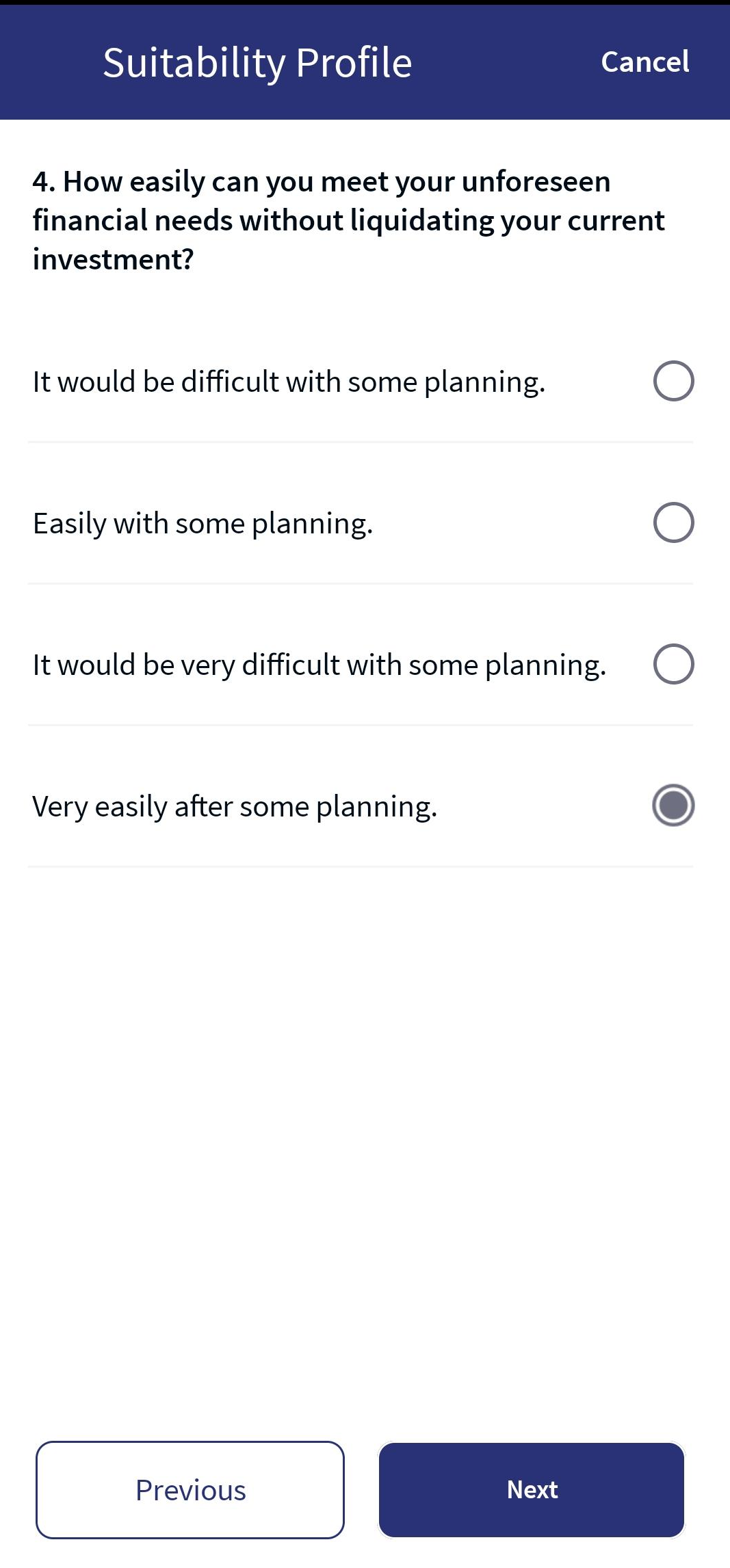
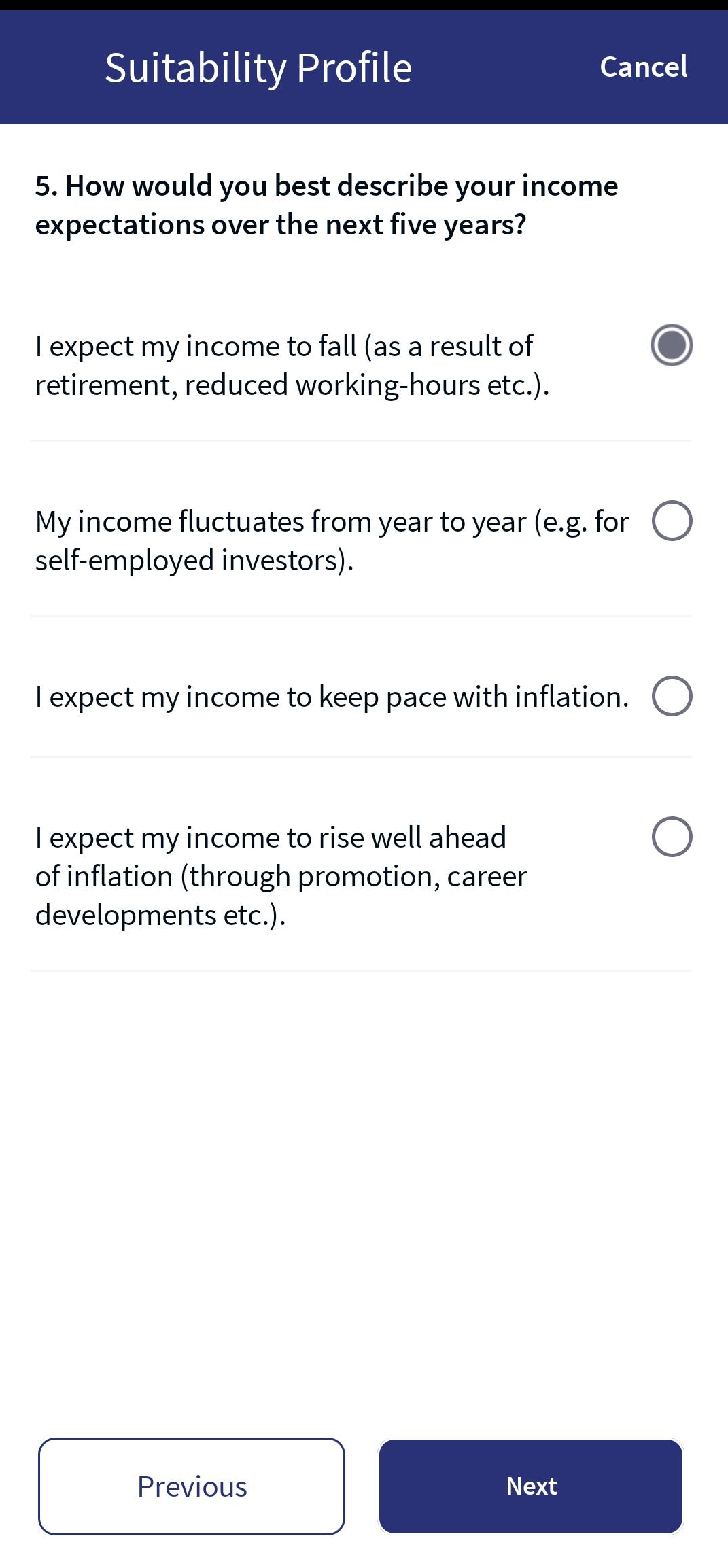
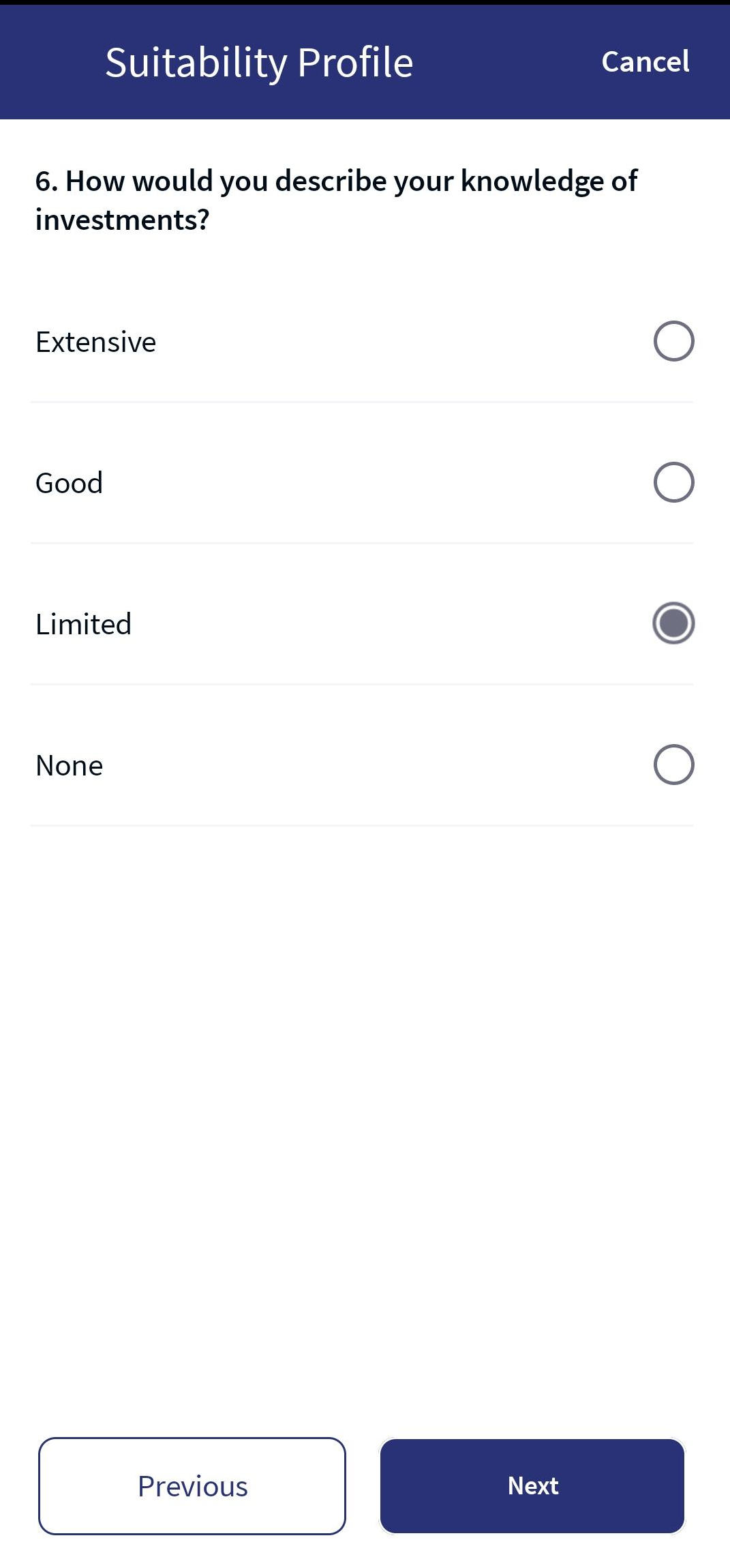
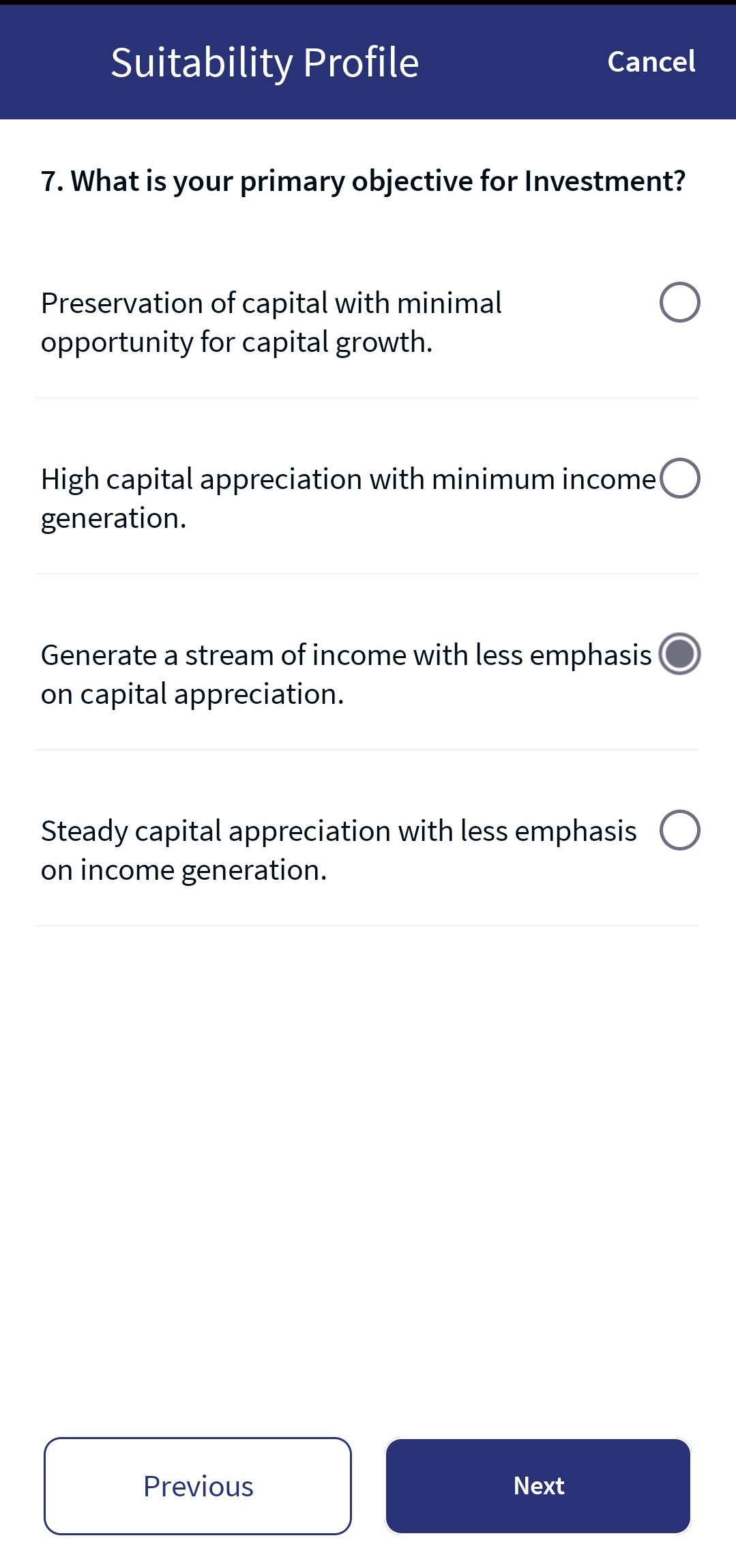
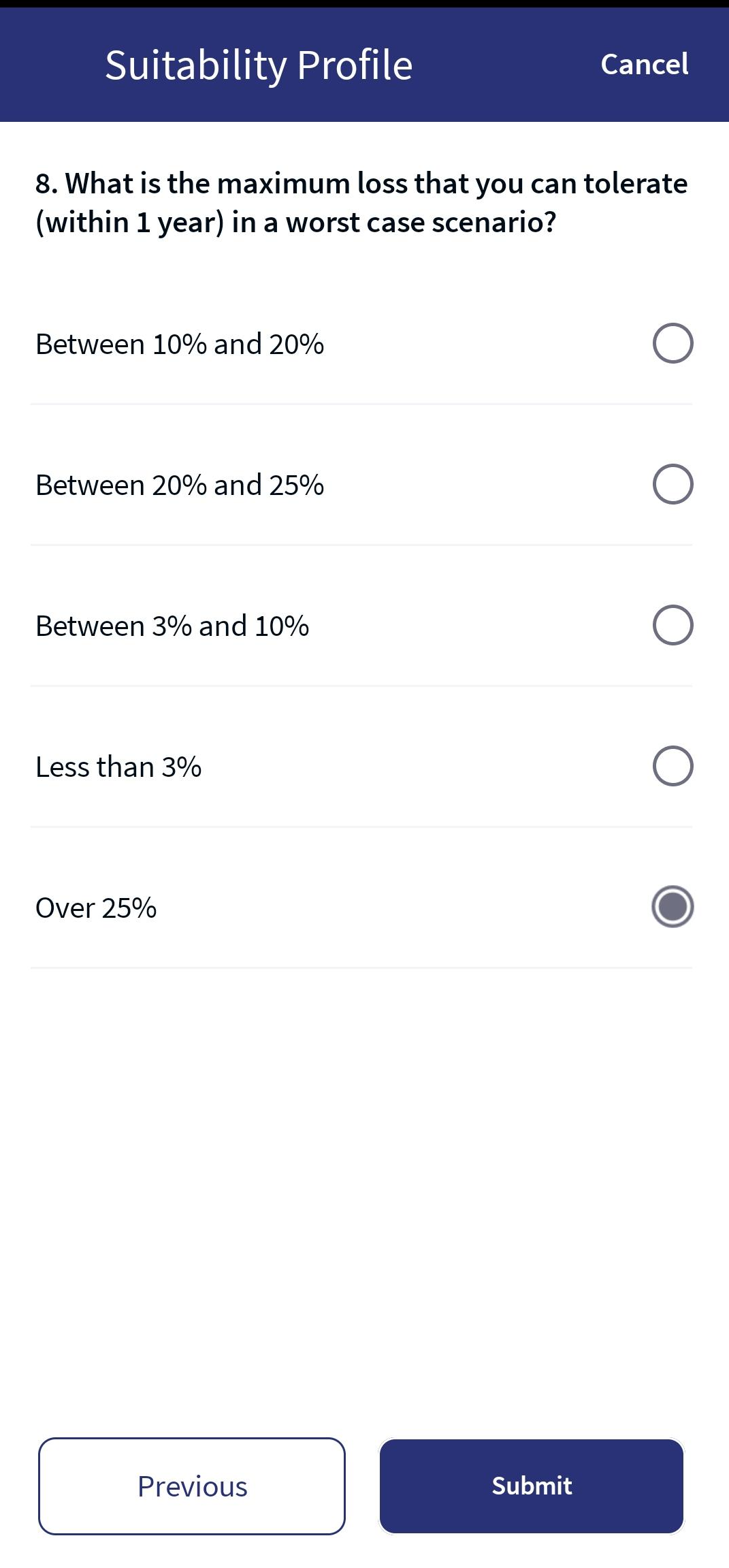
- After providing the required information, a confirmation message, "We are preparing your Investment Strategy," and the Recommended Strategy appears.
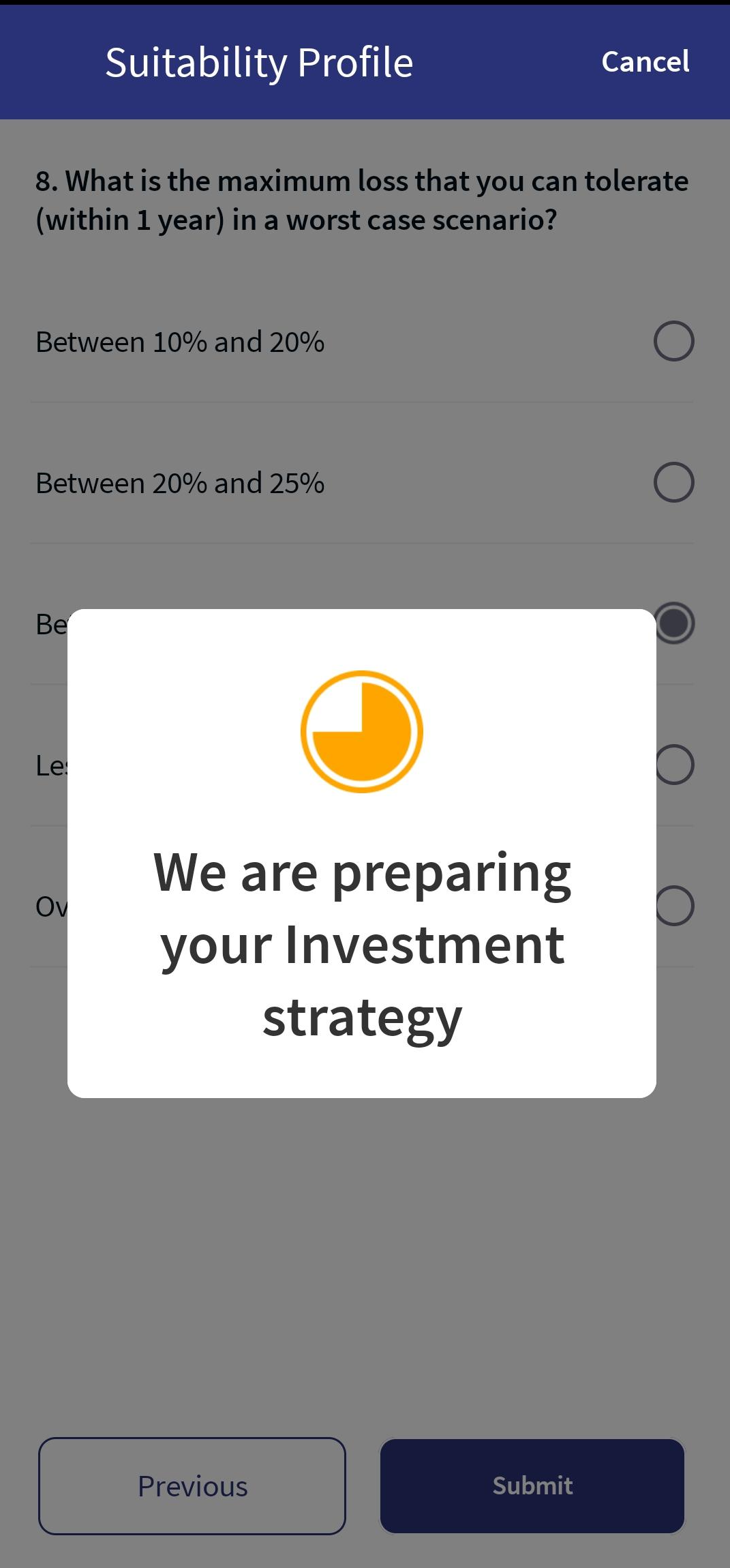
Confirmation Message
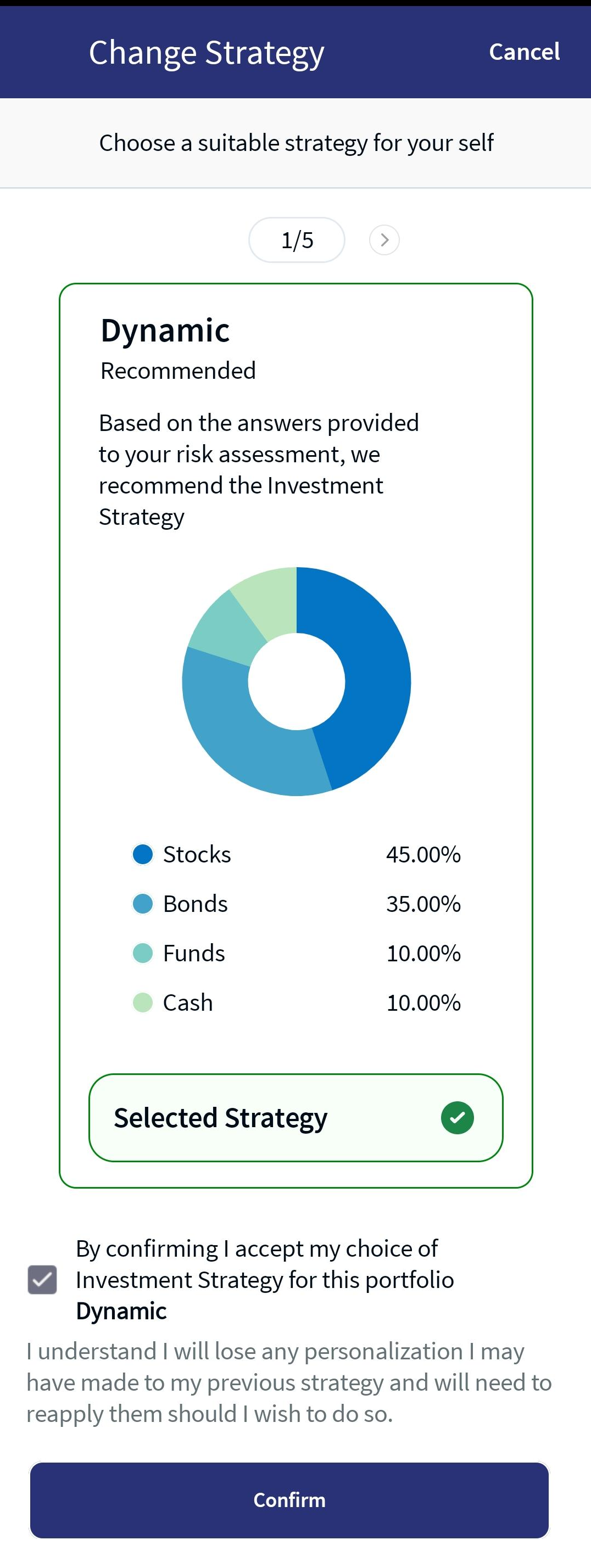
Recommended Strategy
- Enable the confirmation checkbox and click Confirm.An acknowledgment as "Strategy Successfully Applied" appears.
By default, the system auto-selects the Select Strategy radio button..
You can either select the recommended strategy or any other alternative strategy.
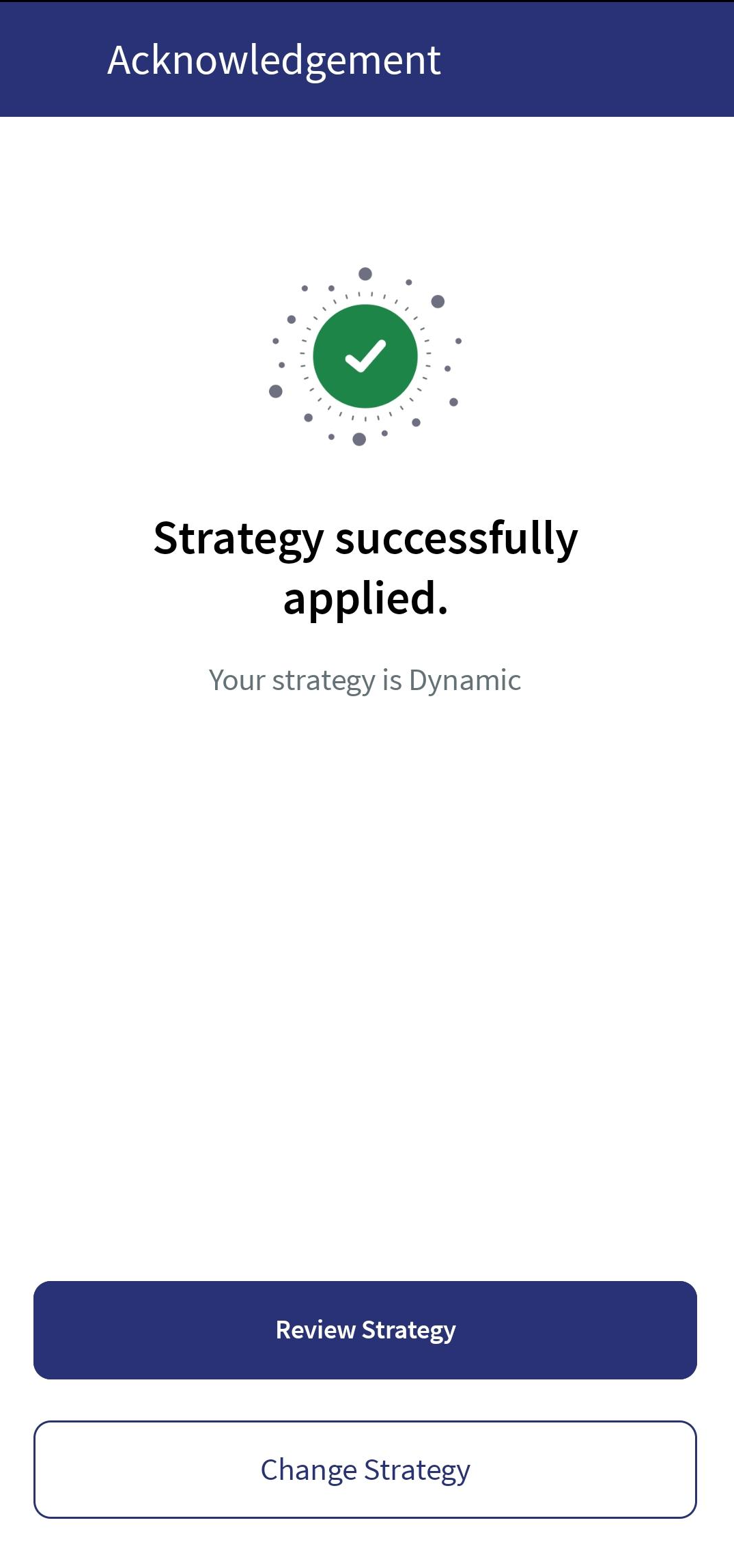
Strategy Acknowledgement
You can either change the investment strategy or review the current strategy by clicking on the respective buttons.
In this topic