Extensibility Options
This section provides information about the configuration related to Identification fields on the Customer Search screen and additional fields on the Customer View Details screen.
Extension in Customer Search Screen
This is an extension for the customer search to allow replacing/allowing additional identification detail as a search criterion.

The configuration can be done in the Spotlight bundle configurations. Below are the steps:
- Go to Spotlight → System Configurations → Extensions
- Under extensions bundle, configure the below configurations:
- CUSTOMER_SEARCH_PARAMS
Sample Configuration
{
   "ID_SSN": "SSN;SOCIAL.SEC.CARD",
   "ID_TIN": "TIN;NIT",
   "ID_PASSPORT": "Passport;PASSPORT",
   "ID_DRIVING_LICENSE": "Driver license;CNH"
}
- The above sample configuration is in the below format:
{"<Search Param Id>":"<DropdownText>;<Parameter Id to search in core system>"}
The explanation for this is as follows:
- Search Param Id - An Id to be passed for backend services; this can be anything.
- DropdownText - This is the value that will be shown in the dropdown in the customer search screen.
- Parameter Id to search in core system - This is the one that needs to be passed to the core system directly to get the customer details (example: SOCIAL.SEC.CARD for SSN in T24.)
Extension in Customer View Details Screen
This is an extension in Customer View Details screen to allow additional fields to be shown in a separate tab.
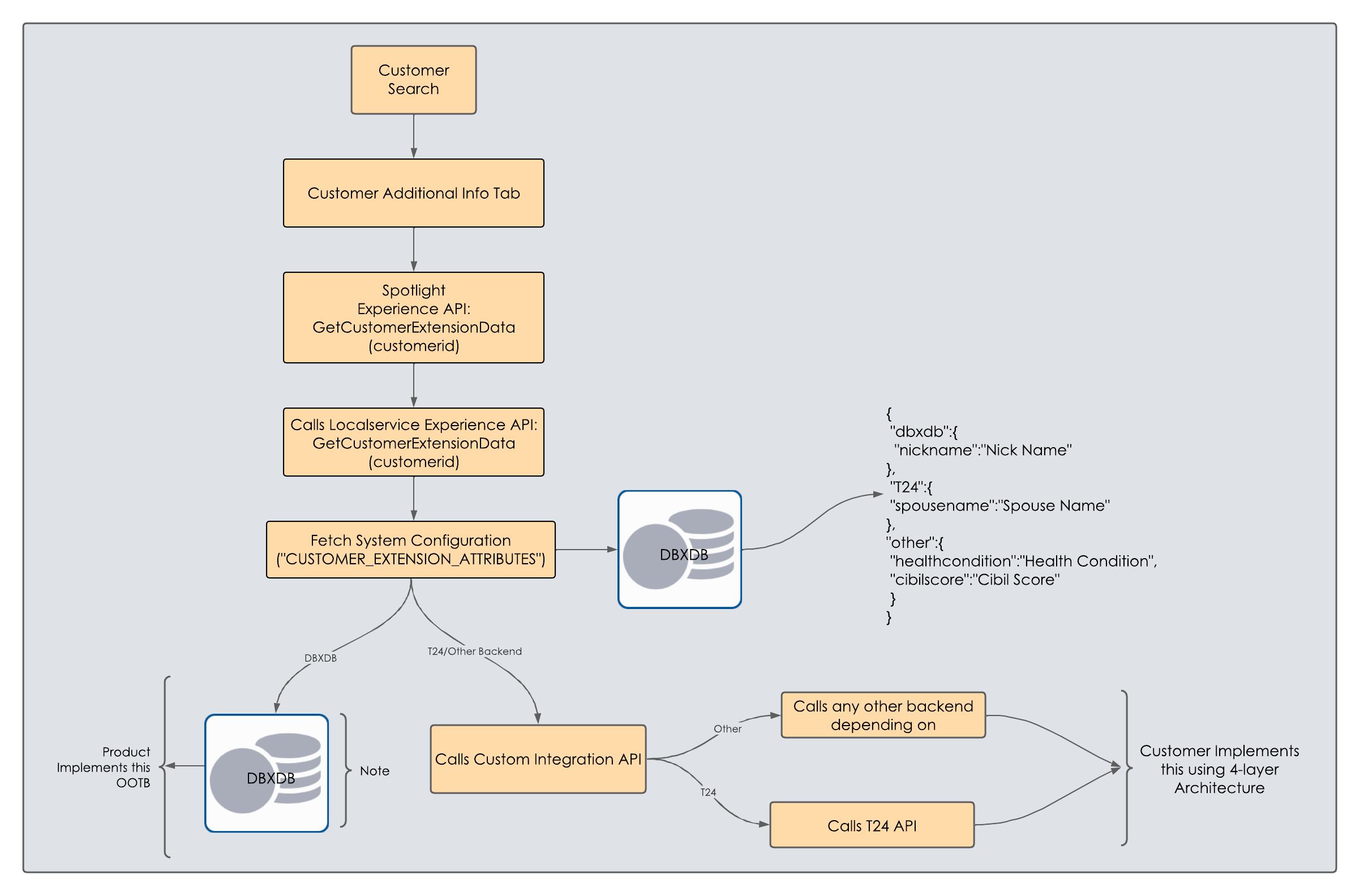
Below are the steps to configure and implement the extension:
- Go to Spotlight → System Configurations → Extensions
- Under extensions bundle configure the below configurations:
- ENABLE_CUSTOMER_EXTENSION_TAB → Make it as 1 (by default it will be 0)
- CUSTOMER_EXTENSION_ATTRIBUTES
Sample Configuration
{
    "dbxdb": {
        "customerId": "Customer Id", //key represents the table column name and value represents the display name in spotlight
        "secondary_phone": "Secondary Phone"
    },
    "core": {
        "cibil_score": "Cibil Score",
        "health_condition": "Health Condition"
    },
    "customService": "ServiceName:OperationName"
}
- Explanation of above configurations:
- DBXDB
- This is for attributes that are maintained in DBXDB.
- Add columns in dbxdb.customer_extension table for the attributes that are added under the "dbxdb" object.
- Under dbxdb, key represents the table column name, and the value represents the display name in Spotlight.
- Add the same column in the operation "dbxdb_customer_extension_get" under dbpRbLocalservicesdb in the authentication Fabric app and publish the Fabric app.
- Core
- This is for attributes that are derived from sources other than DBXDB.
- A new private integration service is to be created and configured in the above configuration in the attribute customService as ServiceName:OperationName.
- Inputs for this service will be:
- "customerId" → DBXDB customer identifier.
- "companyLegalUnit" → Legal entity ID of the customer.
- "extensioAttributesJson" → Core object that is configured in the above configurations.
- For each attribute configured, they can write their logic to derive the values (can be different backends like T24, Third-party APIs, or any other).
- This new service should be implemented in such a way that it returns the response as shown below:
- DBXDB
Sample Response
{
  "core": {
    "cibil_score": "790",
    "health_condition": "Good"
  }
}
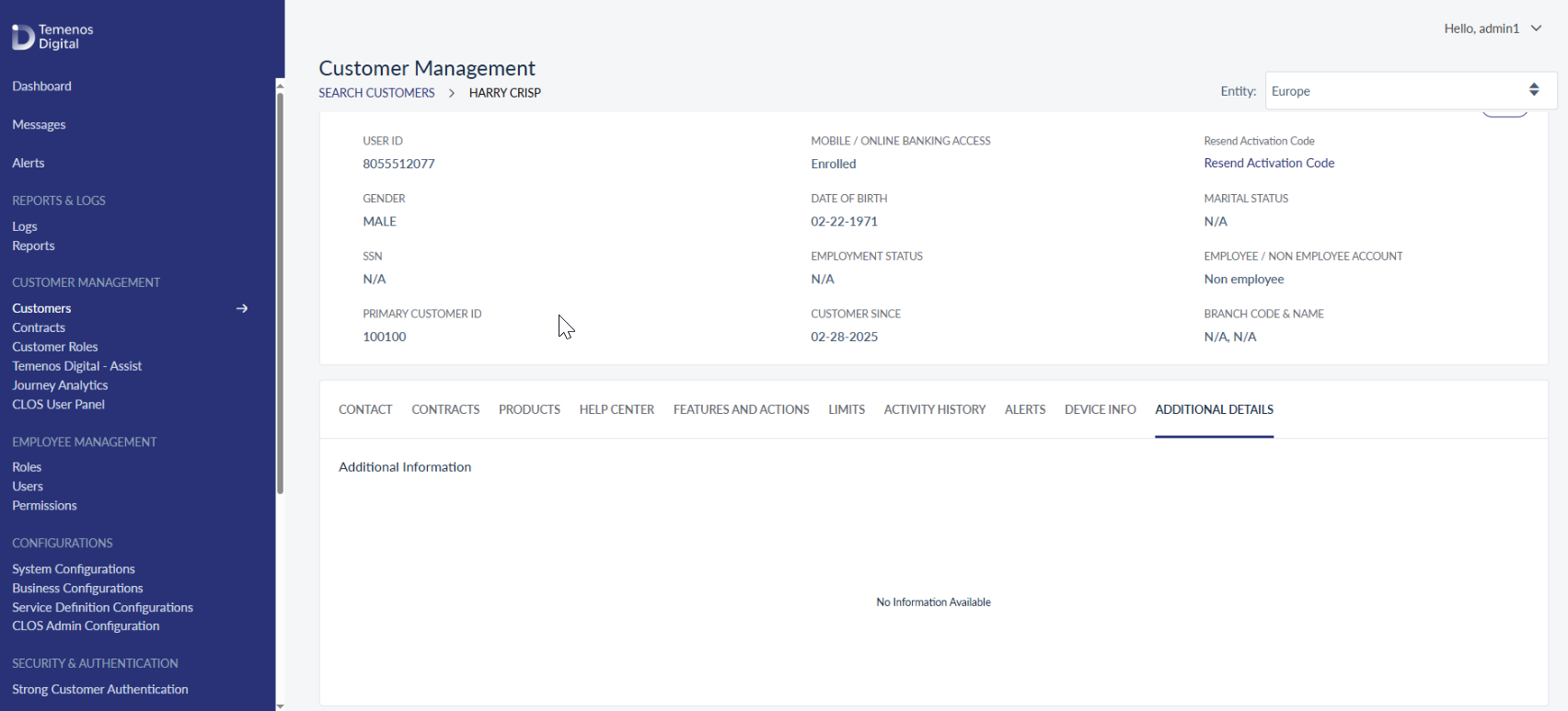
- If there is no extension data for a customer, the additional details screen will appear as shown below:
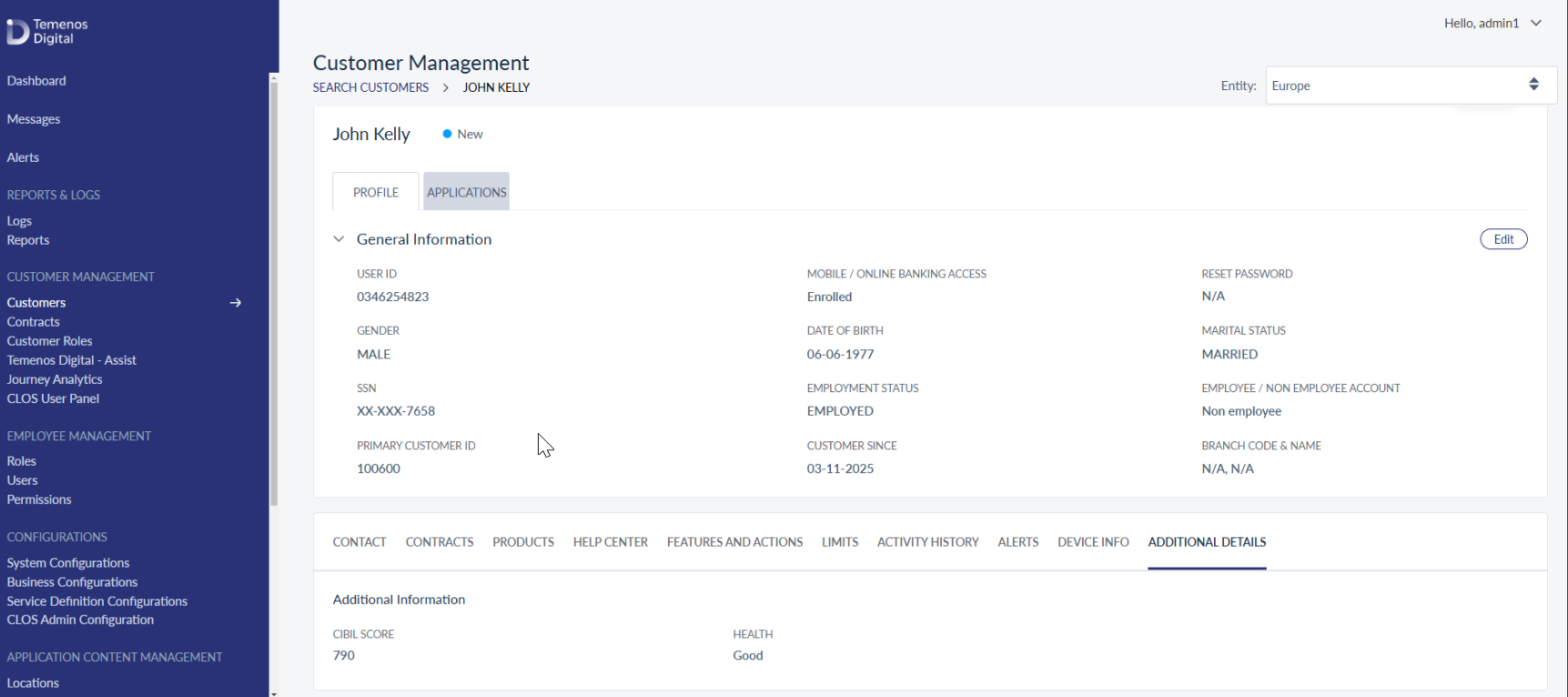
- If extension data is present, the additional details screen will appear as shown below:
In this topic