Configuring Fee Grid
This section explains the configuration of Fee Grids.
Pricing Grid Product Condition
The user can configure Fee Grids by entering,
- Required data elements in Criteria ID
- Target element (of Interest) in the Target ID
- Criterions for the expected pricing definition, entered criterion values are validated against Data Check File and/or Option List records if defined from AA.DATA.ELEMENTS.
The target elements belong to Charge property class such as charge rate, fixed amount, tier min charge, tier mac charge, unit in the Pricing Grid product condition of the Pricing Grid product.
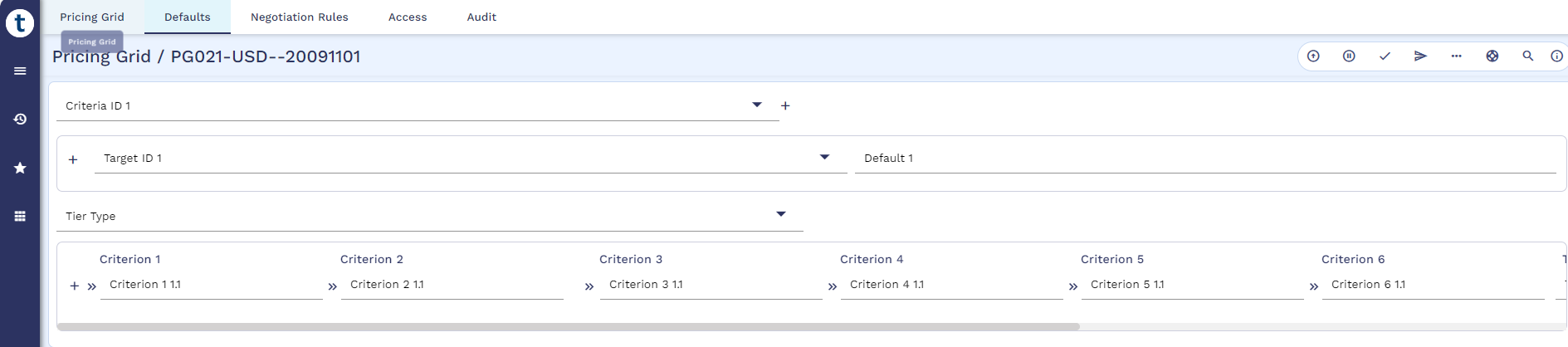
Amount and term-based Fee Grids can be defined as shown below.
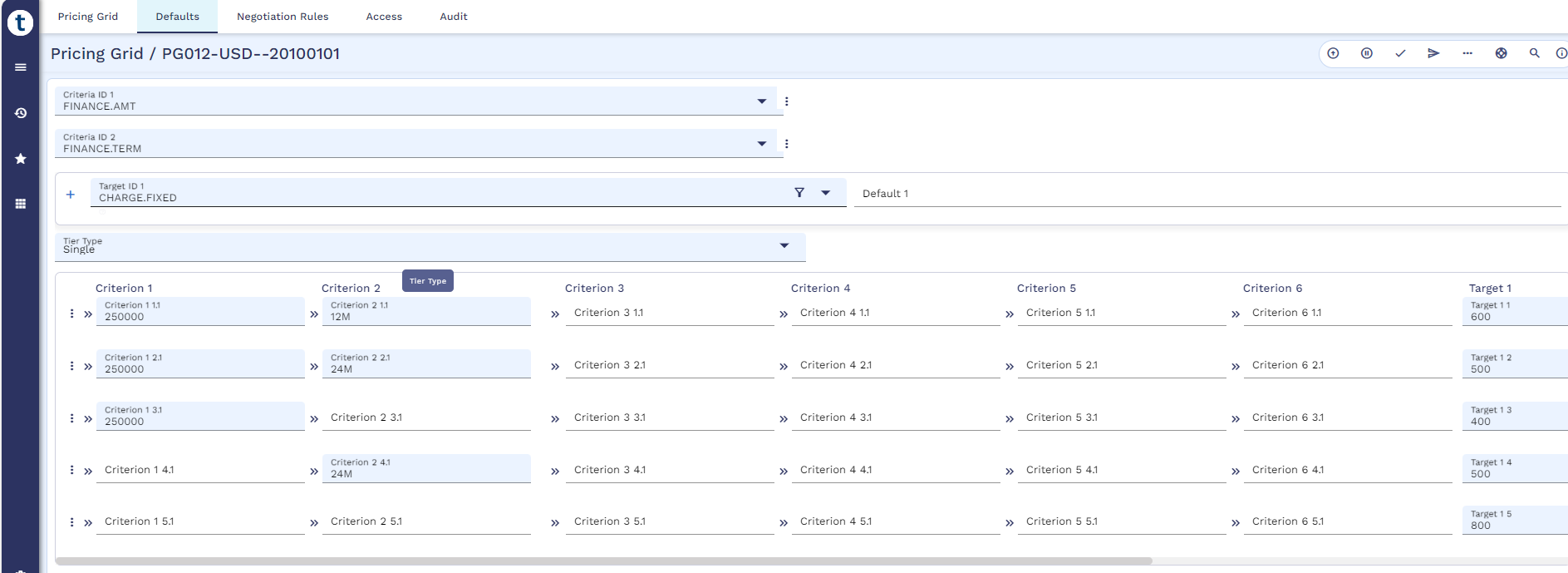
Read Attributes section in Pricing Grid for more information on Criteria ID, Target ID, Criterions and Targets.
Read Data and Target Elements for more information on data and target elements.
A Grid can be defined using Charge related targets as Fee Grid but cannot be combined with interest-related targets.
When Pricing Grid products are published, the system updates Grid Type and Grid Sub Type in AA.PRODUCT based on the data and target elements specified in the Pricing Grid product.
- Grid Type identifies the target pricing grid product such as Interest Rate, Margin Rate, and Charge. It is used to display applicable products for Interest Rate, Interest Margin, and Charge Grids. When both Interest Rate and Margin Rates are included in the same pricing grid product, this field contains both the values.
- Grid Sub Type contains the type of data elements attached to the product such as Customer, Balance, Amount Tier, or Custom.
Charge Property Class
The following attributes in the Charge property condition are available to configure Pricing Grid product to calculate the fee. Pricing Grid feature supports calculated type fees.
|
Attribute |
Description |
|---|---|
|
Pricing Grid |
Specifies the Pricing Grid ID as index. It must be set to Fee Grid. |
|
Grid Reset Method |
Specifies the reset method. It is mandatory when Pricing Grid is defined. The allowed values are,
|
Charge Product Condition
The pricing grid feature is applicable only for the calculated type of charges. The user must define Pricing Grid with the Pricing Grid product ID and Grid Reset Method in the Interest condition of the financial product.
The user must set the subject charge property as Pricing Grid Index Enabled property type in AA.PROPERTY as a pre-requisite.
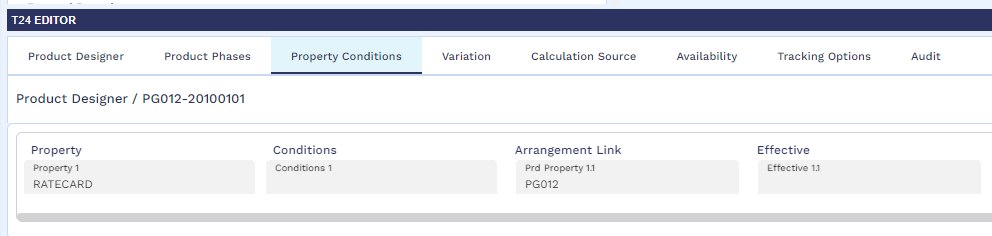
To use the amount and term-based Pricing Grids product (PG012) as the Fee Grid in the charge condition, the user can define the Fee Grid related attributes such as Pricing Grid, Grid Reset Method in the subject charge condition at the arrangement-level or in the product-level.
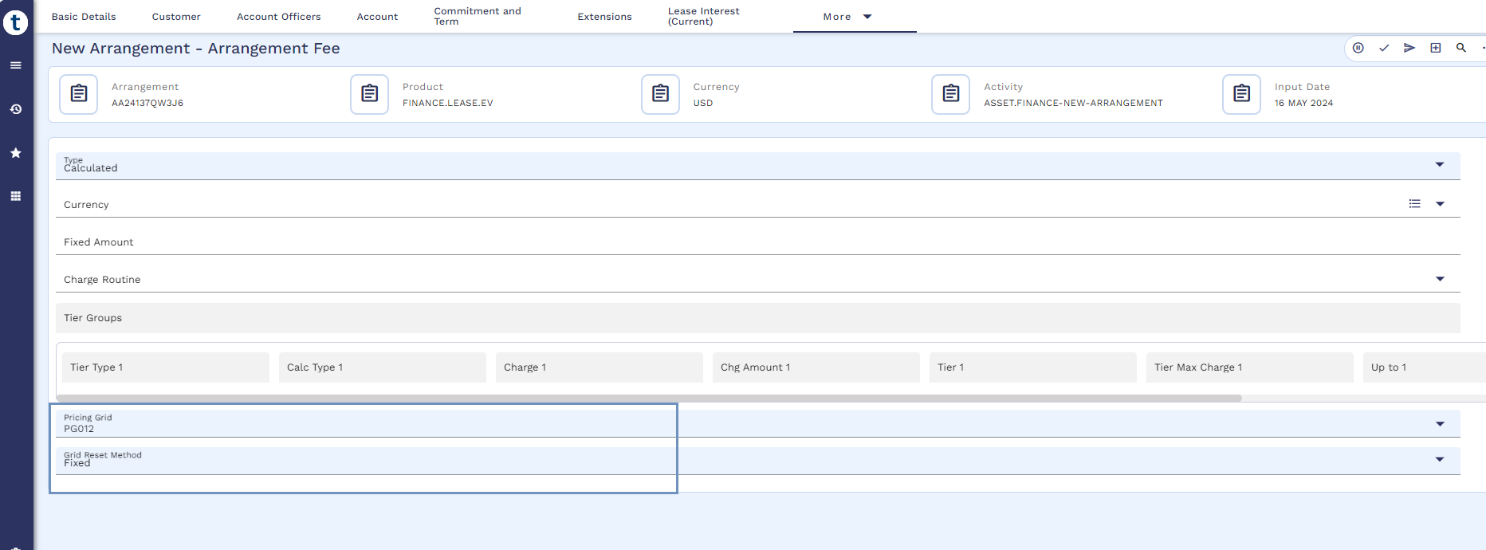
Refer to Working with Fee Grid to view the working illustrations of Fee Grid.
Fee Change
The user can trigger charge change activity (ASSET.FINANCE-CHANGE-ARRFEE) to update Pricing Grid product in Arrangement Fee (AA.PRD.DES.CHARGE).
In this topic