Introduction to Subscriptions /Add-on Services
The add-on services or subscriptions such as insurance, extended warranty, roadside assistance, maintenance, and servicing can be bundled into the Asset Finance thus enabling the bank to offer an end-to-end operational service under one roof for invoice, billing, and settlement. Besides, this feature enables the banks or financial institutions to provide a variety of options for the customer to manage the subscriptions in the financial arrangements.
The subscription fee is a flat fee for each subscription and it is determined based on the pricing grid conditions. The subscription fee can either be a one-off or a recurring payment at specified intervals, continuing until a certain period or the contract end date.
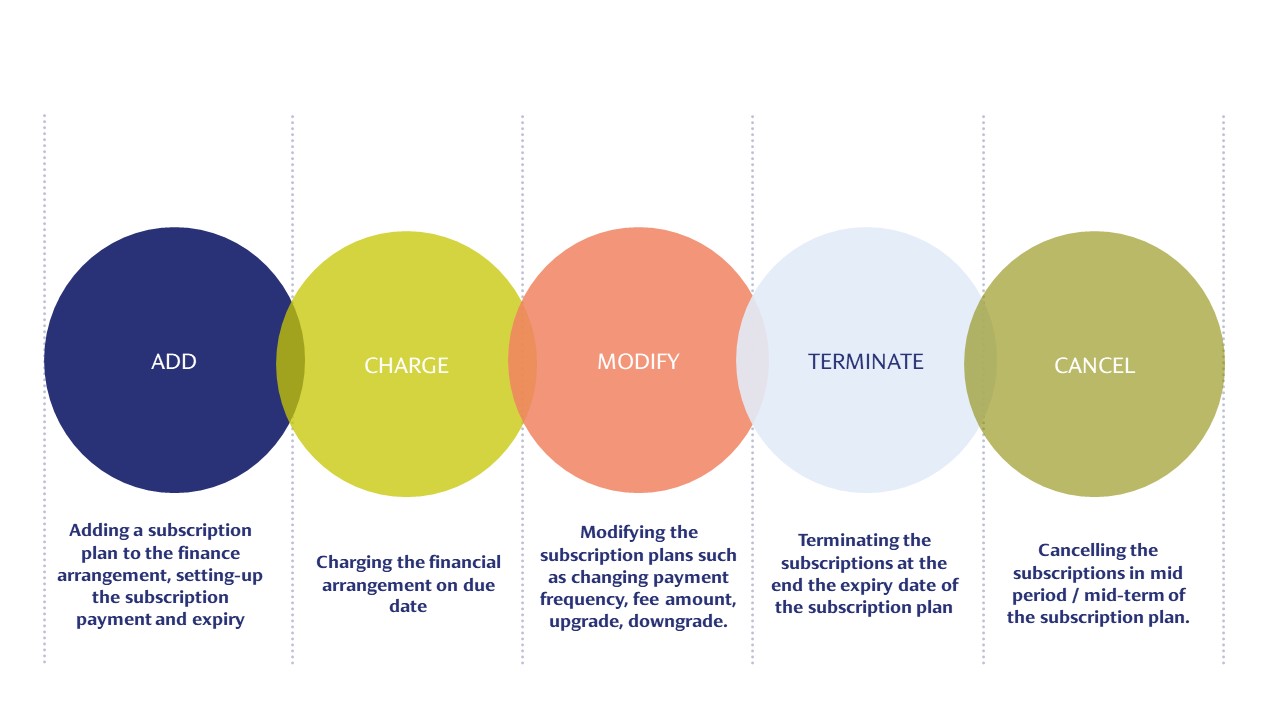
The Subscriptions lifecycle is depicted below:
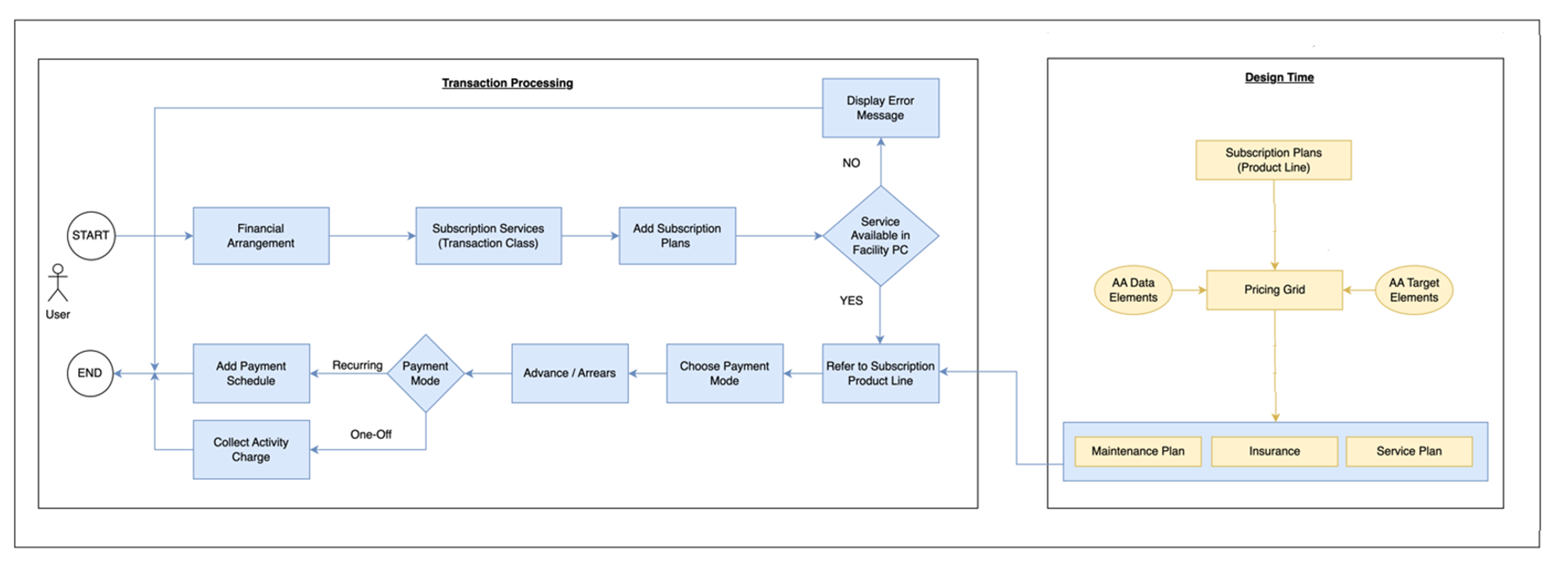
A high-level workflow to add subscriptions in the finance arrangement is shown below:
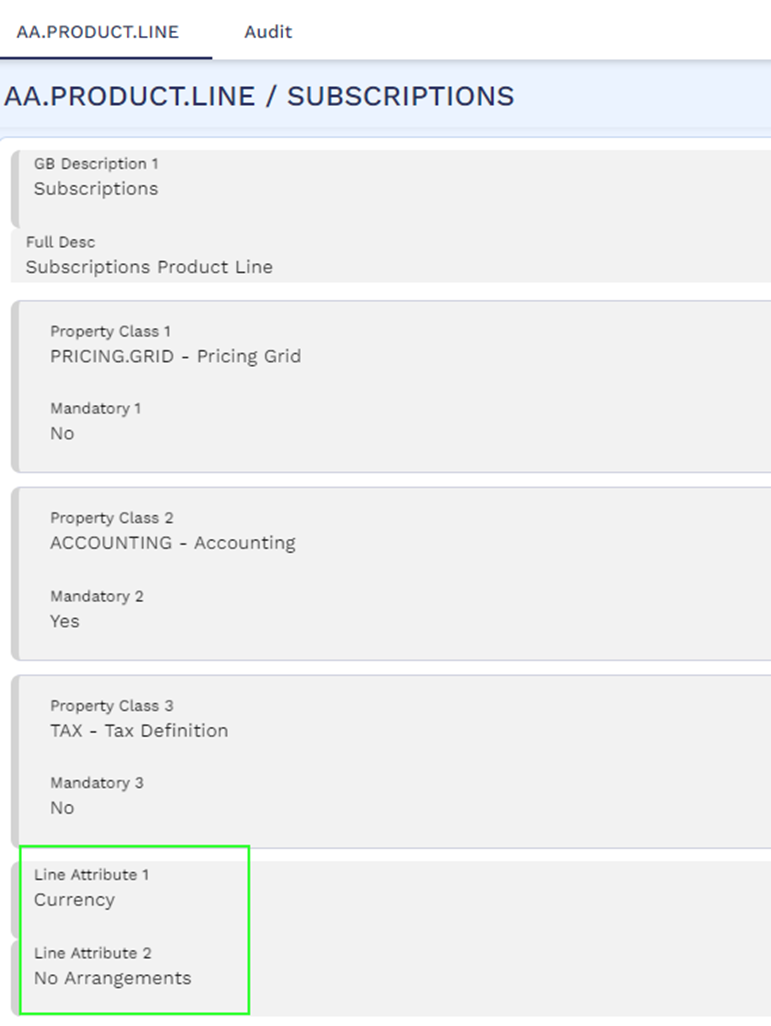
Product Line Attributes
The Subscriptions product line supports the following line attributes:
- Currency – Supports currency-specific product conditions.
- No Arrangements - Arrangements cannot be created.
Product Configuration
The following section describes the product configuration required for Subscriptions products.
Property Classes
 Accounting
The Accounting property class is a mandatory property class for the Subscription product line. It defines the accounting rules for the subscription product and controls the link between the accounting events generated by the property actions and the accounting allocation rules to be applied to these events. In Allocation rules, the LEASE-CHARGE record is applicable for the accounting of subscriptions fees.
Pricing Grid
The Pricing Grid Property class is mandatory for the Subscription product. The subscription fee is calculated based on the configuration of the pricing grid product condition. The Pricing Grid product condition can be defined with the data elements such as Finance amount, Term, Asset class, Asset type, Risk rating and so on and the target component as Charge amount (flat). Read Configuring Fee Grid and Introduction to Data and Target Elements for more information on Pricing Grid property class and attributes.
Tax
The Tax Property Class can be optionally configured in subscription products for VAT on the subscription fees. It primarily controls the VAT applicable subscription product.
Read Configuring Taxation to know about the tax configuration.
Product Builder
Read Introduction to Product Builder User Guide for more information on product construction and configuration process.
Illustrating Model Parameters
Facility Property in Financial Product
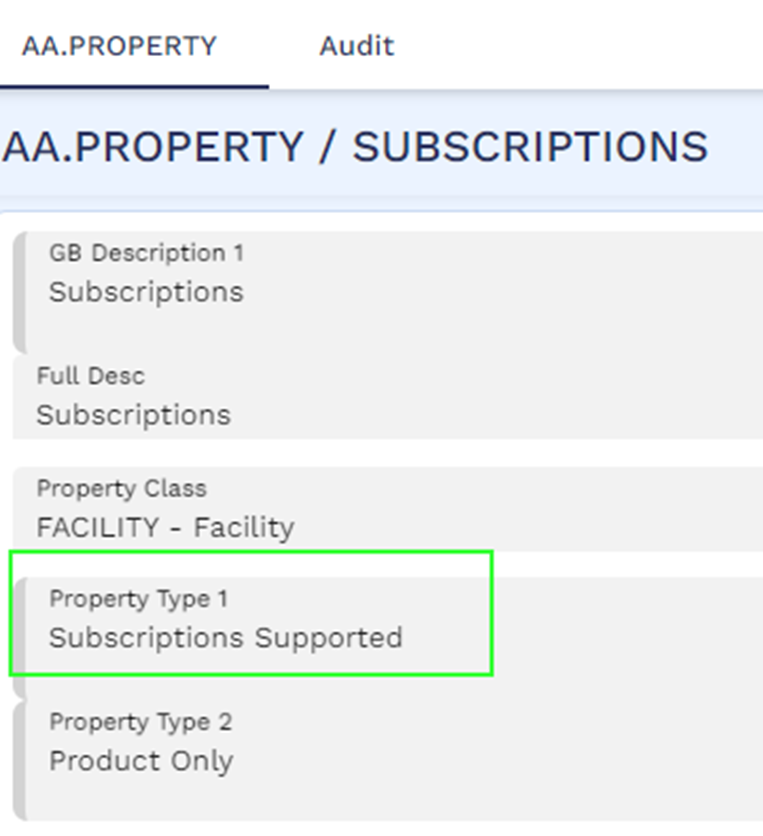
The financial product’s Facility property is configured with the new Subscriptions Supported property type to define the allowed subscription group, subscription plan, and variation for the financial product in the Facility product condition of the financial product. If Property Type is not set as Subscriptions Supported, the fields mentioned above cannot be configured.
Pricing Grid Property in Subscription Product
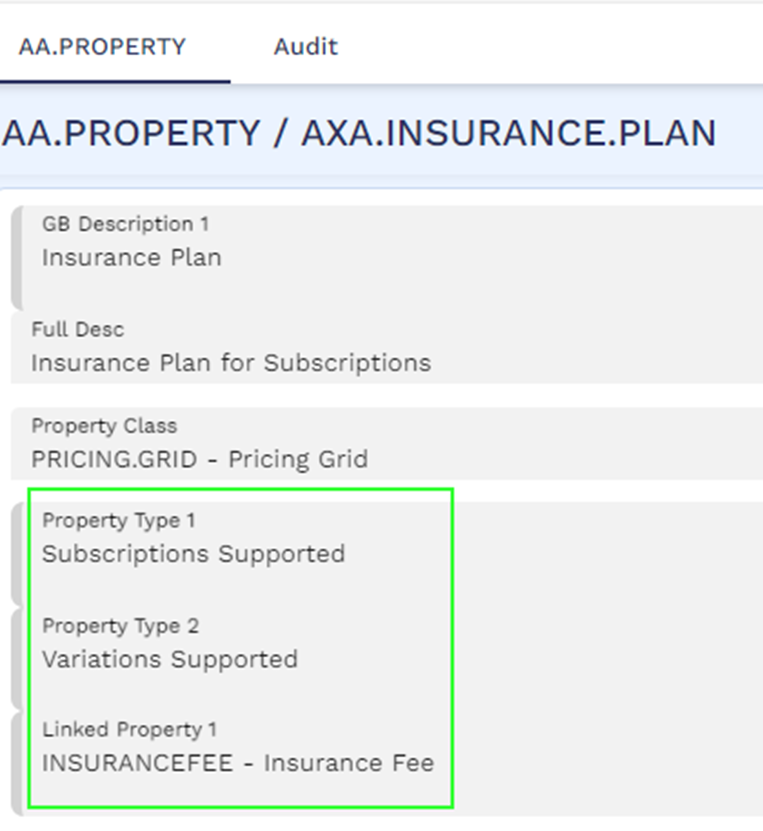
The pricing grid property is configured with the Property Type set as Subscription Supported. The pricing grid property defines the pricing of the subscription product. Upon adding the subscription product in the financial arrangement, the system derives the fee amount based on the criteria. Upon raising the bill/invoice in the financial arrangement, the system uses the charge property that is attached in the Linked Property attribute of the pricing grid property record.
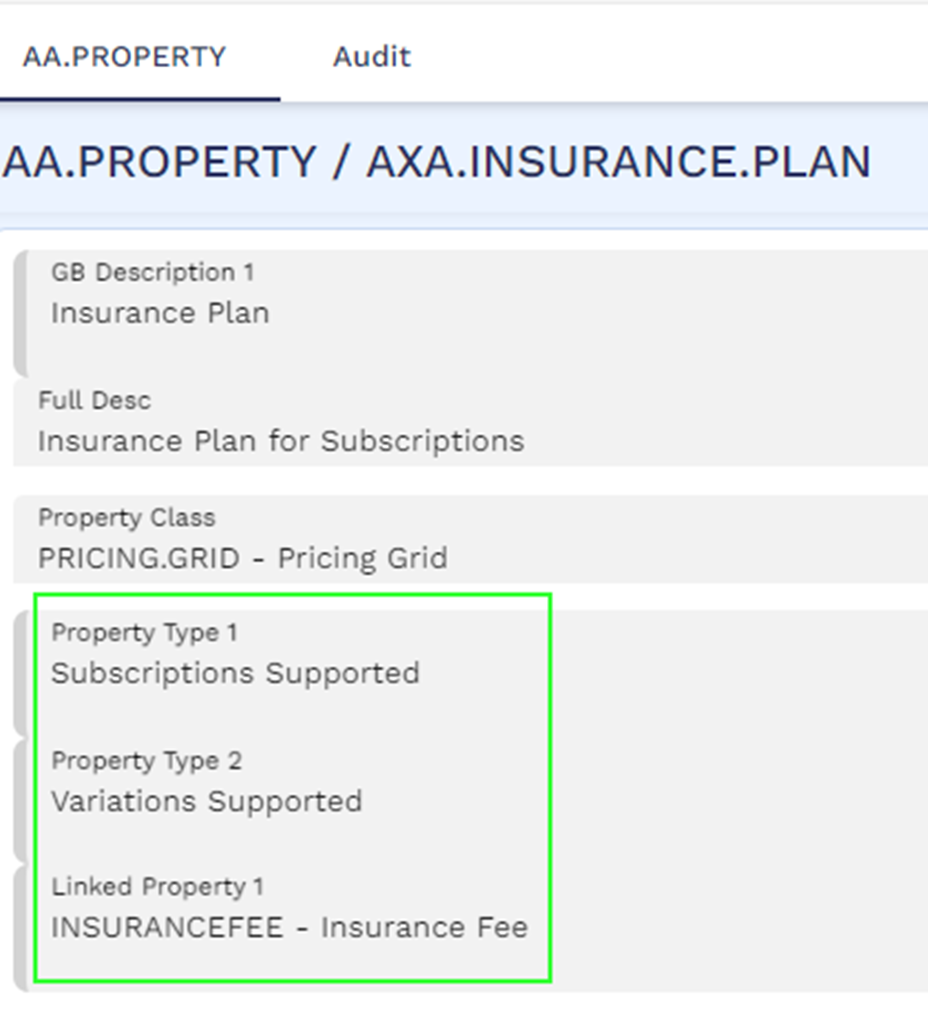
The Linked Charge property is allowed only when Pricing Grid property’s Property Type is set as Subscriptions Supported.
Charge Property
The charge property is attached as a linked property in the Pricing Grid property. This charge property‘s Property Type is set as Subscription Supported.

Illustrating Model Products
The following model products are reference products for the user to use, amend, or refer when creating new Subscription products.
|
Product Name |
Product Attributes |
|---|---|
|
Insurance
|
|
|
Maintenance
|
|
In this topic