Product Details
This comprehensive platform allows you to seamlessly view real-time insights of a specific instrument, such as the status, pricing information, and the asset class to which the instrument belongs. In addition, you can view stock-related news associated with specific instruments.
The Product Details page displays the details of a given instrument. Also, you can mark an instrument as your favourite by clicking the star icon at the top-right of the screen.
Go to the Feature Description section to gain a high-level understanding of the instrument details.
UX Overview - Online Banking and Mobile Native App
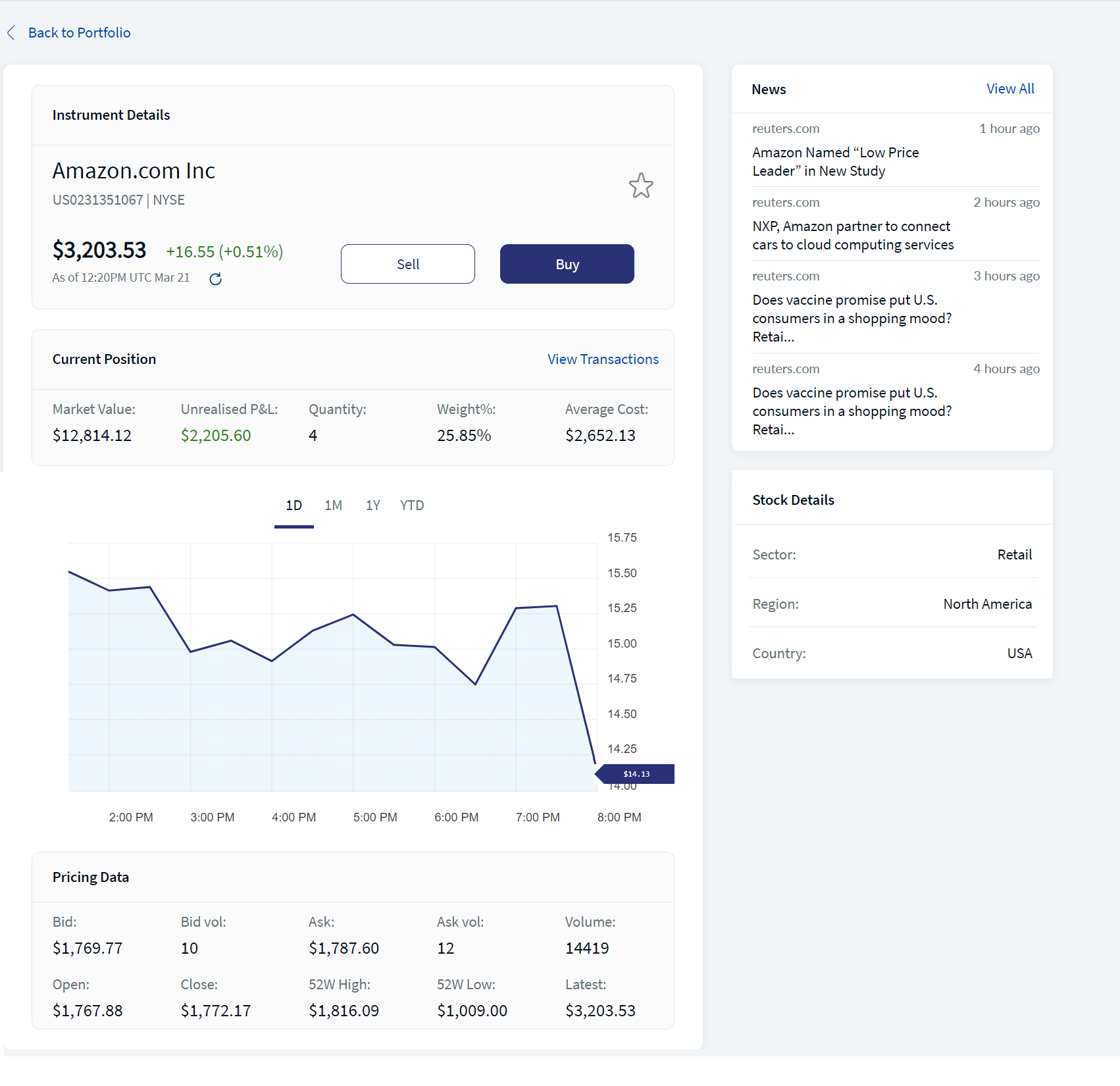
The below UX Overview screen displays the Product Details for the Online Banking
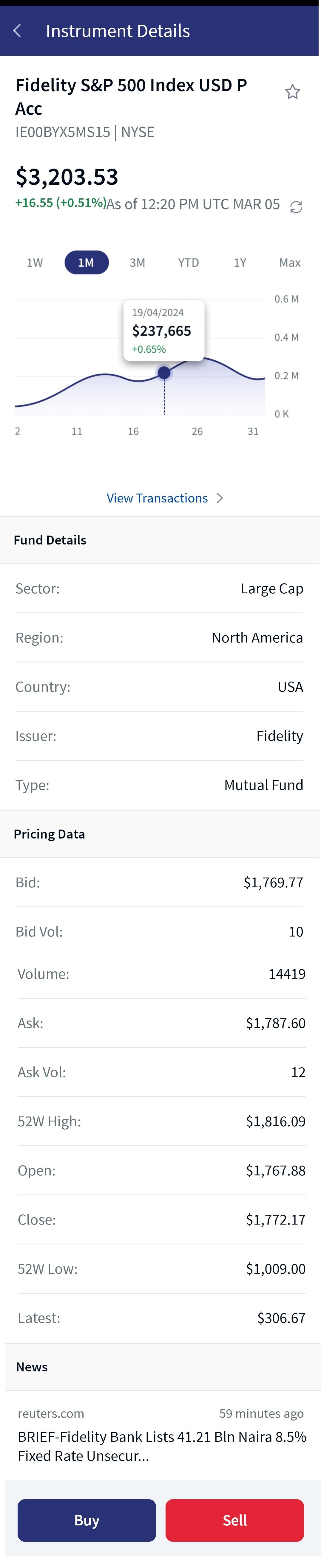
The below UX Overview screen displays the Product Details for the Mobile Native App.
The table below provides an overview of the features, the component information, and the configurable elements.
| Section | Component | Configurable Elements |
|---|---|---|
|
Instrument Details: This section displays details of the instrument such as Instrument Name, ISIN, and Exchange. You can also choose to buy or sell the instrument from this section. The history of the instrument price is also displayed in the form of a graph. |
com.temenos.infinityWealthComponents.instrumentDetails | NA |
| Current Position: This section displays details of the current status of the instrument. | NA | NA |
| View Transactions: This section displays details of the transactions associated with a specific instrument. | com.olb.wealth.viewTransactions | NA |
|
Pricing Data: This section displays the pricing information of the instrument. The data for the Pricing Data section is retrieved from the Market Data Provider. |
NA | NA |
| Stock News: This section displays the stock news that is associated with the instrument or asset. The data for the Stock News section is retrieved from the Market Data Provider. |
NA | NA |
| Asset Class Details: This section displays the details of the asset class to which the instrument belongs. | NA | NA |
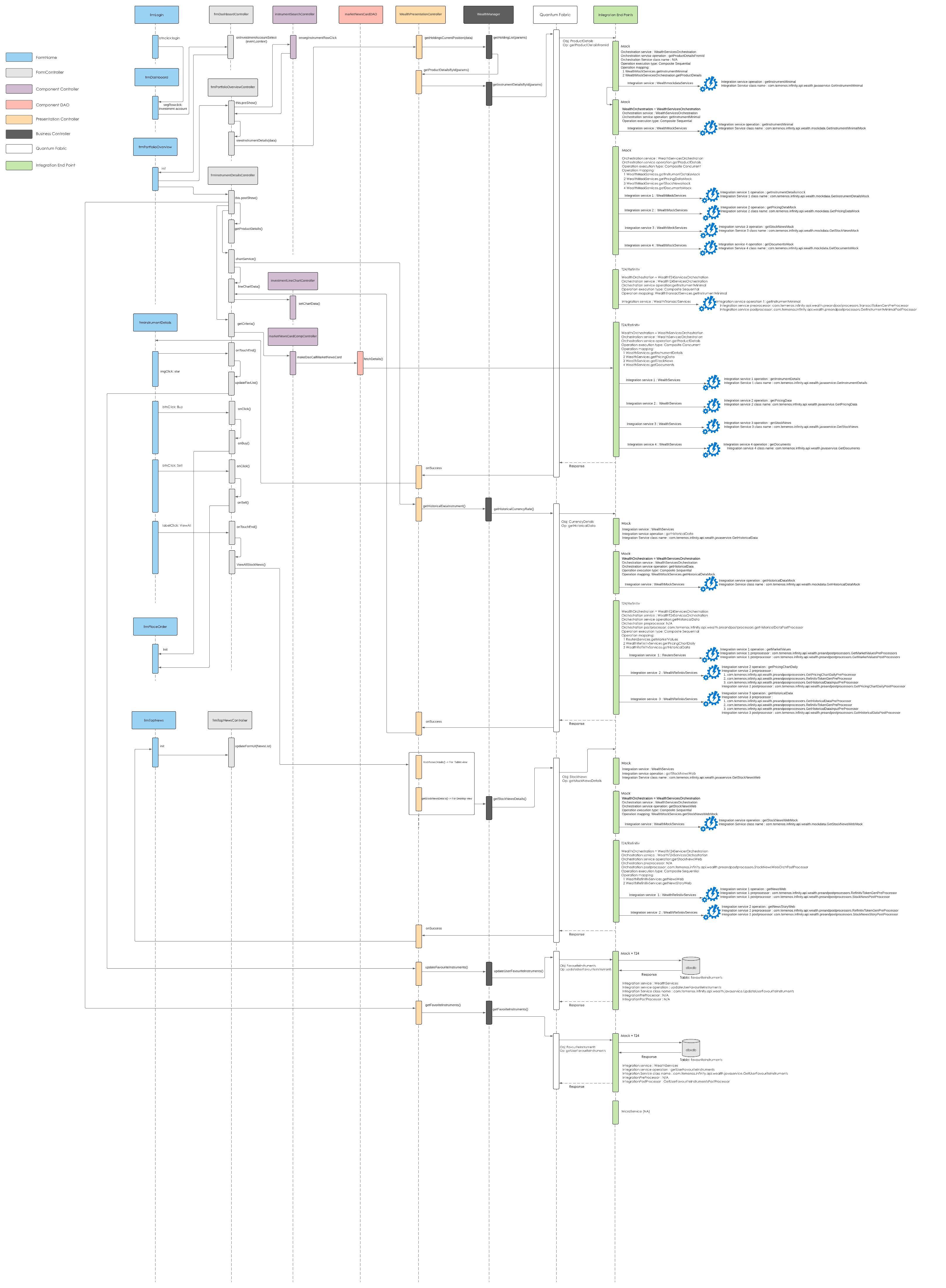
Sequence Diagram - Product Details
Feature Description
The Product Details module contains the following sections for the Online Banking and the Mobile Native App.
The mentioned information is provided by the Market Data Provider.
Instrument Details
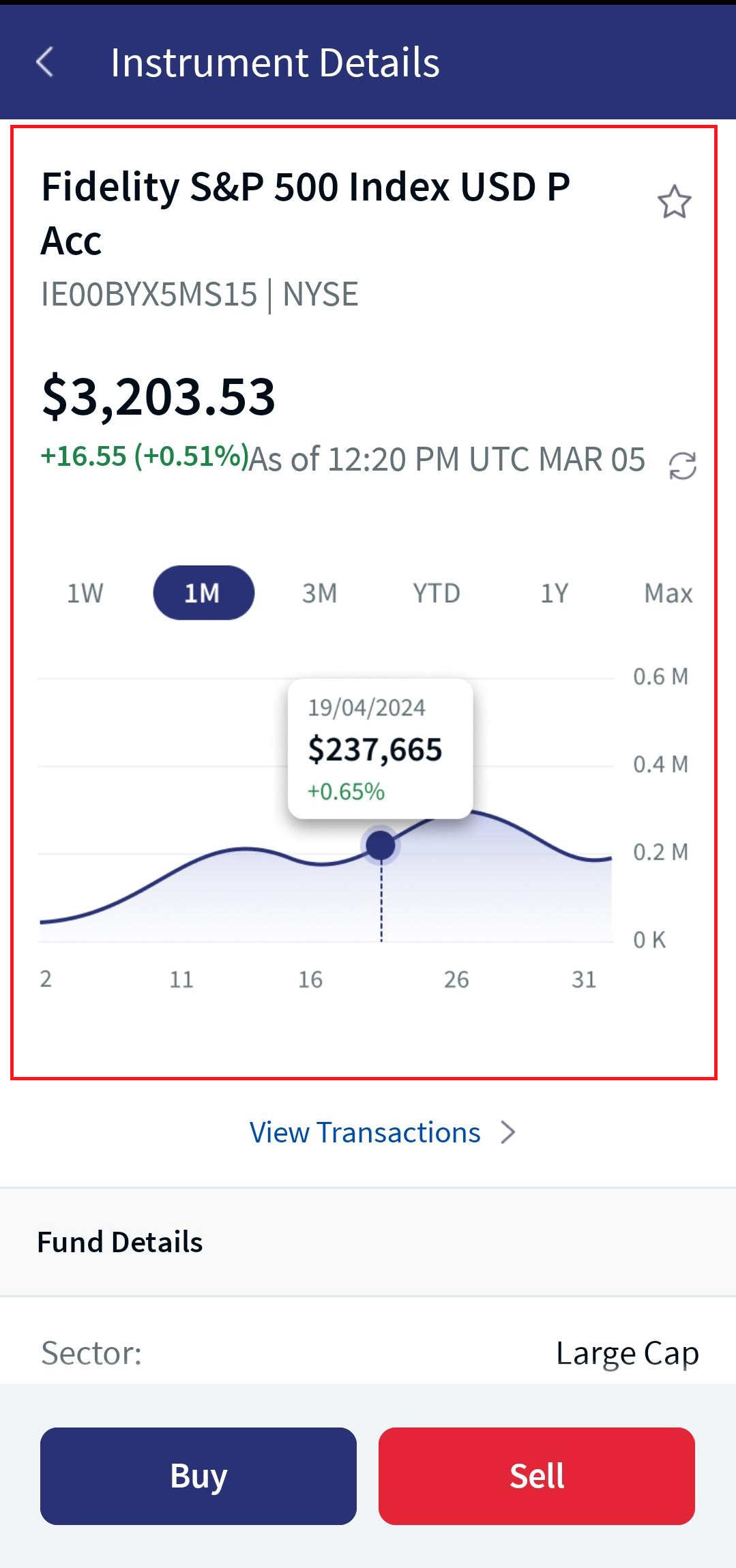
Online Banking:The Instrument Details section displays the following details about an instrument:
- Instrument Name is the name of the product or instrument.
- ISIN is a unique identification number for the instrument.
- Exchange is the position where the stock is listed.
- Price is the latest price of the instrument.
- Change displays the date and time at which the instrument price changed. The price change can be either positive or negative. The price change is also displayed in terms of percentage.
To view the latest price of the instrument, click the Refresh icon.
You can also view the history of the instrument price in the form of a graph. It is displayed as follows:
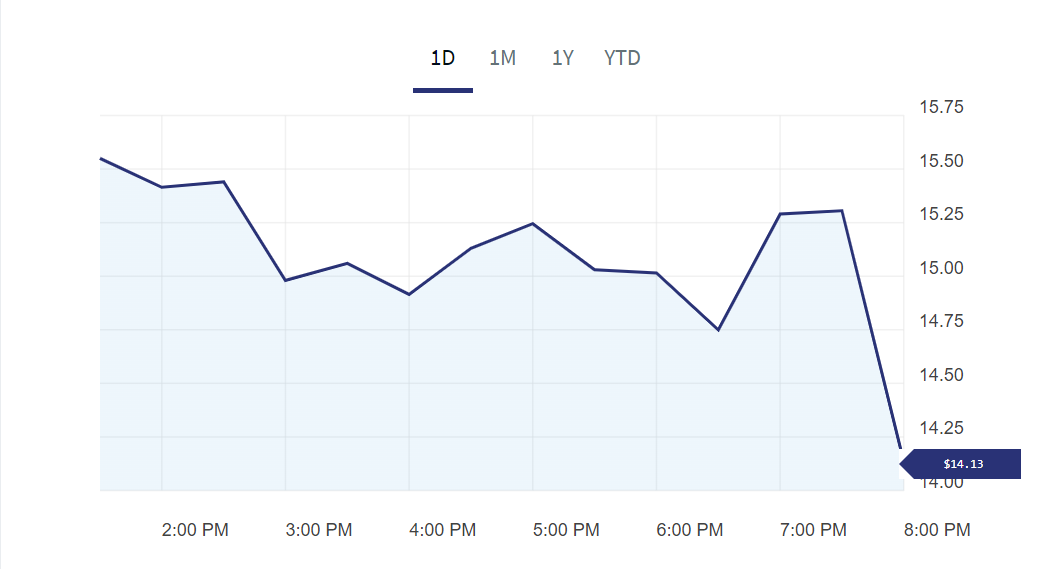
- Current Day (1D): The graph displays the price information for the current day.
- The last month (1M): The graph displays the price information for the last one month from the current day.
- The last year (1Y): The graph displays the price information for the last year from the current day.
- The last five years (5Y): The graph displays the price information for the last five years from the current day.
- From the beginning of the year (Year to Date): The graph displays the price information from the day on which the total value was available.
The Instrument Details section also provides options to buy and sell the instrument. For more information about buying and selling an instrument, click here.
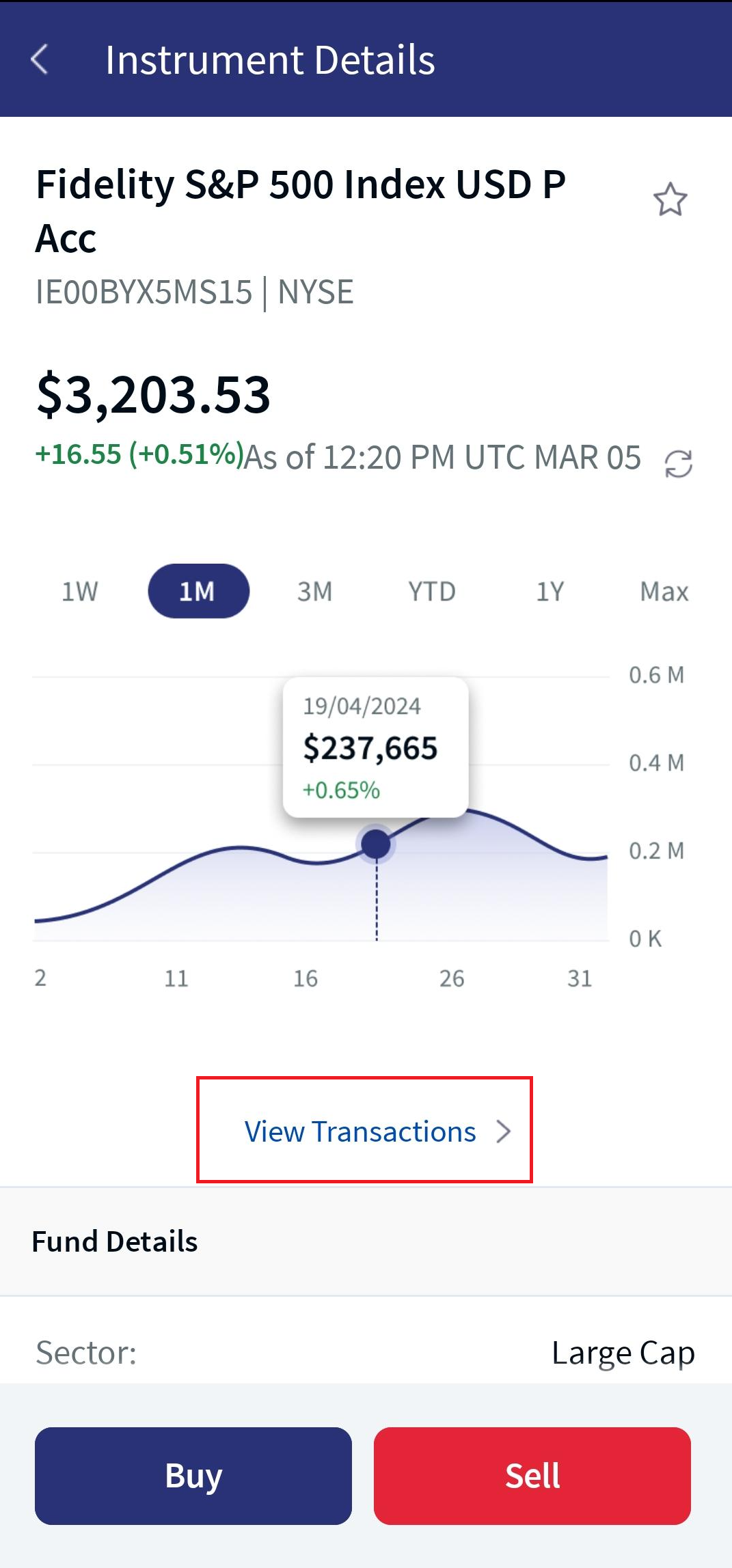
Mobile Native App:When selecting an instrument, the Instrument Details screen appears, which includes the instrument name, ISIN, exchange, price, and change. In addition, you can view the history of the instrument price in the form of a graph. For a detailed description on each parameter, refer to the above Online Banking section.
Business Process Diagram - Instrument Details
Current Position
Online Banking: The Current Position section specifies the attributes that are associated with the current status of the instrument.
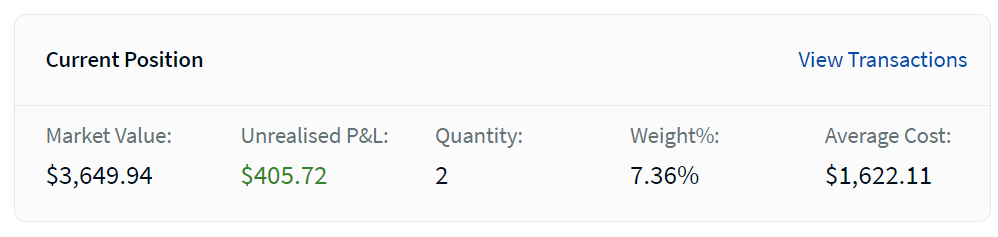
It displays the following details:
- Market Value: Specifies the current market value of the instrument in the portfolio. It displays the product of the current market price and the quantity of the instrument.
- Unrealized P&L: Specifies the difference between the current market value and the weighted average cost of the buy. Profit is displayed in Green and loss is displayed in Red.
- Quantity: Specifies the total quantity of the instrument in the portfolio.
- Weight %: Specifies the weightage or the proportion of the instrument in the portfolio.
- Average Cost: Specifies the average cost of the instrument in the portfolio.
- Accrued Interest: Accrued interest refers to the amount of interest that has been incurred, as of a specific date
- Nominal: Specifies the quantity that is held in the instrument
- Balance: Specifies the balance available for the instrument.
- Amount Bought: Specifies the value at which the instrument is purchased.
- Quote: Specifies the quote available for the instrument.
- Cost Quote: Specifies the cost quote available for the instrument.
- Counterpart Amount: Specifies the amount that must be paid/received by the counterpart.
The earlier mentioned attributes are displayed based on the asset class of the product. The attributes of the different asset classes are as follows:
- Market value
- Unrealized PL
- Quantity
- Nominal
- Weight %
- Average cost
- Accrued Interest
- Market value
- Unrealized PL
- Weight %
- Amount Bought
- Amount Sold
- Quote
- Cost Quotes
- Counterpart Amount
- Market value
- Unrealized PL
- Quantity
- Weight %
- Average cost
- Market value
- Unrealized PL
- Nominal
- Weight %
- Average cost
- Balance
- Unrealized PL
- Quantity
- Weight %
- Average cost
- Market value
- Unrealized PL
- Nominal
- Weight %
- Average cost
- Market value
- Unrealized PL
- Quantity
- Weight %
- Average cost
 Bond
Forward
Fund
Futures
Money Market
Options
Stock
Bond
Forward
Fund
Futures
Money Market
Options
Stock
Mobile Native App: The Current position section is displayed only on the Instrument Details screen through the portfolio details and in a row format.
- This section doesn’t appear in the Instrument Details screen if you search for an instrument using the search criteria in the Home icon.
- For a detailed description on each parameter, refer to the above Online Banking section.
View Transactions
Online Banking: The View Transactions feature lets you to view the transactions that are associated with a specific instrument. It is similar to the Transactions section in the Portfolio Details module.
When you click on the View Transactions option on a specific Instrument Details module, the View Transactions section is displayed.
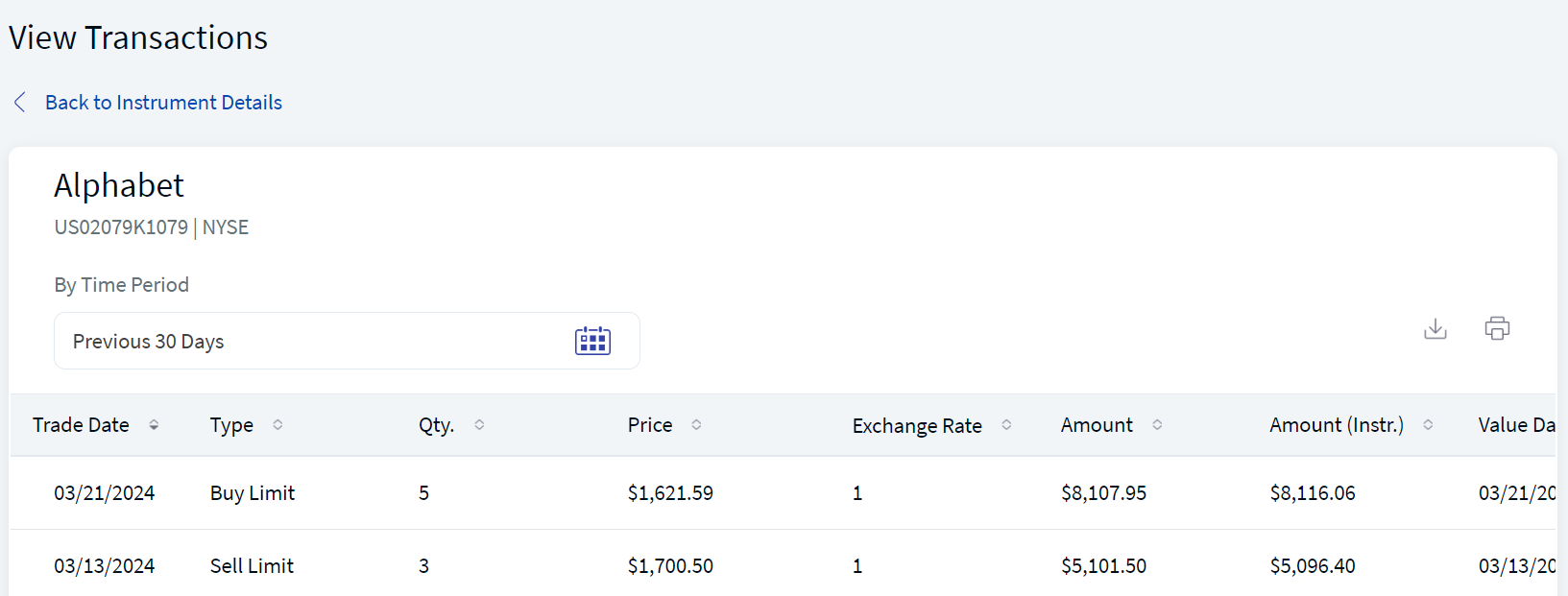
For more information about the details that are displayed and the actions that can be performed on the View Transactions section , refer to Transactions.
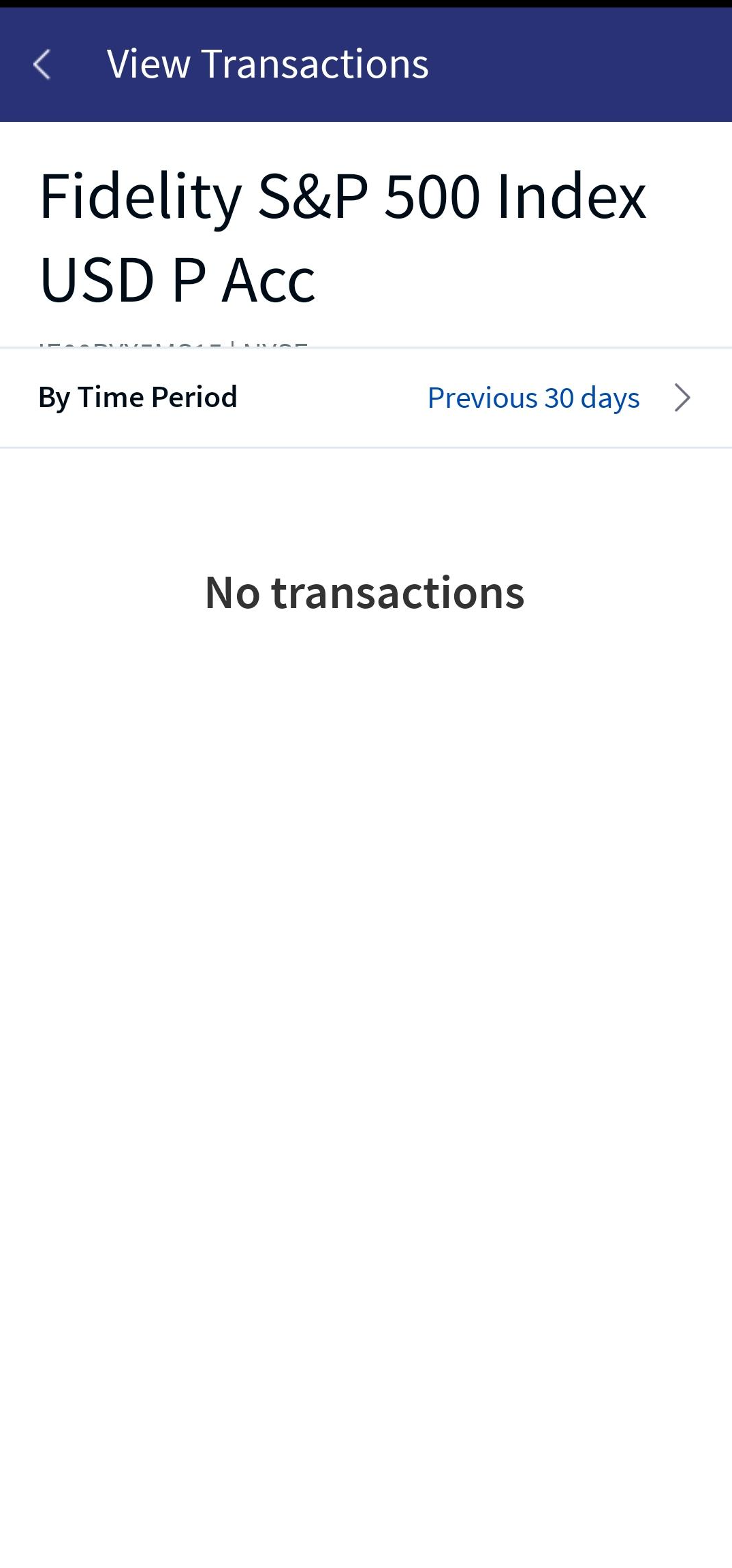
Mobile Native App:Below the Current Position section, the View Transactions link appears. When you click on it, the system navigates you to the View Transactions screen, which allows you to view the transactions associated with a specific instrument. For more details, refer to the above Online Banking section.
Pricing Data
Online Banking: Pricing Data provides the price information about an instrument.
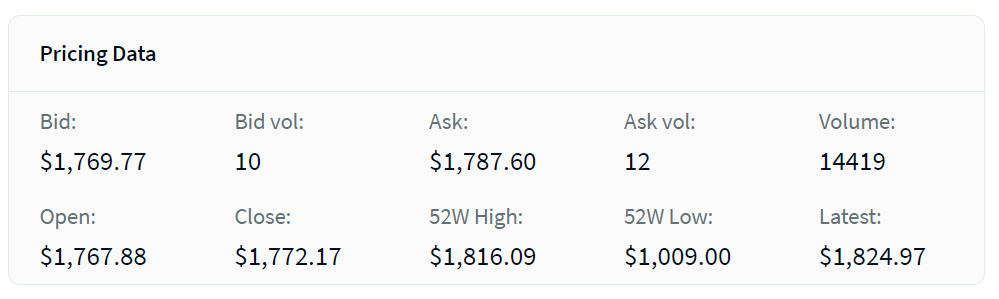
It displays the following details:
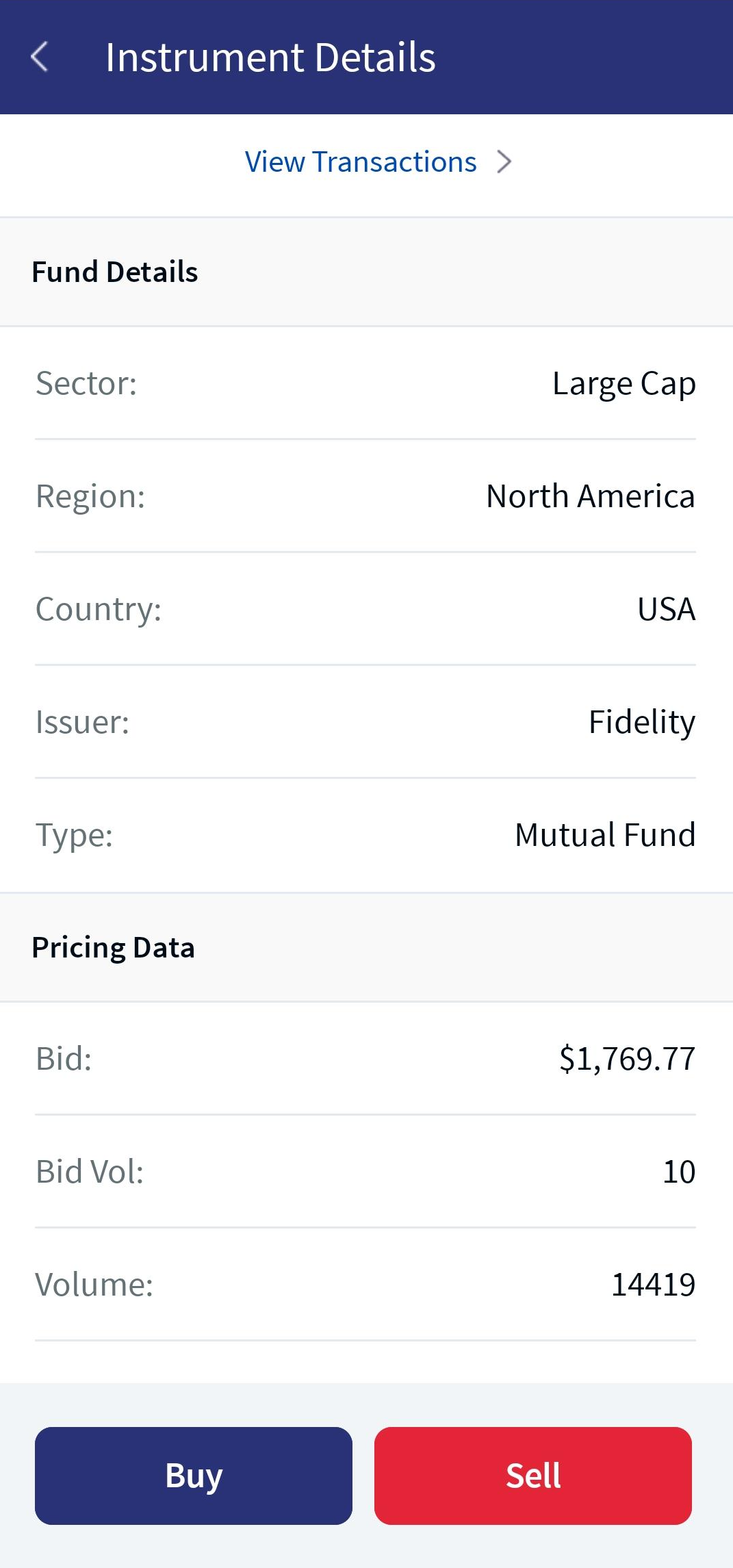
- Bid: Specifies the best available price to buy the instrument.
- Bid Vol: Specifies the total buy volume that is available in the order book.
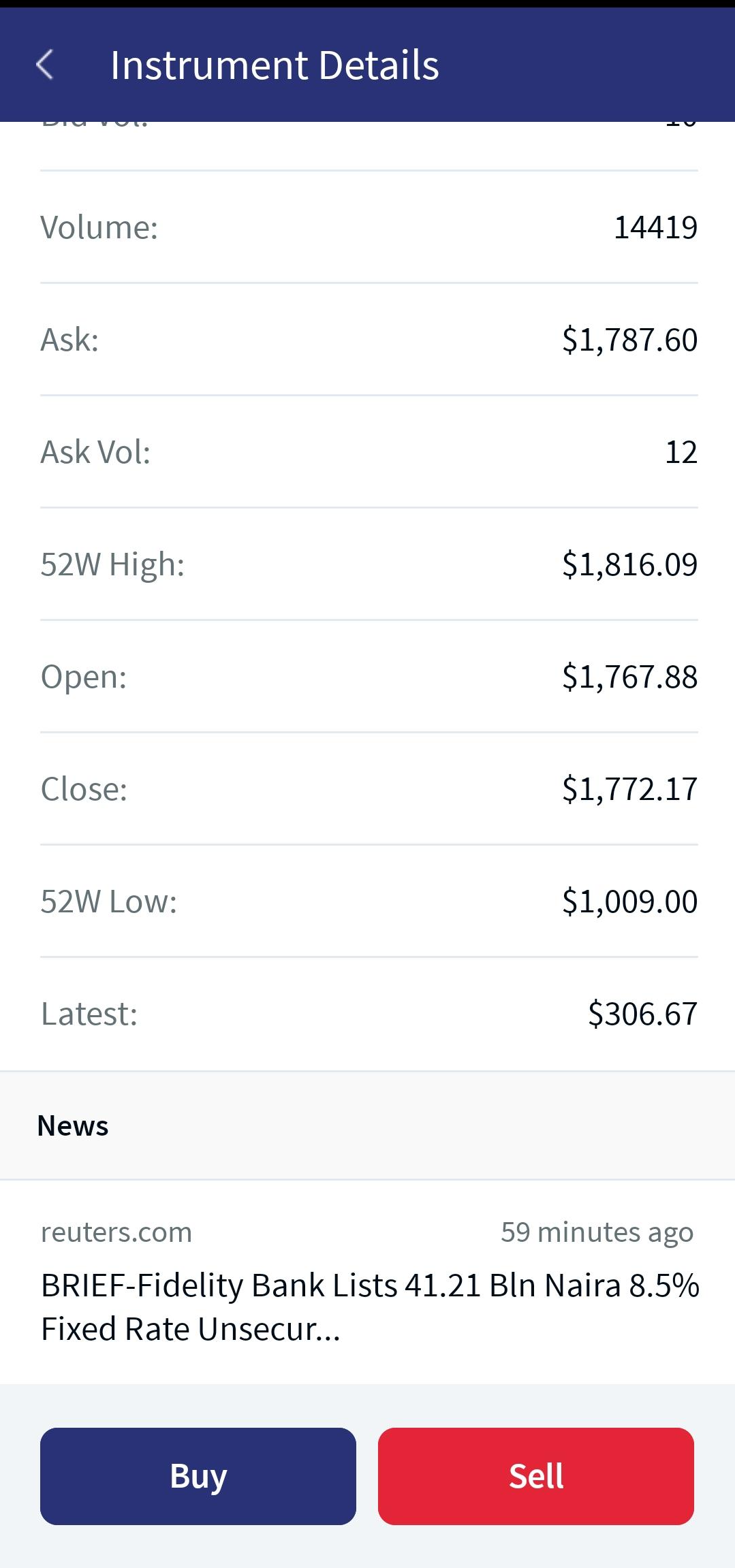
- Volume: Specifies the total volume of both buy and sell.
- Ask: Specifies the best available price to sell the instrument.
- Ask Vol: Specifies the total sell volume that is available in the order book.
- 52 Week High: Specifies the highest price of the instrument in the last 52 weeks.
- Open: Specifies the opening price of the instrument.
- Close: Specifies the closing price of the instrument.
- 52 Week Low: Specifies the lowest price of the instrument in the last 52 weeks.
- Latest: Specifies the latest price of the instrument.
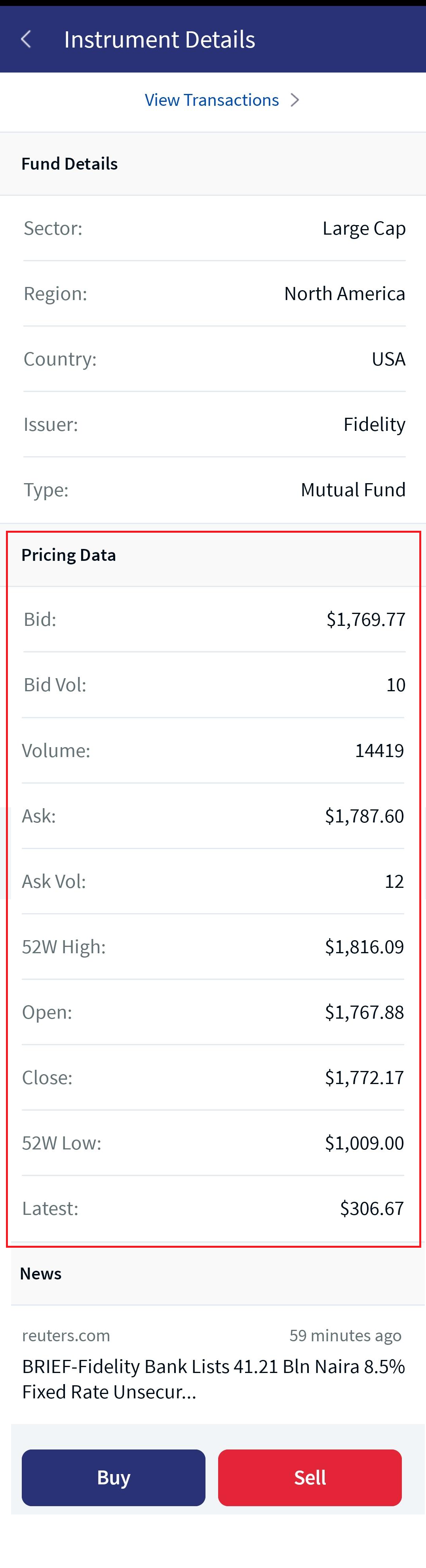
Mobile Native App: Pricing data is displayed in a row format below the respective Asset Class details section.
For a detailed description of each parameter on the Pricing Data functionality, refer to the above Online Banking section.
Pricing Data
Stock News
Online Banking: The Stock News section displays the stock news that is related to the selected instrument. The data is retrieved from the Market Data Provider.
To view all the stock news, click View All. The Stock News screen appears.
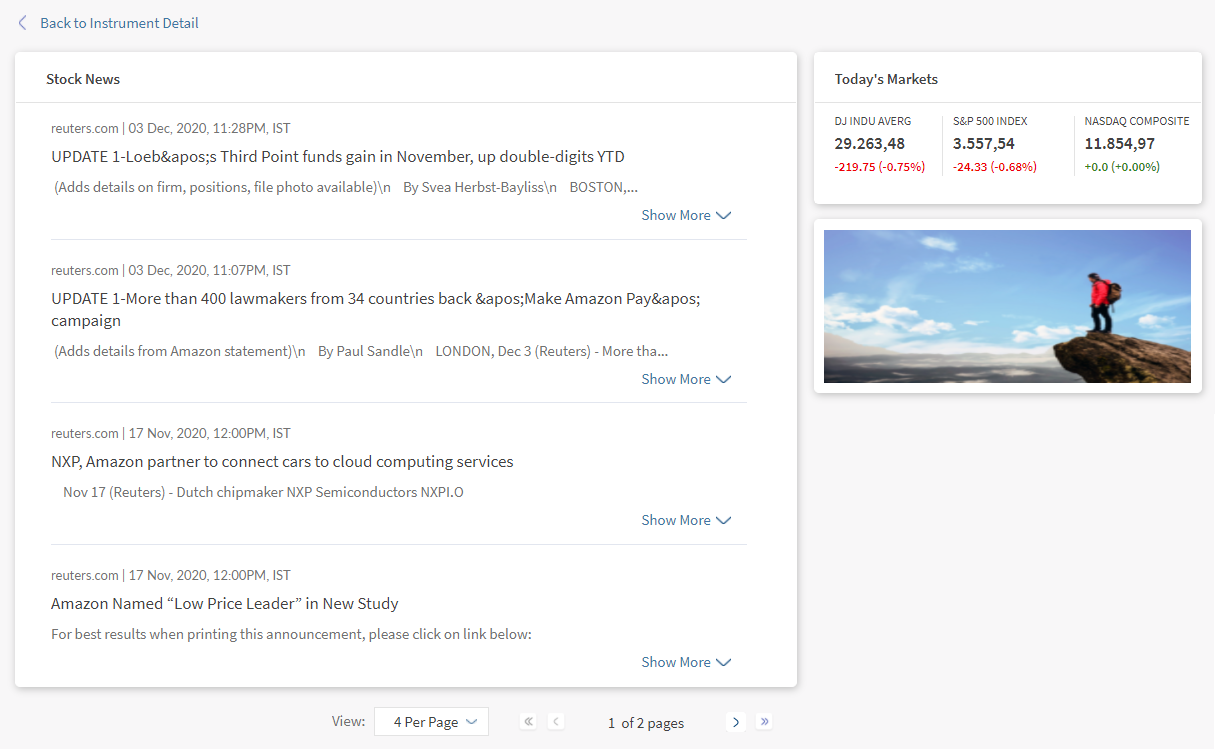
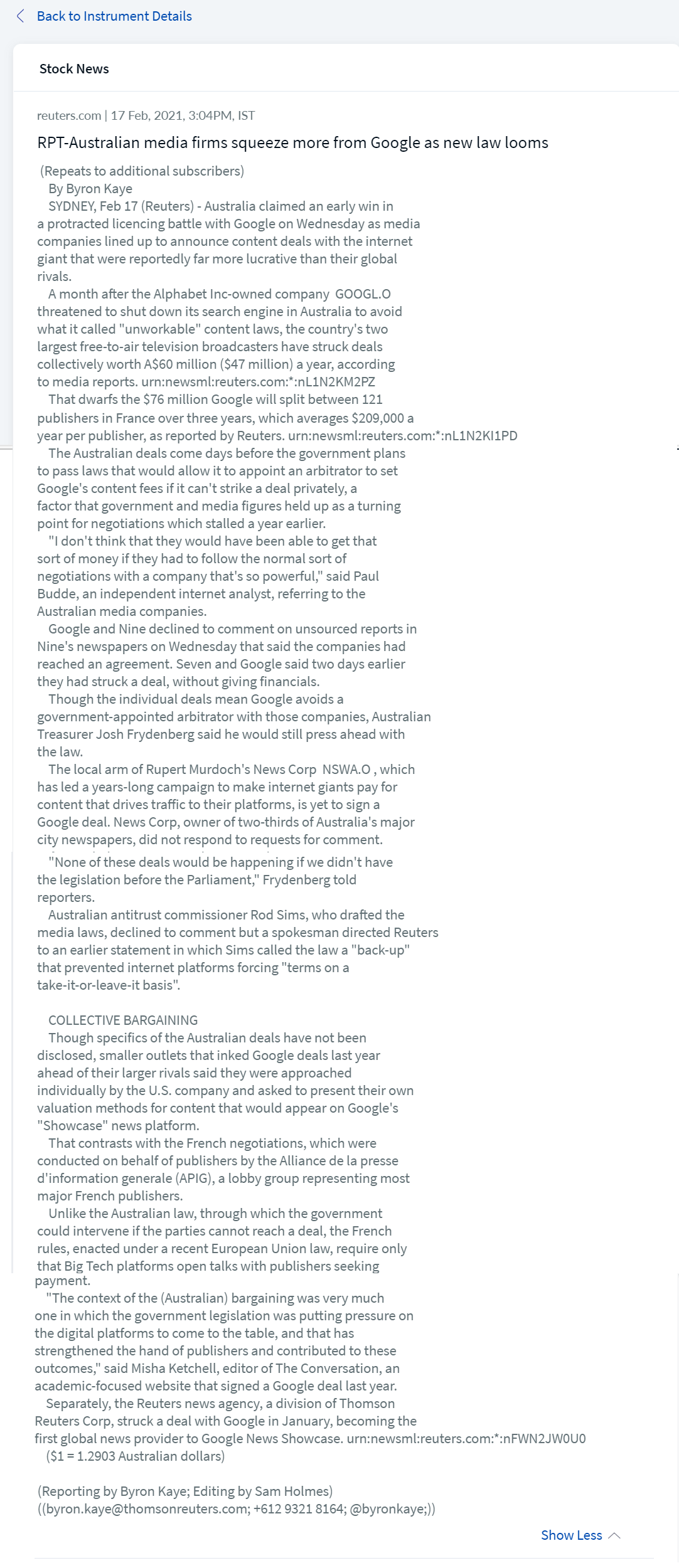
The Stock News screen displays a list of news. To view the details of a specific topic, click Show More.
Mobile Native App: This feature appears as News at the bottom of the screen. On clicking, the system navigates you to the Stock News detailed screen.
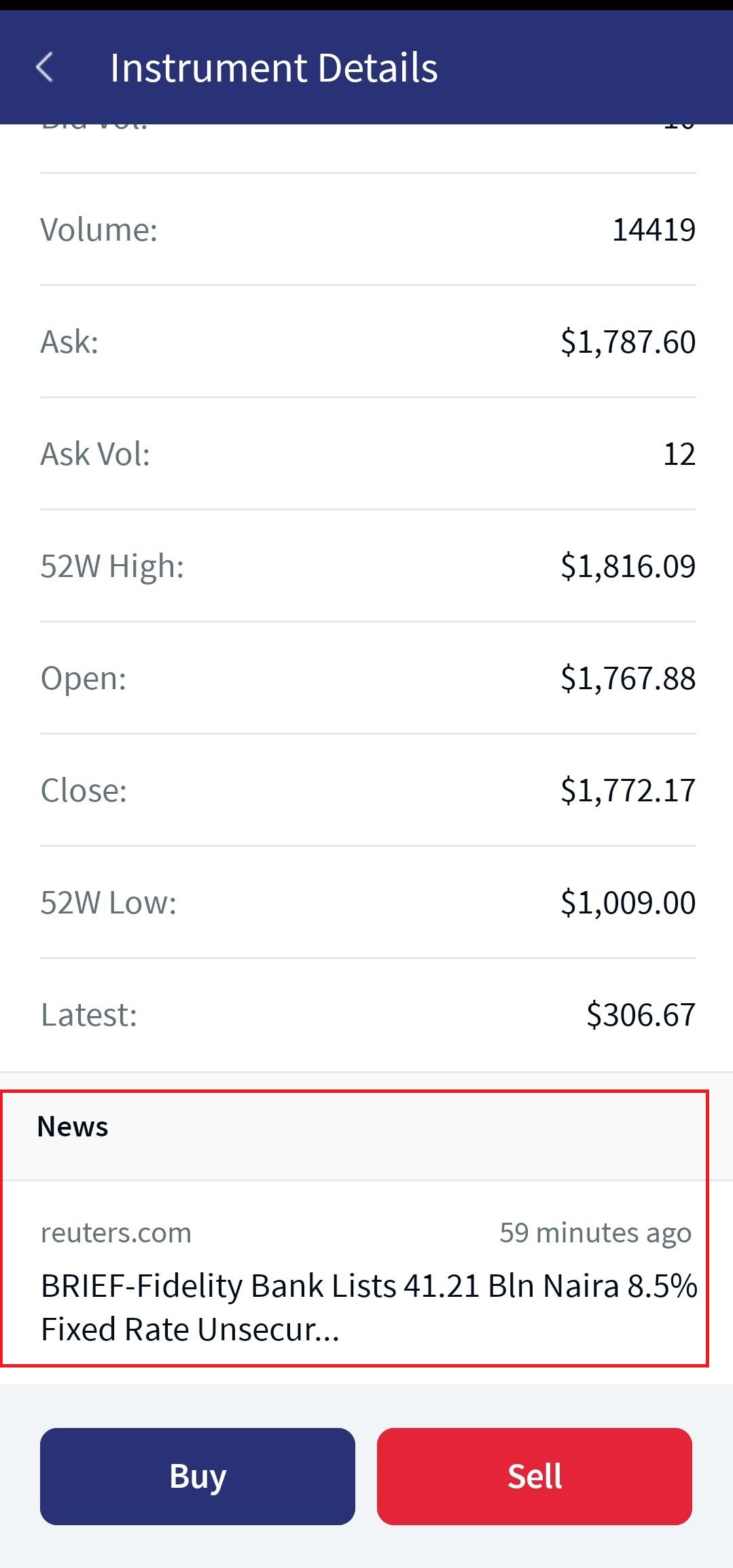
News
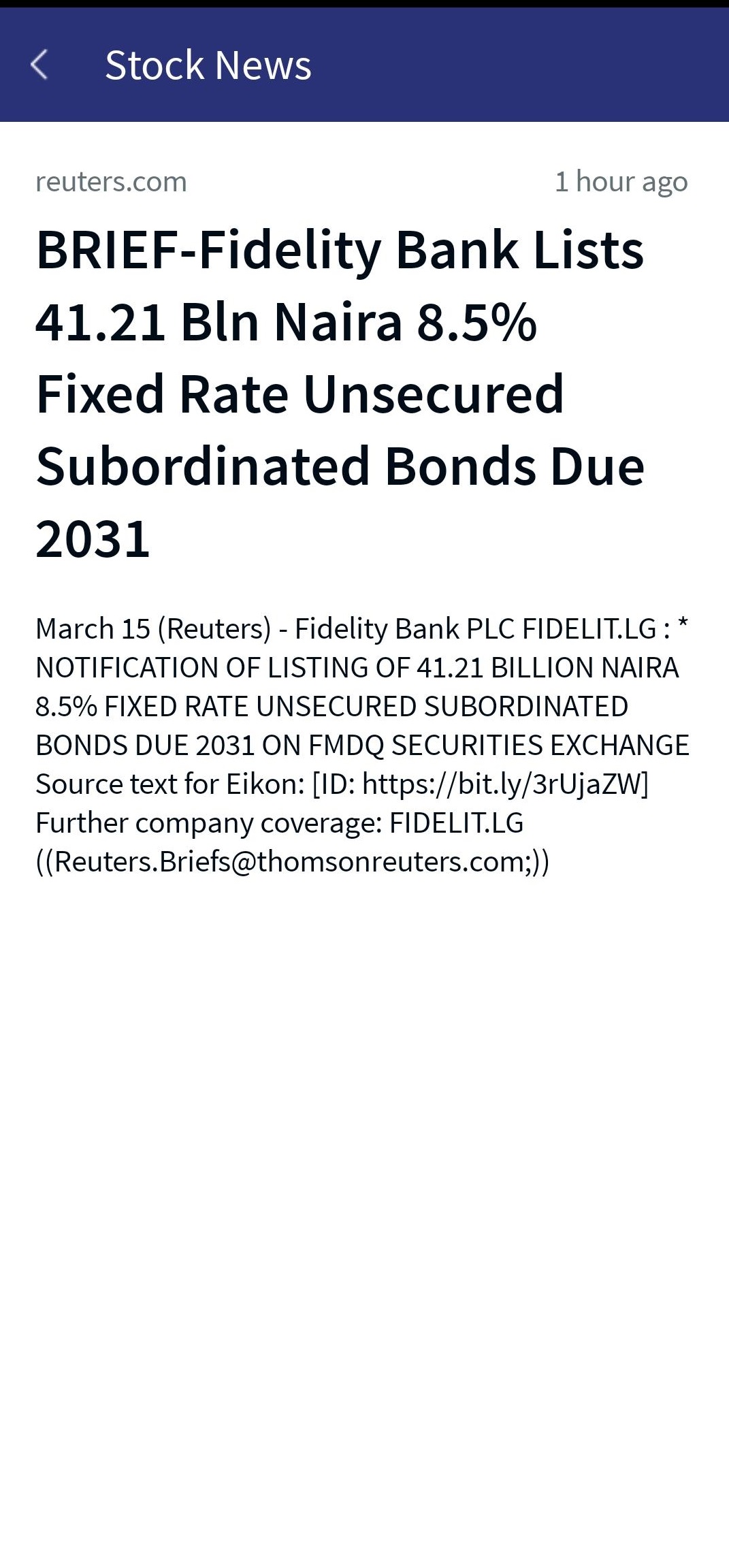
Stock News Detailed Screen
Asset Class Details
Online Banking: From the Asset Class Details section, you can view the details of various asset classes to which the product belongs. For example, if a product belongs to the asset class named Bond, the details that apply to the Bond asset class are displayed.
The asset classes are categorized as follows:
- Bond: Bonds are debt instruments that are issued by government to finance their operations.
- Forward: A Forward contract is a contract between two parties to buy or sell an asset at a specified price on a future date.
- Fund: A mutual fund is an investment fund that pools money from the investors to invest in different asset classes.
- Futures: Futures are derivatives contract that allows the buyers/sellers to transact an asset at a predetermined future date and price.
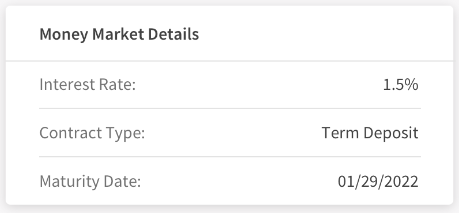
- Money Market: Money Market is a short term instrument type that is transacted between banks and other financial institutions.
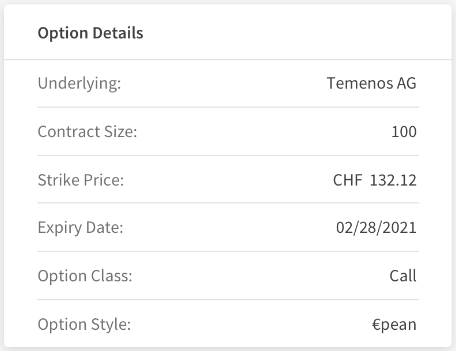
- Options: Options are financial instruments that are derivatives based on the value of the underlying assets.
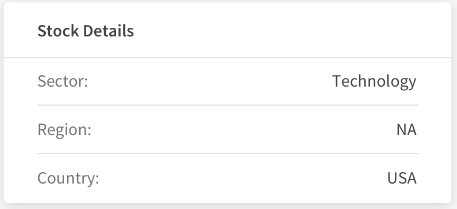
- Stock: A stock represents ownership of a fraction of the corporation. Stocks are also called Shares.
The following details are displayed based on the various asset classes:
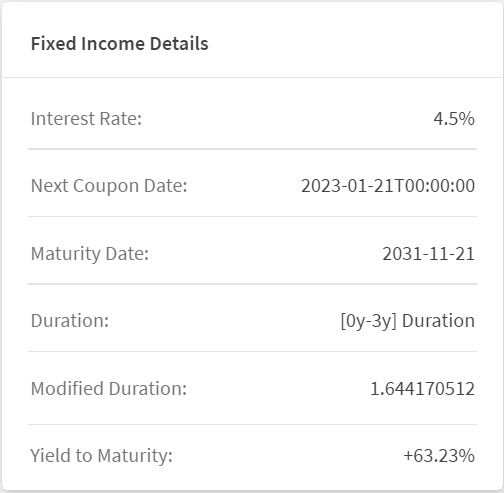
- Interest Rate: Interest Rate is the amount that a lender charges for the use of assets expressed as a percentage of the Principal Amount.
- Next Coupon Date: Specifies the next date on which the bond holders are sent the coupon payments.
- Maturity Date: Specifies the date on which the instruments mature.
- Duration: Duration is a measure of the sensitivity of the price of a bond or other debt instrument to a change in interest rates
- Modified Duration: Specifies a measurable change in the value of a security in response to a change in the interest rates.
- Rating: Specifies the rating provided by the different rating agencies for a particular asset/instrument.
- Yield to Maturity: Specifies the expected annual rate of return on a bond if it is held until the maturity date. The yield to maturity field is displayed for a Bond Instrument or any other Fixed Income Instrument present in TAP.
- The mentioned attributes vary depending on the types of bonds. For example, the Interest Rate does not apply to Zero-Coupon Bonds and the Maturity Rate does not apply to Perpetual Bonds.
- The yield to maturity percentage value is displayed for all types of Fixed income instruments from TAP, including bonds.
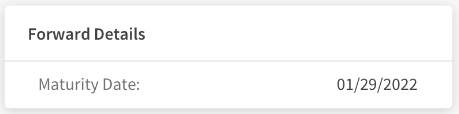
- Maturity Date: Specifies the date on which the instruments mature.
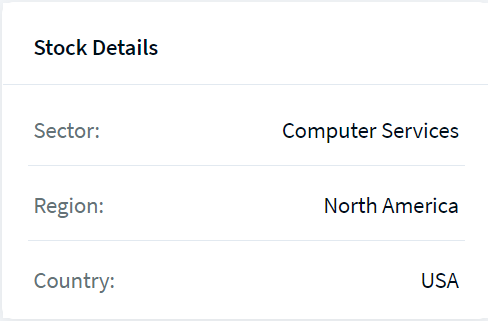
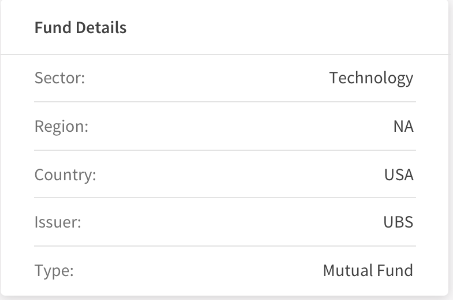
- Sector: Specifies the industry or the sector to which the stock belongs.
- Region: Specifies the region in which the country of the stock lies.
- Country: Specifies the country to which the stock belongs.
- Issuer: Issuer is a Corporation or Government that sells the stocks or bonds to raise funds for their operations.
- Type: Specifies the type of the fund issued.
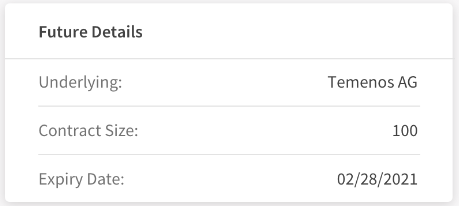
- Underlying: An underlying option security is a stock, index, bond, currency, or commodity on which an option's value is based.
- Contract Size: Specifies the quantity of the underlying instrument that the buyer of a call can buy.
- Expiry Date: Specifies the date on which the contracts expires.
- Interest Rate: Interest Rate is the amount that a lender charges for the use of assets expressed as a percentage of the Principal Amount.
- Contract Type: Specifies the type of a contract. For example, Term Deposit.
- Maturity Date: Specifies the date on which the instruments mature.
- Underlying: An underlying option security is a stock, index, bond, currency, or commodity on which an option's value is based.
- Contract Size: Specifies the quantity of the underlying instrument that the buyer of a call can buy.
- Expiry Date: Specifies the date on which the contracts expires.
- Strike Price: Strike Price is the price at which a derivative contract can be bought or sold when it is exercised.
- Option Class: Specifies the class of an option such as Call and Put.
- Option Style: Specifies the style of an option such as American and European.
- Sector: Specifies the industry or the sector to which the stock belongs.
- Region: Specifies the region in which the country of the stock lies.
- Country: Specifies the country to which the stock belongs.
Bond
Forward
Fund
Futures
Money Market
Options
Stock
Mobile Native App: You can view the details of various asset classes such as bonds, forward, funds, futures, money market, options, and Stocks to which the product belongs. The Asset details appear in a row. Refer to the Online Banking section for a detailed description of each asset class.
In this topic